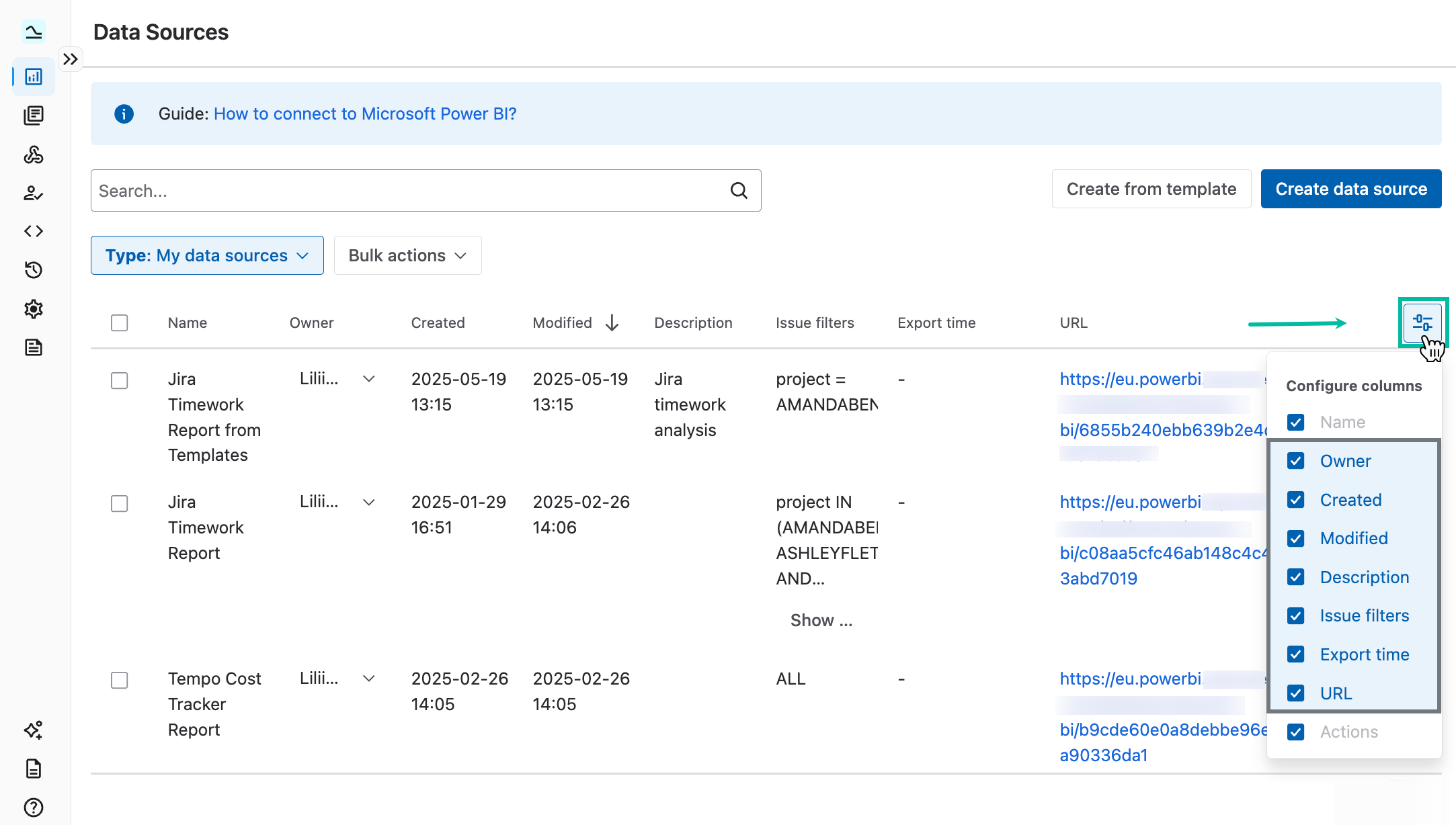
Before creating a data source, you can customize the view of the data sources list by selecting which information to display on the Data Sources page. This helps you focus on what’s most important. You can adjust the columns view at any time for your convenience by selecting Configure columns.
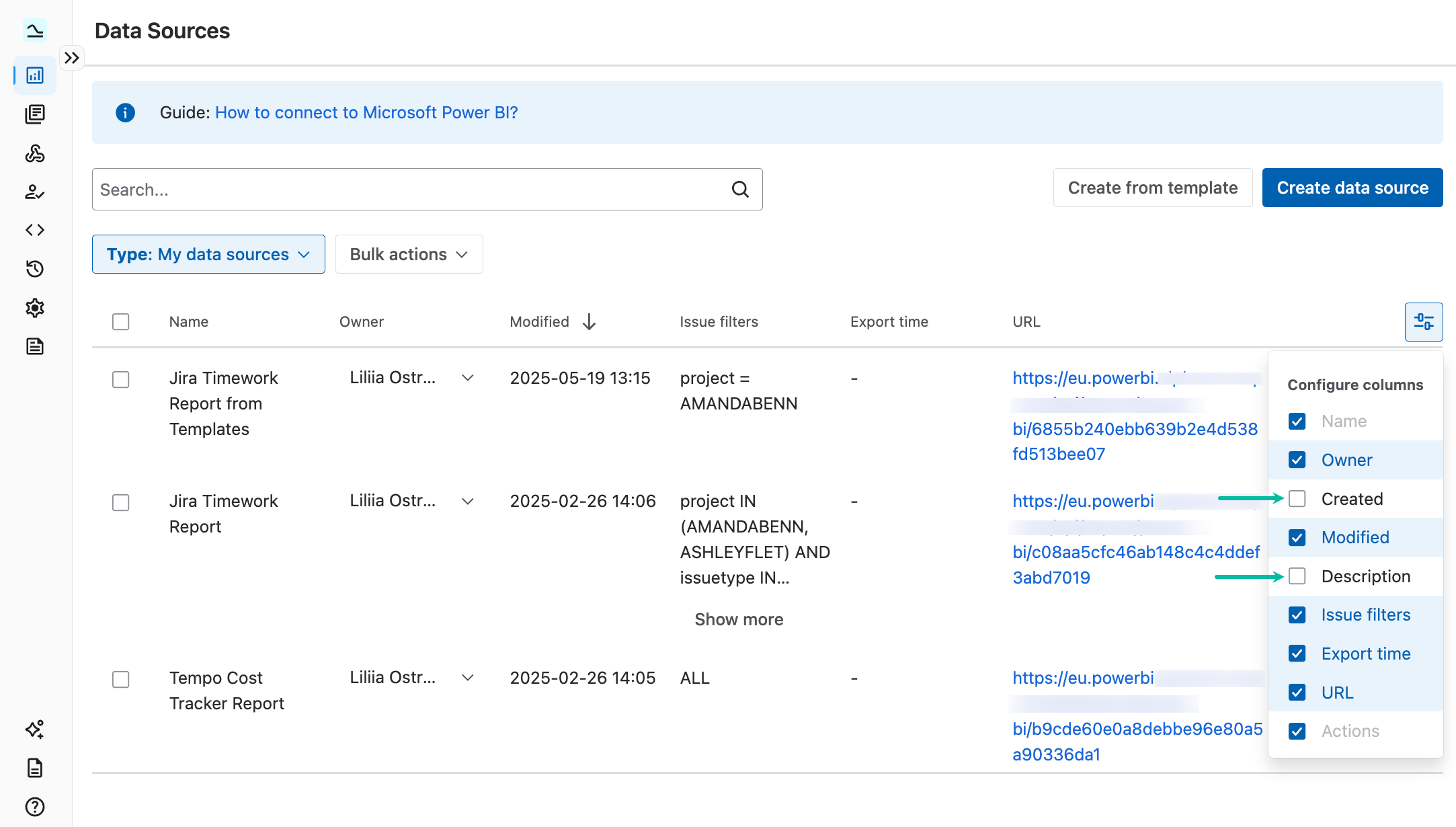
Example of customized columns: Simply check or uncheck columns to display the desired information.
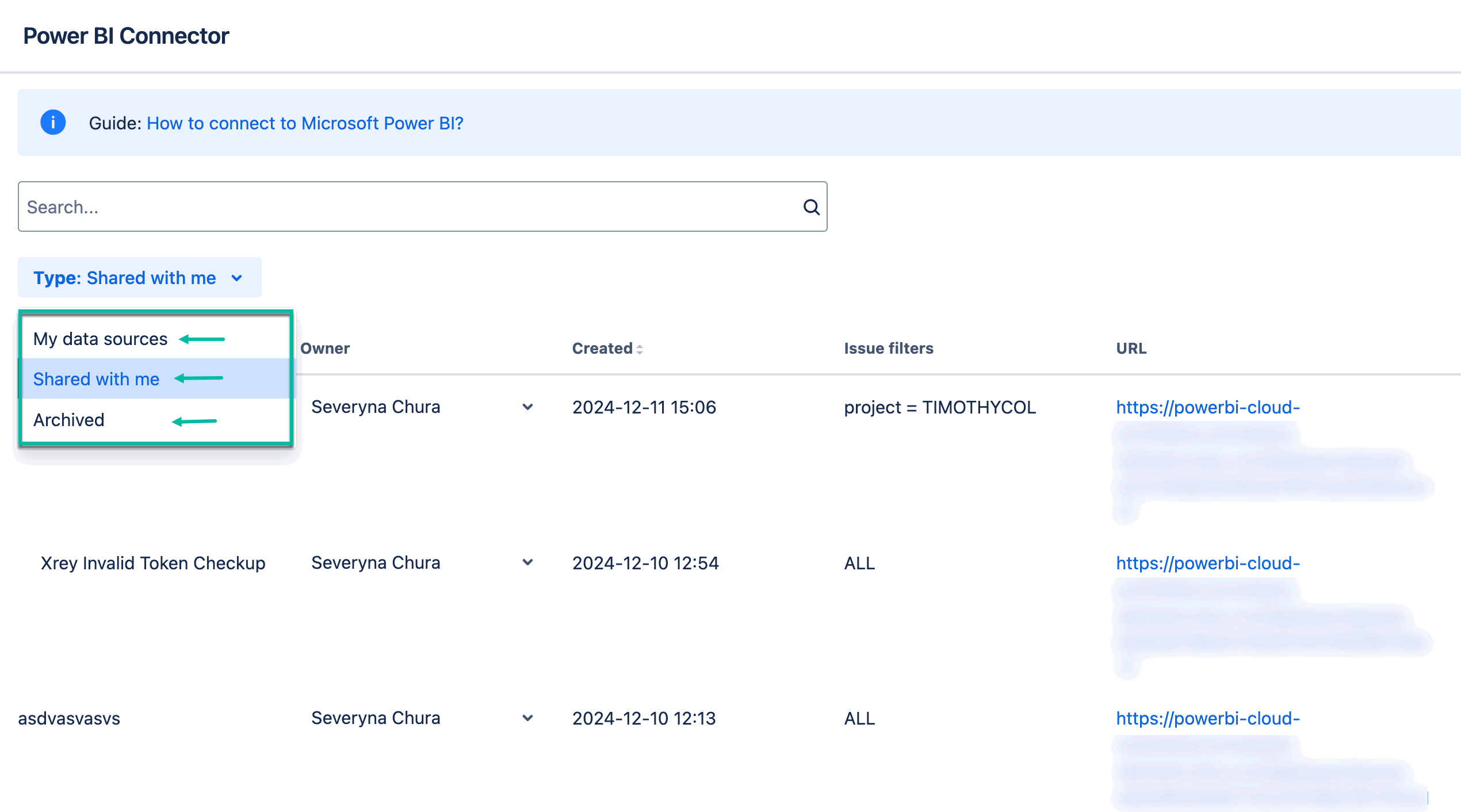
The changes apply to all types of data sources: your own, those shared with you, and archived data sources.
This applies only to the UI on your side. The column configuration doesn’t impact the data sources themselves.