Overview
Use bulk operations to manage multiple data sources at once. You can select several data sources and share them or transfer ownership in a single action.
-
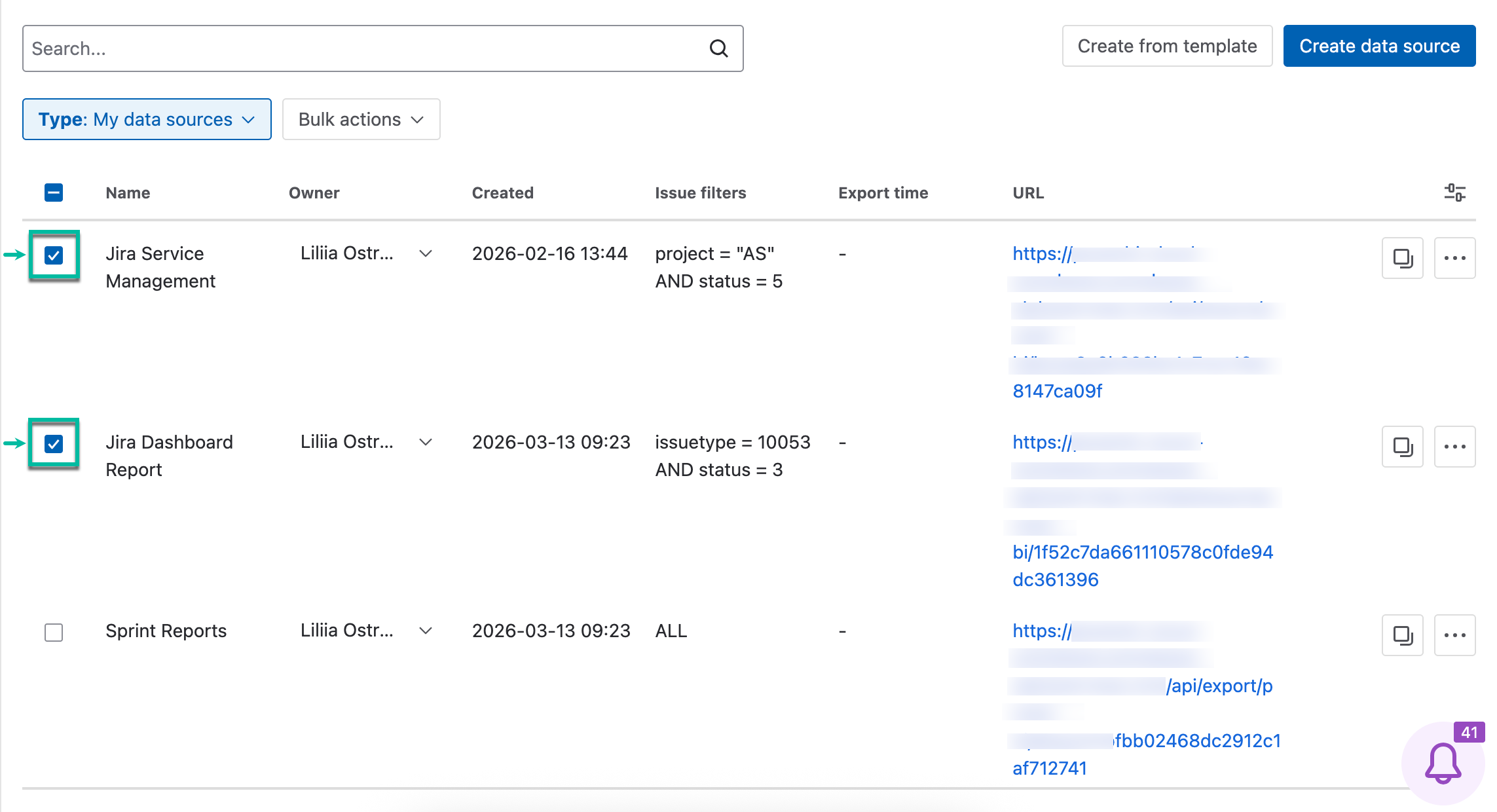
Open the Data Sources page, and then select data sources you need.
-
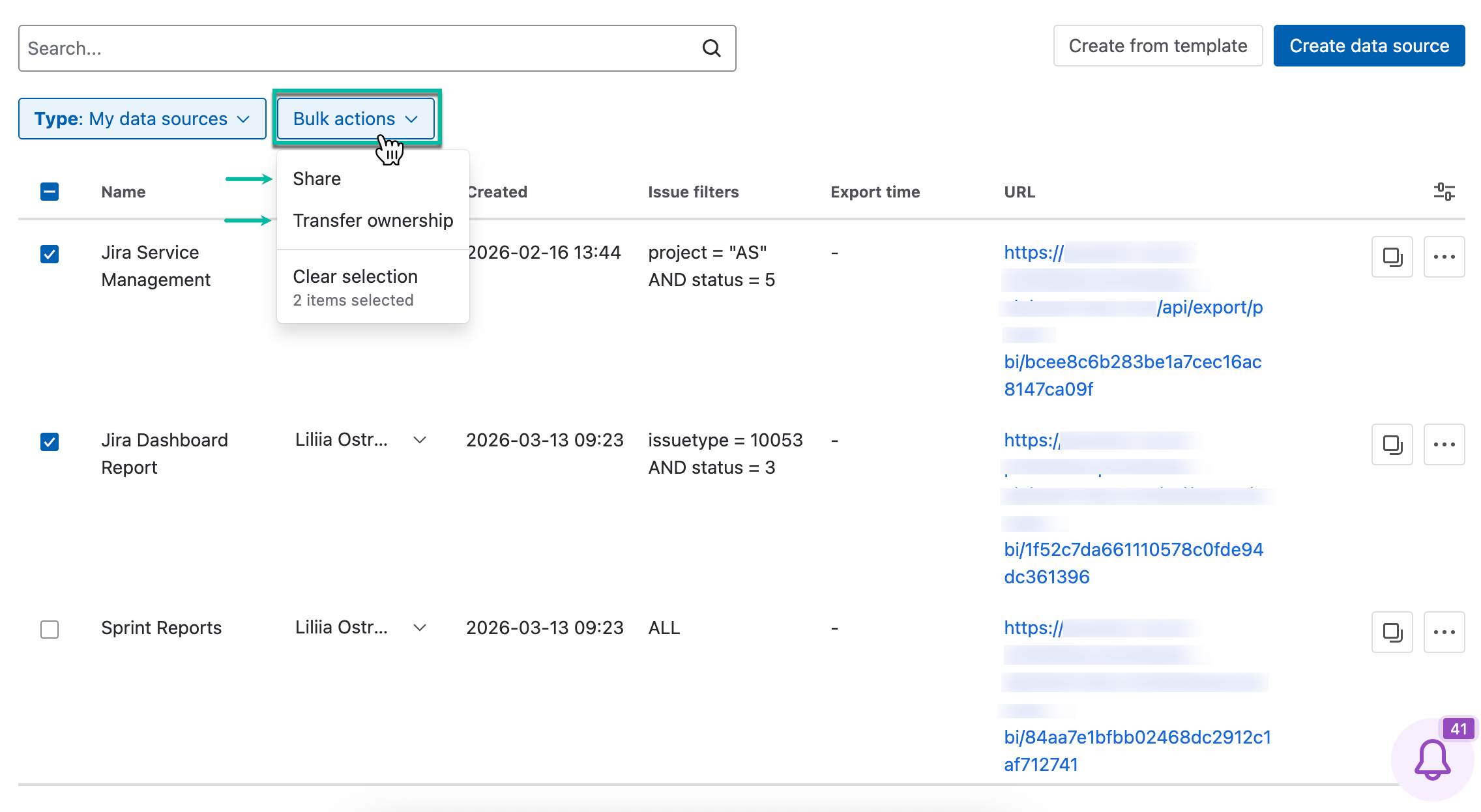
Select Bulk actions.
-
Here are the available actions:
-
Select Share to share selected data sources with users or groups who have permission to use the app. You can also update existing access or remove specific users or groups.
-
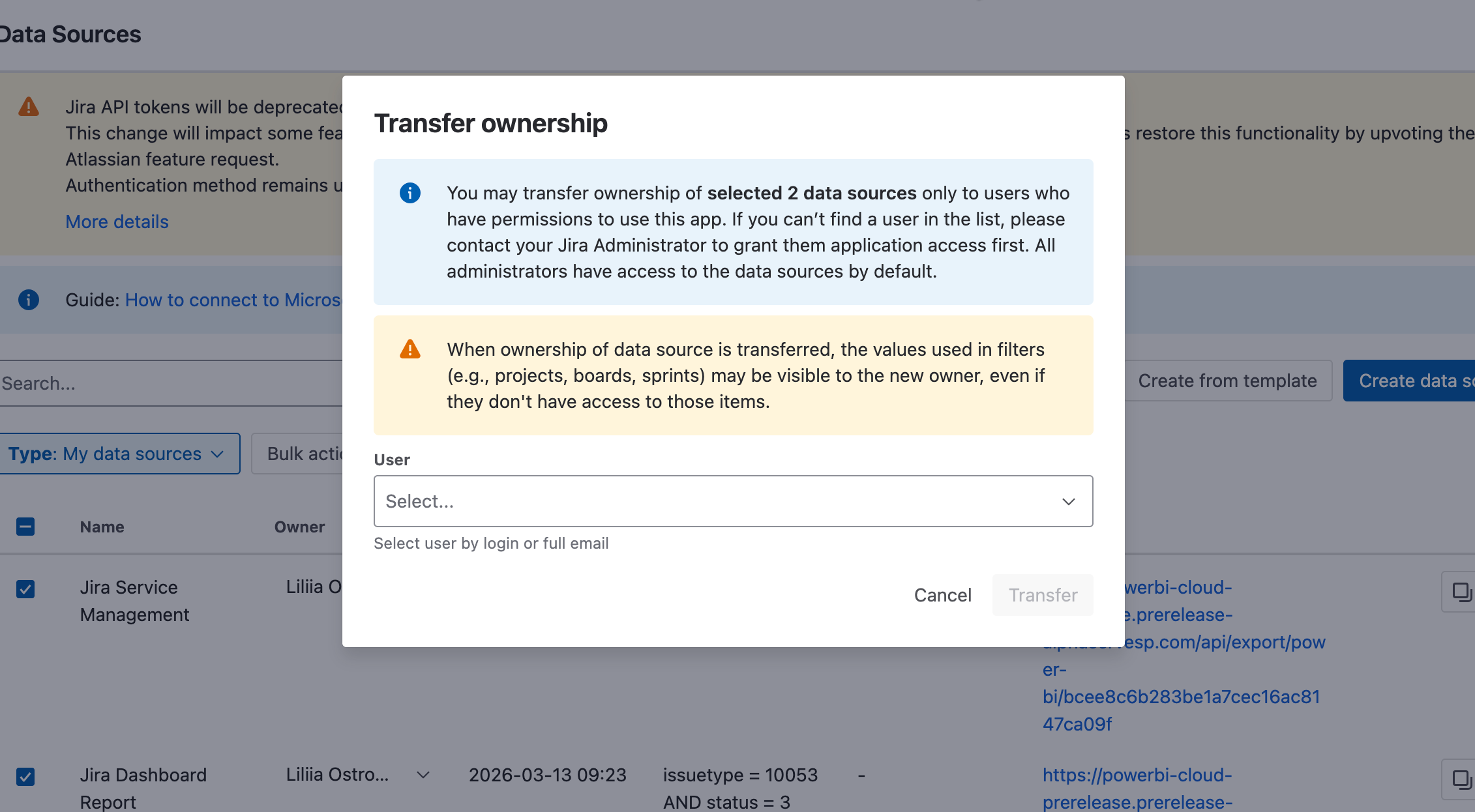
Select Transfer ownership to change the owner for two or more data sources at once.
-
Bulk Operations: Share
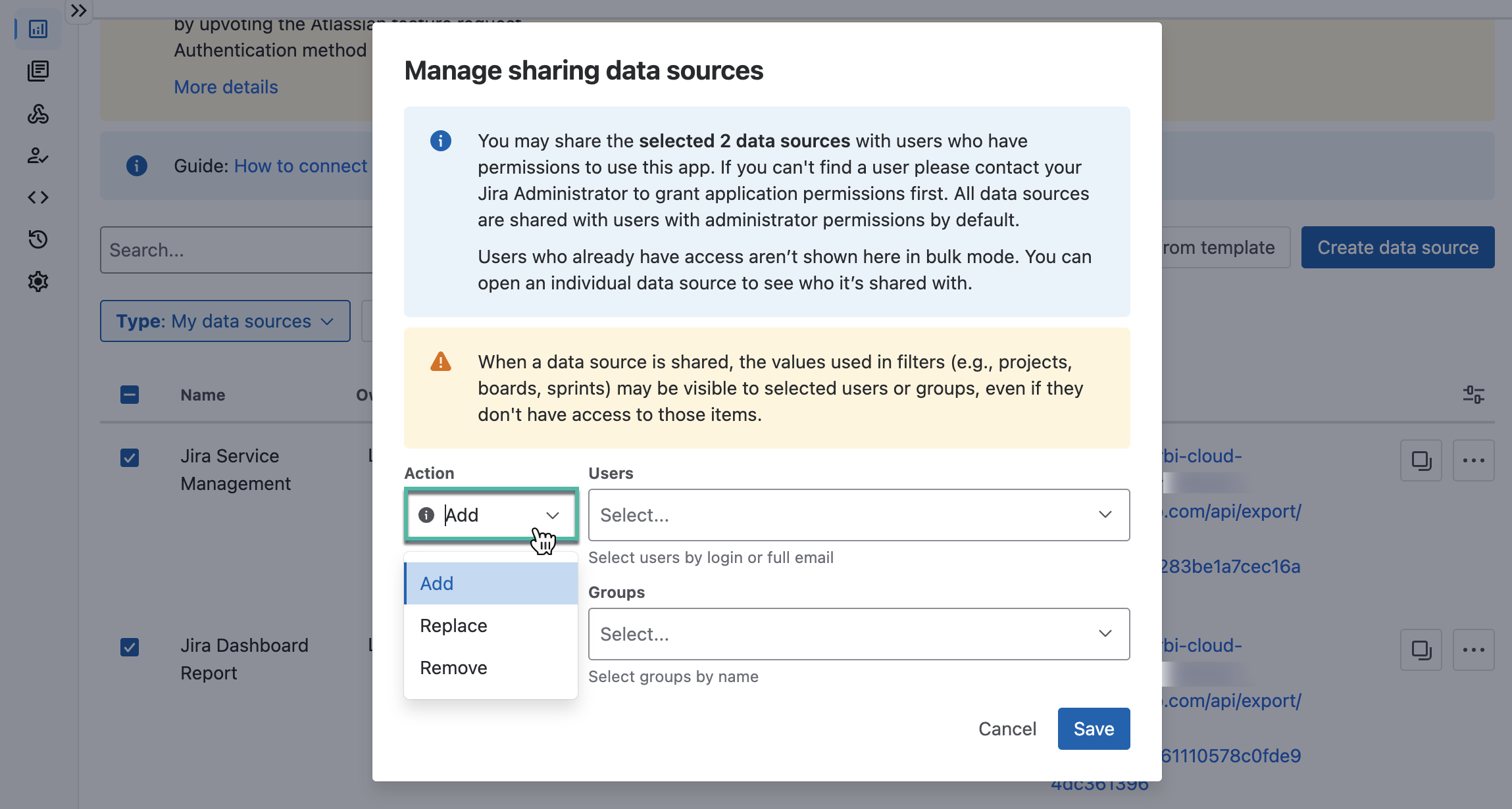
The following actions are available:
-
Add - Keeps existing sharing settings and adds the selected users or groups.
-
Replace - Removes all existing sharing settings and shares the data sources with the selected users or groups.
-
Remove - Removes the selected users or groups. All other sharing settings remain unchanged.
Bulk Operations: Transfer Ownership
You can transfer ownership of selected data sources only to users who have permission to use the app.
-
If a user doesn’t appear in the list, contact your Jira administrator to grant them application access.
-
Administrators have access to all data sources by default.