Effective planning requires quality data, but every team works differently. Some teams give estimates to every item; others skip estimates altogether. Some teams work in rigid data hierarchies; others view every work item as the same - work to be done. Those methods (usually) work well for individual teams, but they can make portfolio-wide planning challenging.
Loop’s Data Hygiene Grade can help. After setting up your initial Jira connections, Loop Intelligence reviews your data and assigns a Data Hygiene Grade based on:
-
Missing parents
-
Missing Goals and Key Results
-
Missing fields
-
Missing estimations
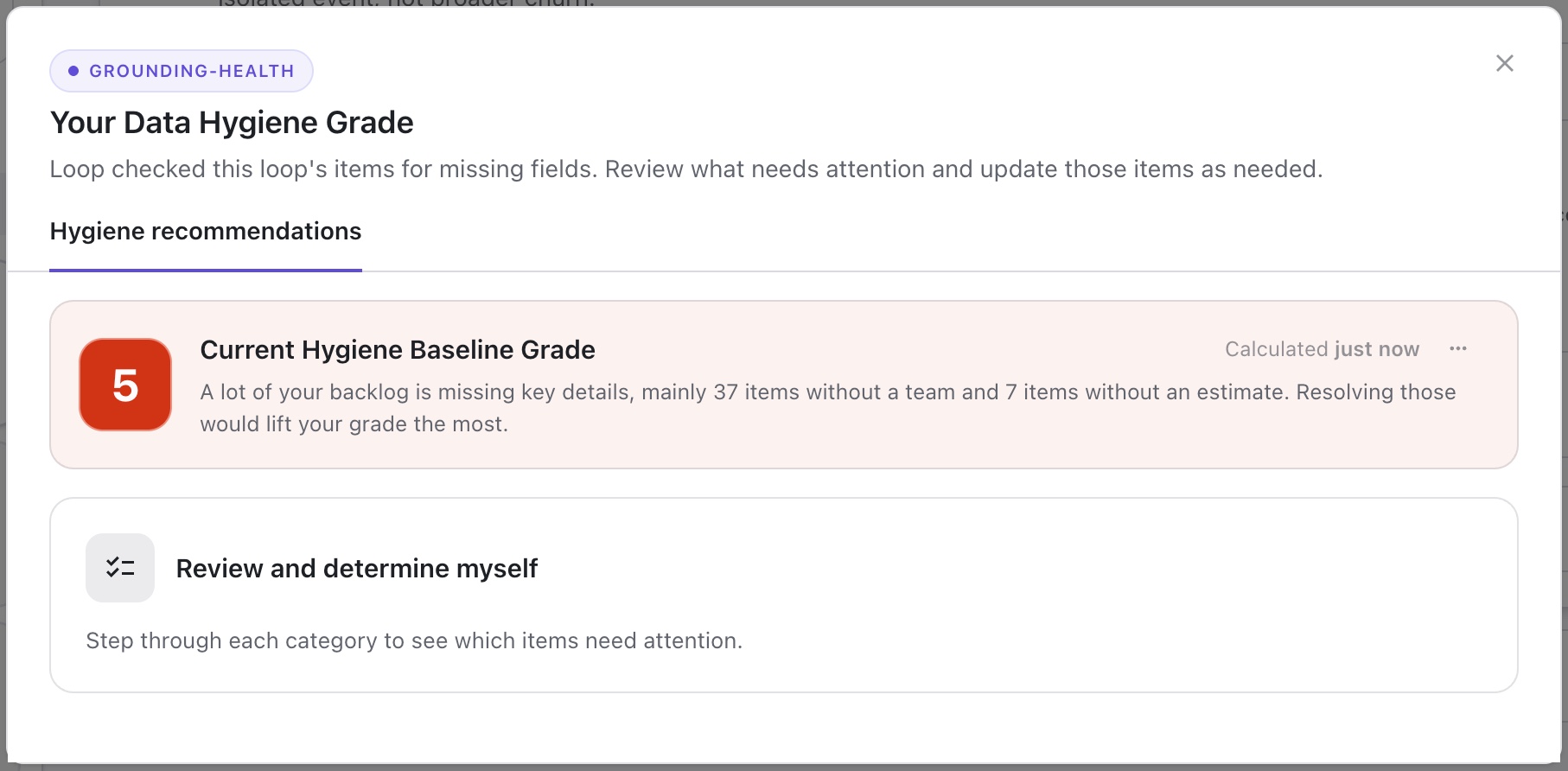
Using the provided report, you can easily identify items with missing information and make the necessary updates to build accurate, optimized plans.
Reviewing Data Hygiene Details
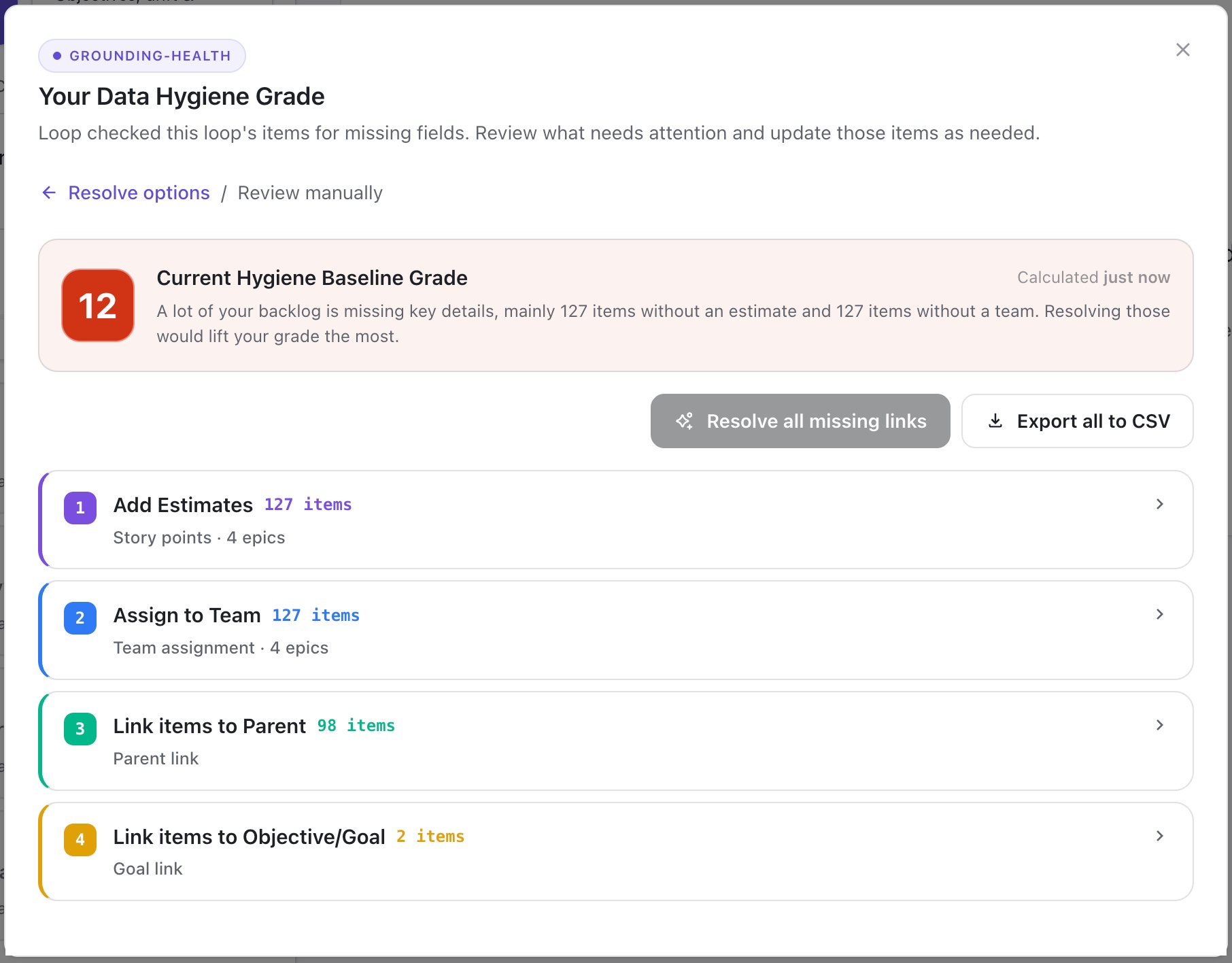
Select Review and determine myself to review each missing element. You can expand each category to see a complete list of items.
Resolve all missing links
Loop Intelligence can automatically update missing Parent, Goals, and Key Result links:
-
Review the suggested updates:
-
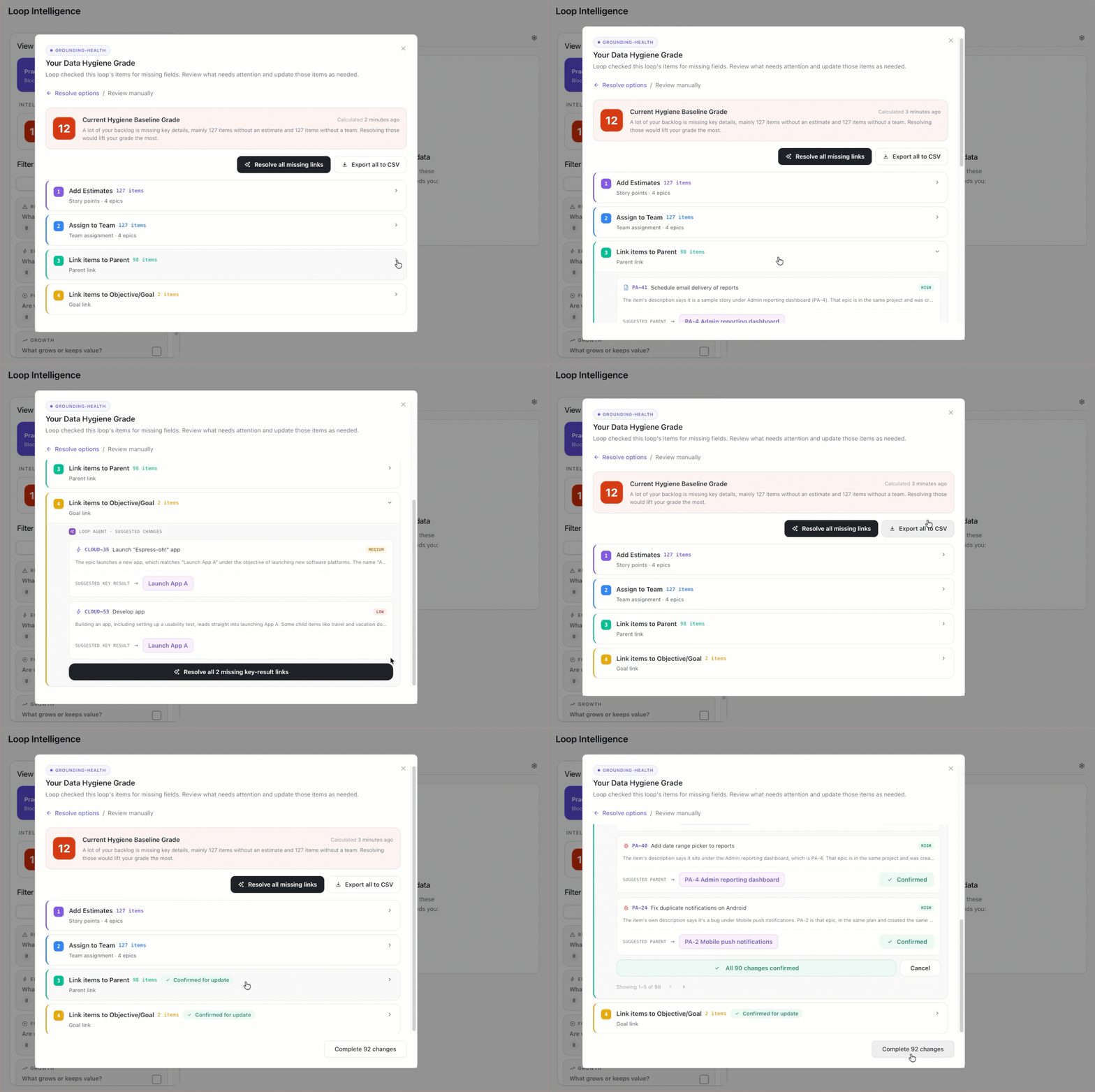
Expand the Link items to Parents section and review those suggested changes.
-
Expand the Link items to Objective/Goal section and review those suggested changes.
-
-
If you agree with the suggested changes, you can apply them in one of two ways:
-
Apply all suggested changes: To apply all suggested changes, click the Resolve all missing links button at the top of the Data Hygiene report.
-
Apply changes to individual sections: To apply only the Link to Parent suggestions or only the Link to Objective/Goal suggestions, expand the appropriate section, scroll to the bottom of the item list, and click the Resolve all button.
-
-
Accept and complete the changes.
Export all to CSV
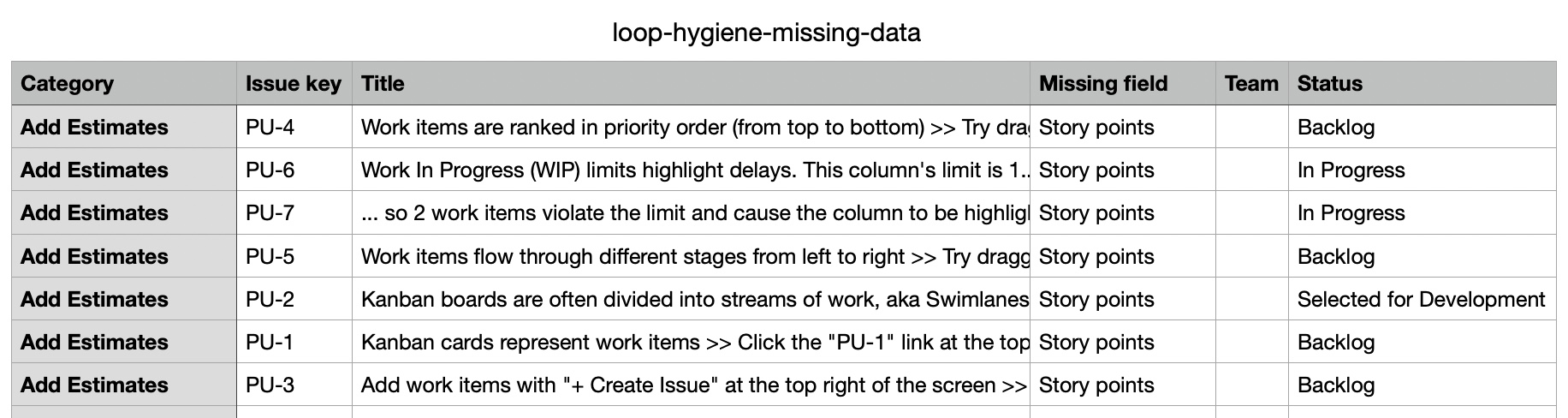
You can also download all of Loop's findings to a CSV file. The file includes the missing category, missing field, and relevant issue information, so you can easily make updates in Loop or Jira.
Checking Your Data Hygiene Grade
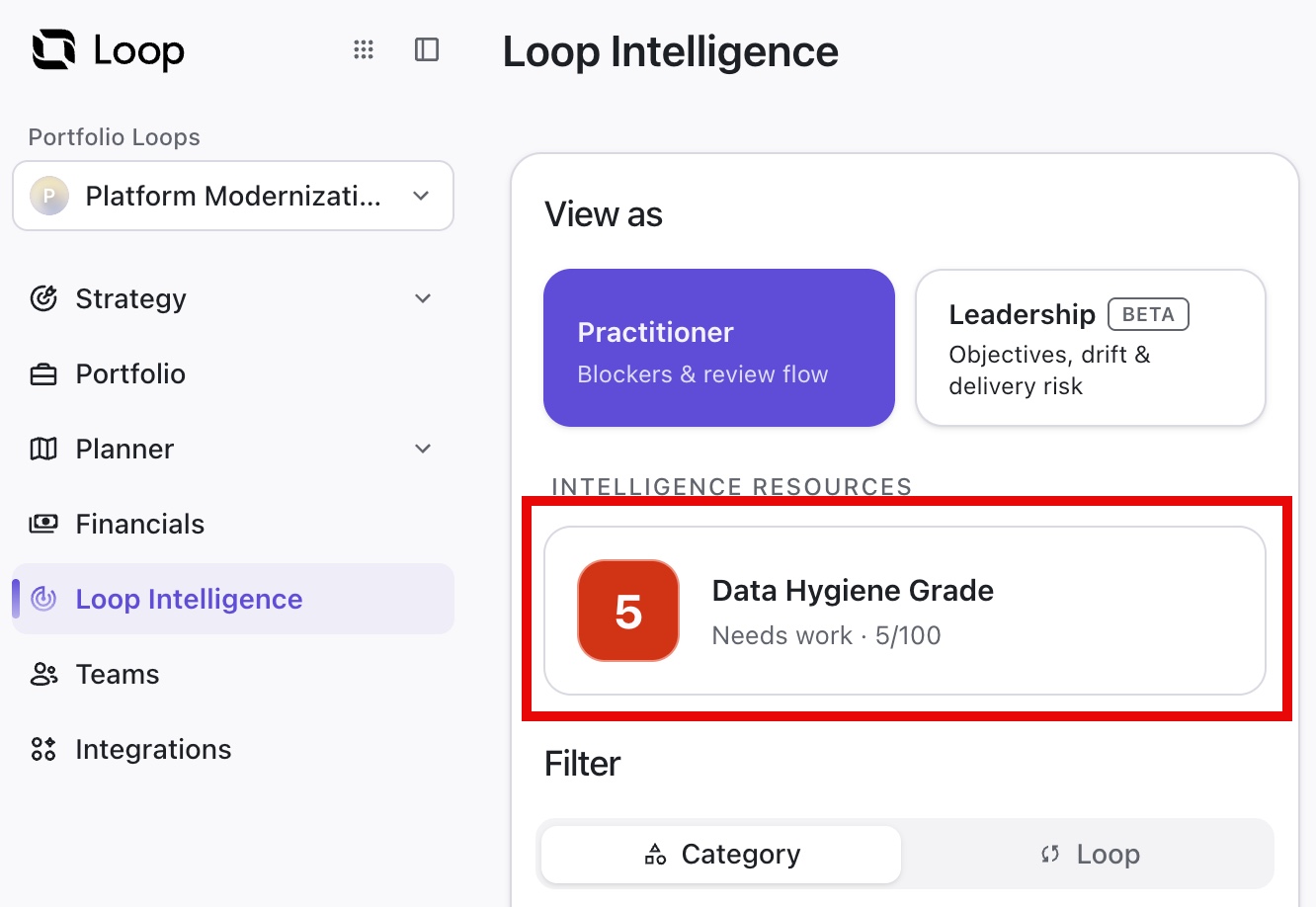
The Data Hygiene Grade is calculated automatically after you set up your first Jira integration. Once calculated, you will receive a message letting you know the score is available. You can also check your grade at any time on the Loop Intelligence screen.
Updating Your Data Hygiene Grade
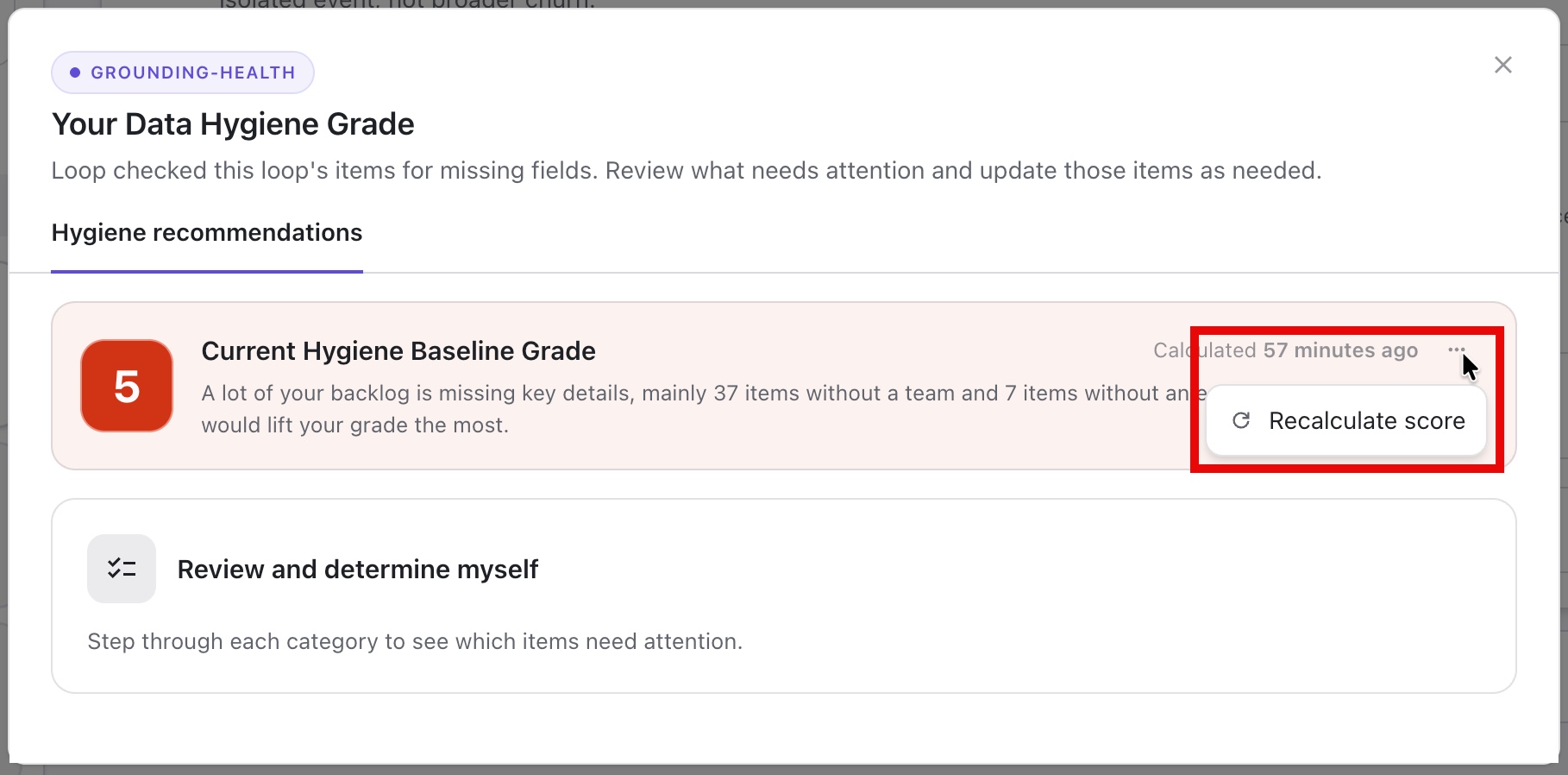
The Data Hygiene Grade is recalculated once a week, but if you’ve made changes and want to recalculate your score sooner, go to Loop Intelligence, click the Data Hygiene Grade tile, and select Recalculate score.