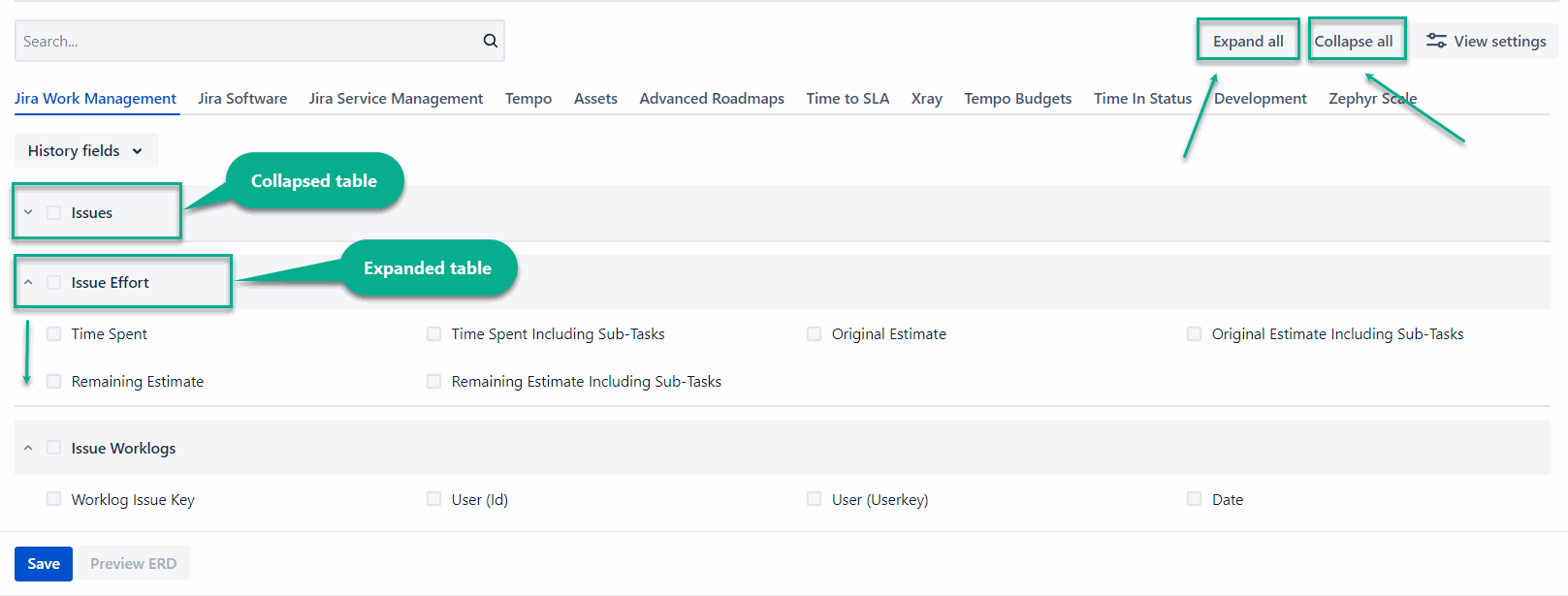
This page provides an overview of the search functionality for finding fields and the view settings that define how tables and field details are presented.
Search Field
-
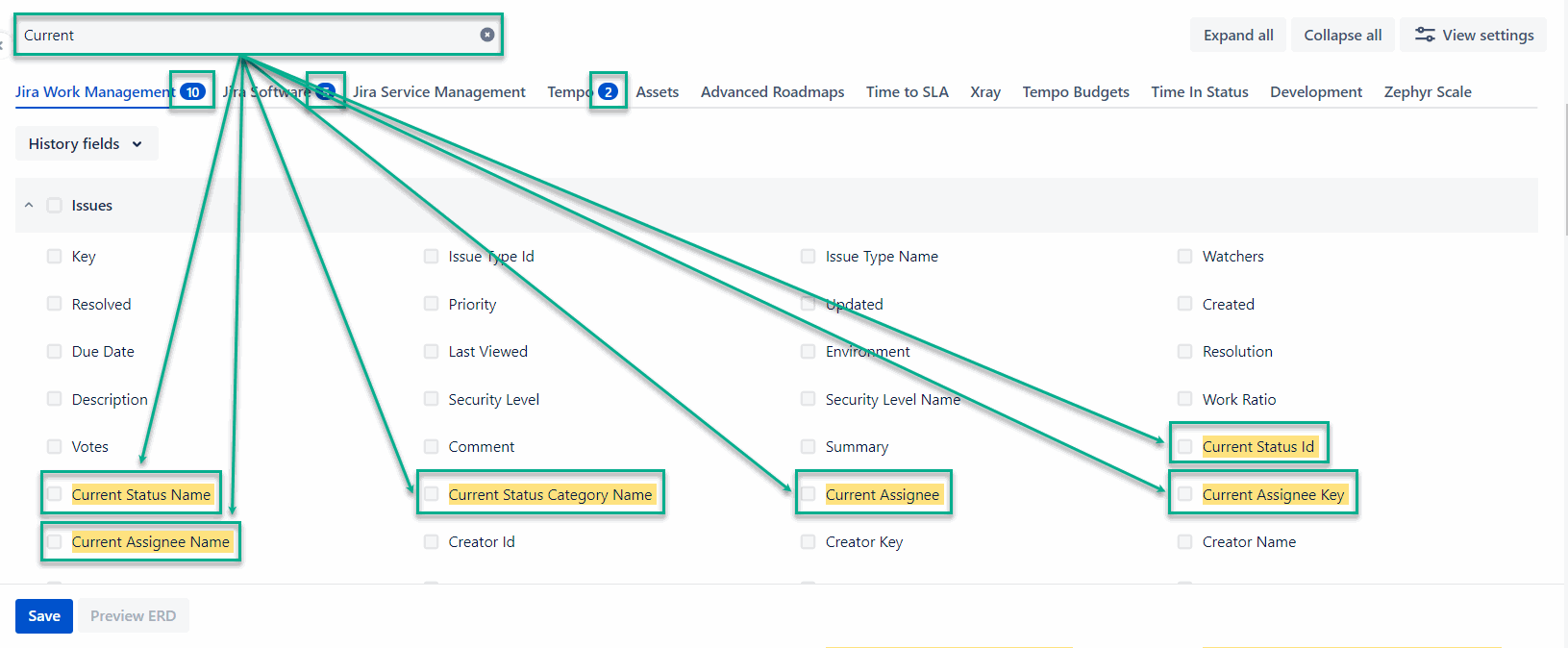
Search field - A field used to quickly find available fields and add them to the export. The number of matching results is displayed on each tab.
View Options
-
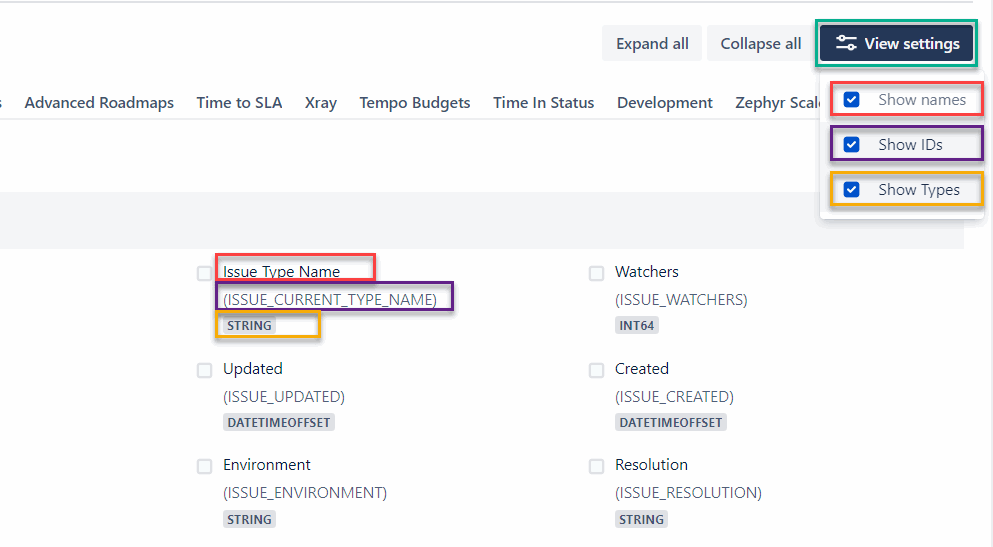
View options - A set of options that control how fields are displayed, including Show IDs and Show Types. The Show Names option is a default. All options can be selected at once.
-
Show IDs - This is how your fields will appear in BigQuery.
-
The screenshot presents how the options are displayed in the UI, using matching colors.
-
Expand all/Collapse all - Controls whether all tables are expanded or collapsed. Includes options to expand all or collapse all tables at once.