
There are two methods for connecting to Claude Code. For best results, we suggest connecting both, but you should install at least one if your team uses Claude.
-
Anthropic Console - for org-level integration and historic data
-
Telemetry - for individual machine data
Connect Using the Anthropic Console
The Anthropic Console connection provides an org-wide connection and allows Workforce Intelligence to ingest cost and usage data through Anthropic’s Usage and Cost API.
Step 1: Create an Admin API Key
-
Sign in to the Claude Console at platform.claude.com.
-
Navigate to API Keys in the sidebar. Expand the section to find Admin Keys.
-
Select Create Admin Key and give it a descriptive name (for example, “Workforce Intelligence Integration”).
-
Copy the key and store it securely. Anthropic does not display the key again after creation.
Step 2: Configure the connection in Workforce Intelligence
-
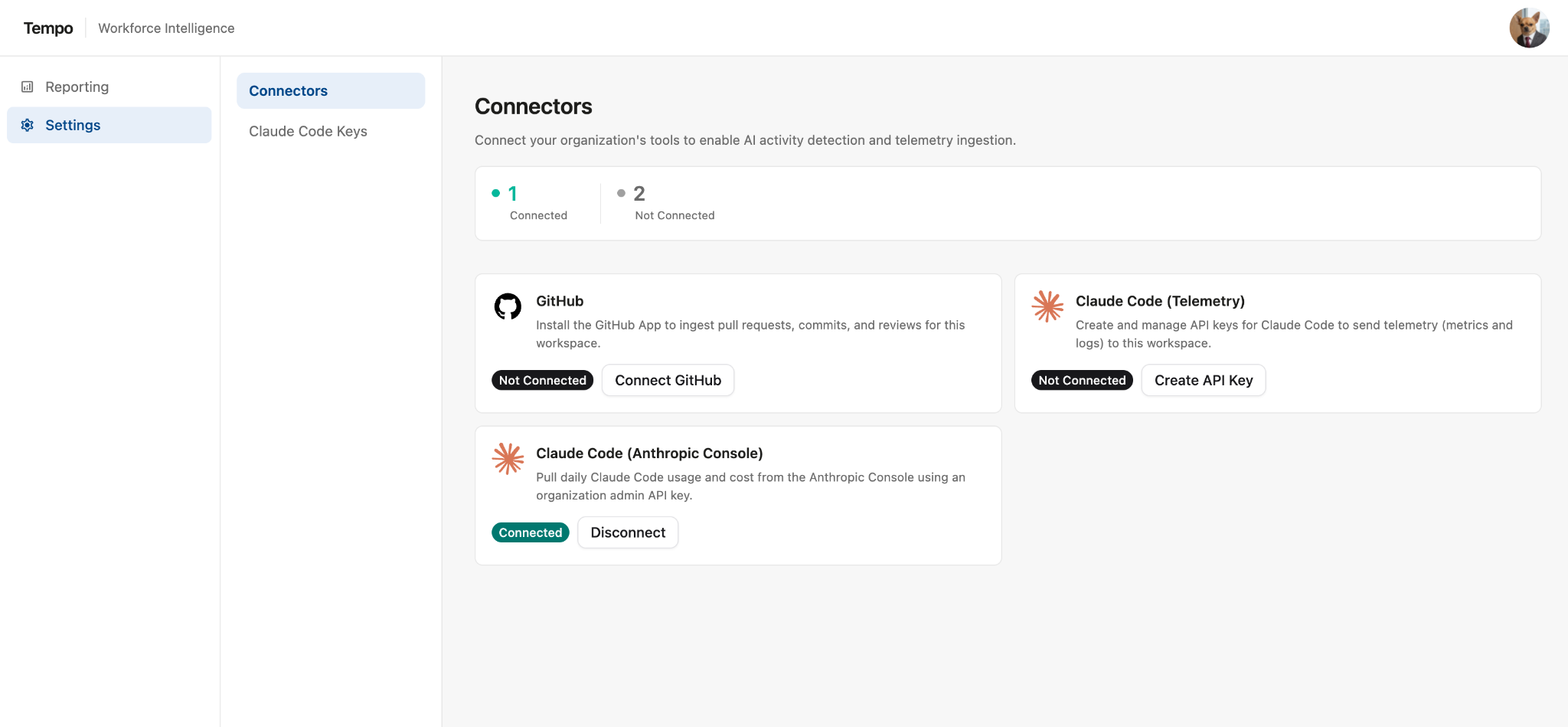
In Workforce Intelligence, go to Settings | Connectors.
-
Look for the Claude Code (Anthropic Console) connector and click Connect.
-
Enter your organization console admin API key. Select Verify & connect.
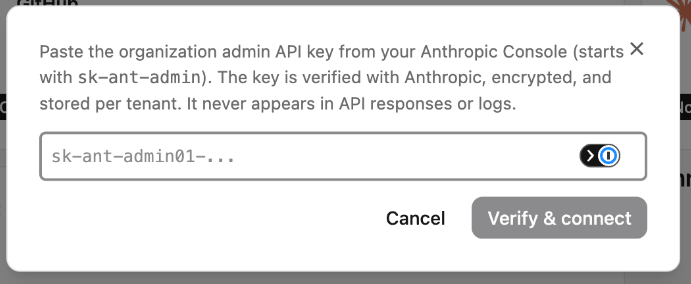
Once your API has been verified and connected, the system will automatically pull the last 180 days of Claude Console data.
Connect Using Telemetry
The Telemetry connector provides data at the individual machine level. Connecting this can improve the quality of the usage to work reports.
-
In Workforce Intelligence, go to Settings | Connectors.
-
Look for the Claude Code (Telemetry) connector and click Create API Key.
-
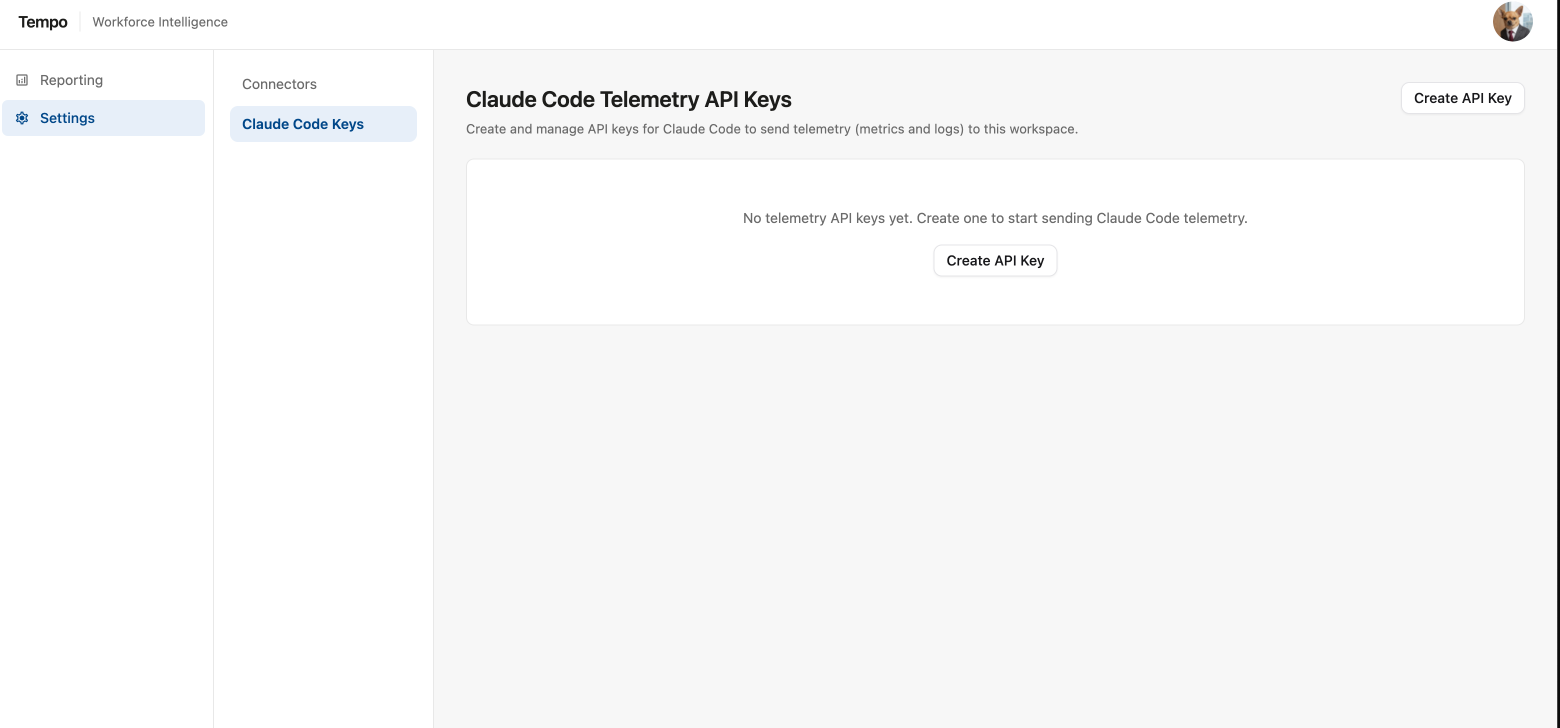
On the Claude Code Telemetry API Keys screen, click Create API Key.
-
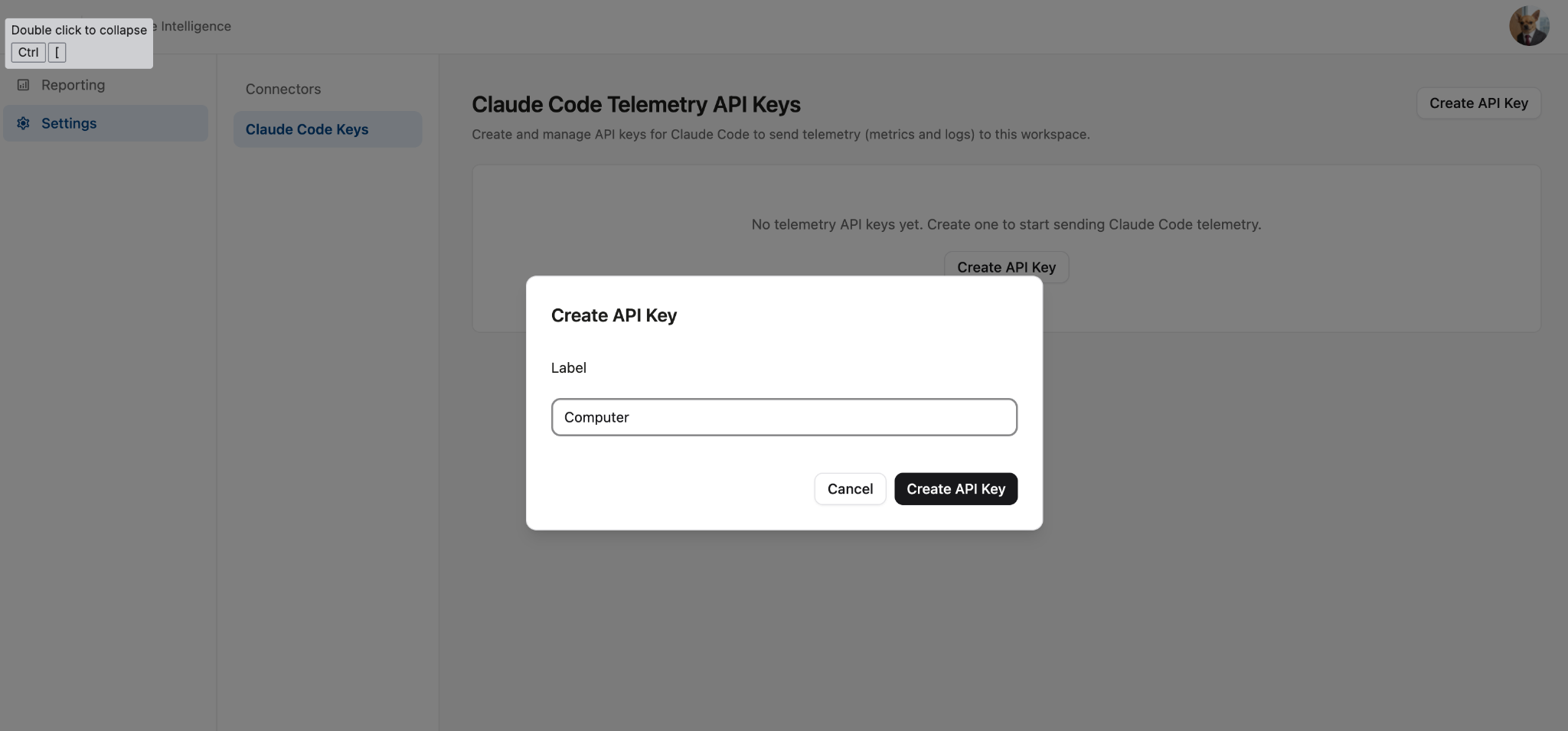
Enter a label for the API key and click Create API Key.
-
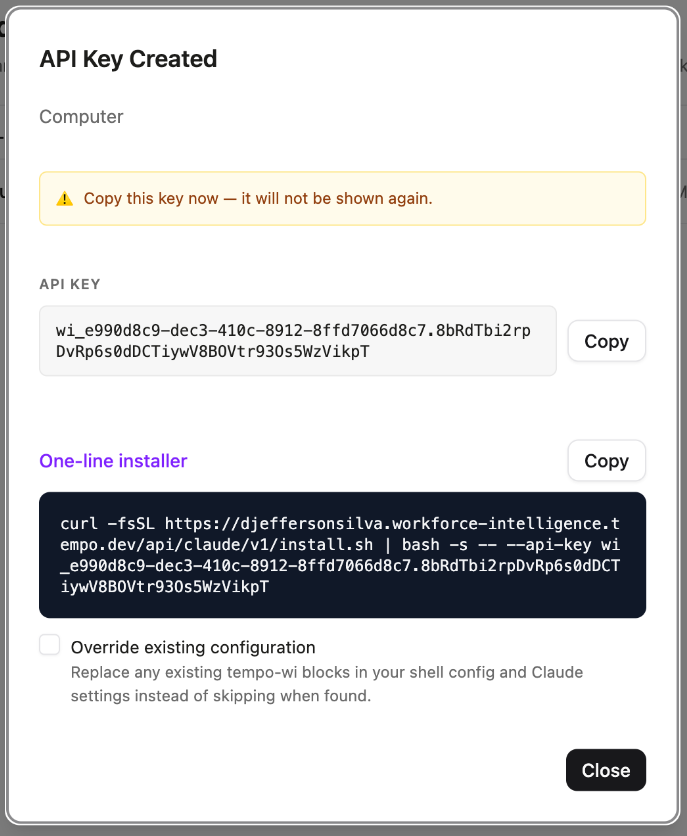
Once the API key has been created, copy the One-line installer.
-
Paste the One-line installer into your terminal and run.

-
Restart all terminals and Claude sessions to start emitting telemetry data.