This section describes the available actions for managing existing data sources, including performing common actions such as editing, sharing, or archiving.
-
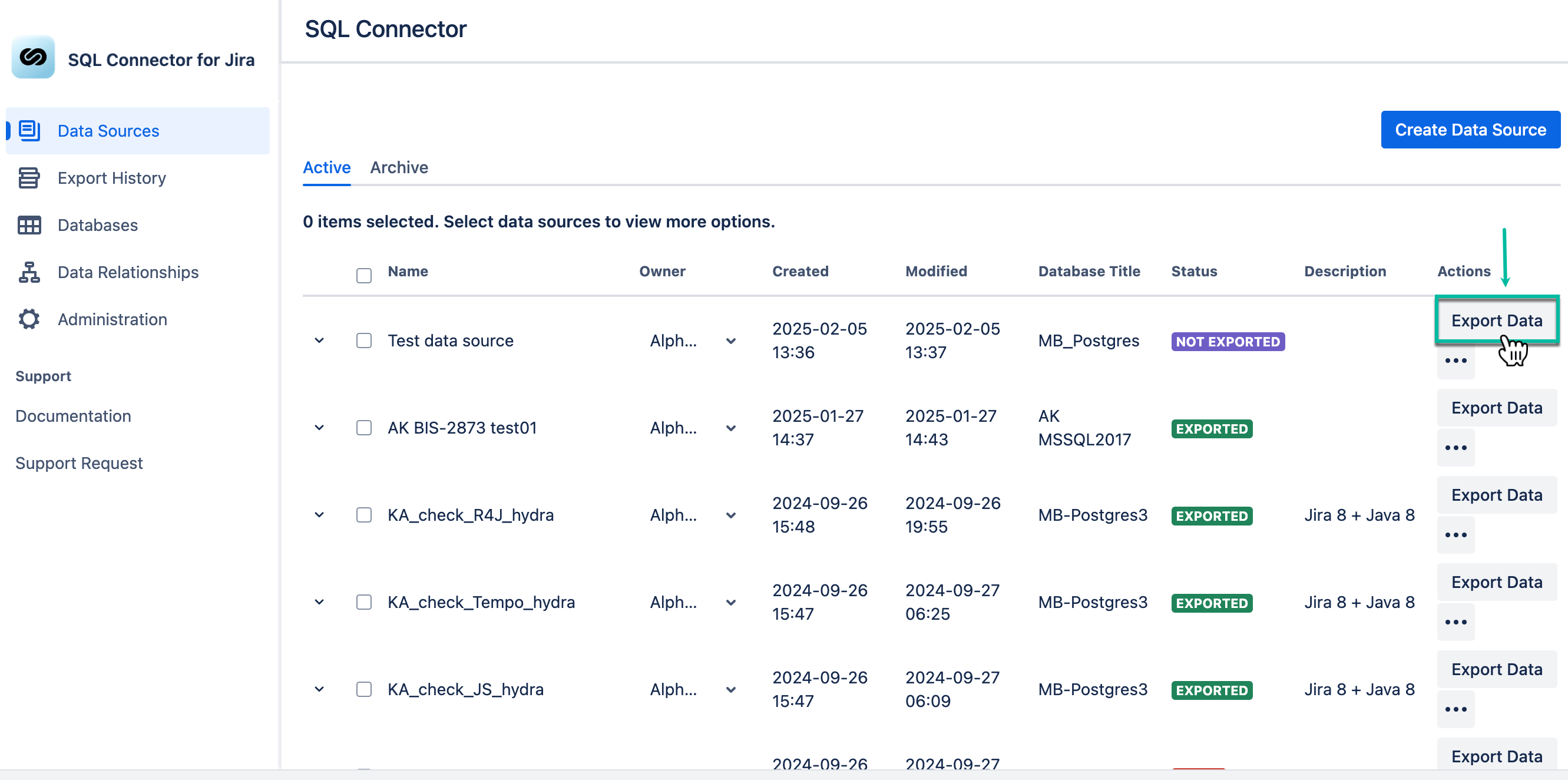
Export data - This option exports the data source to SQL database.
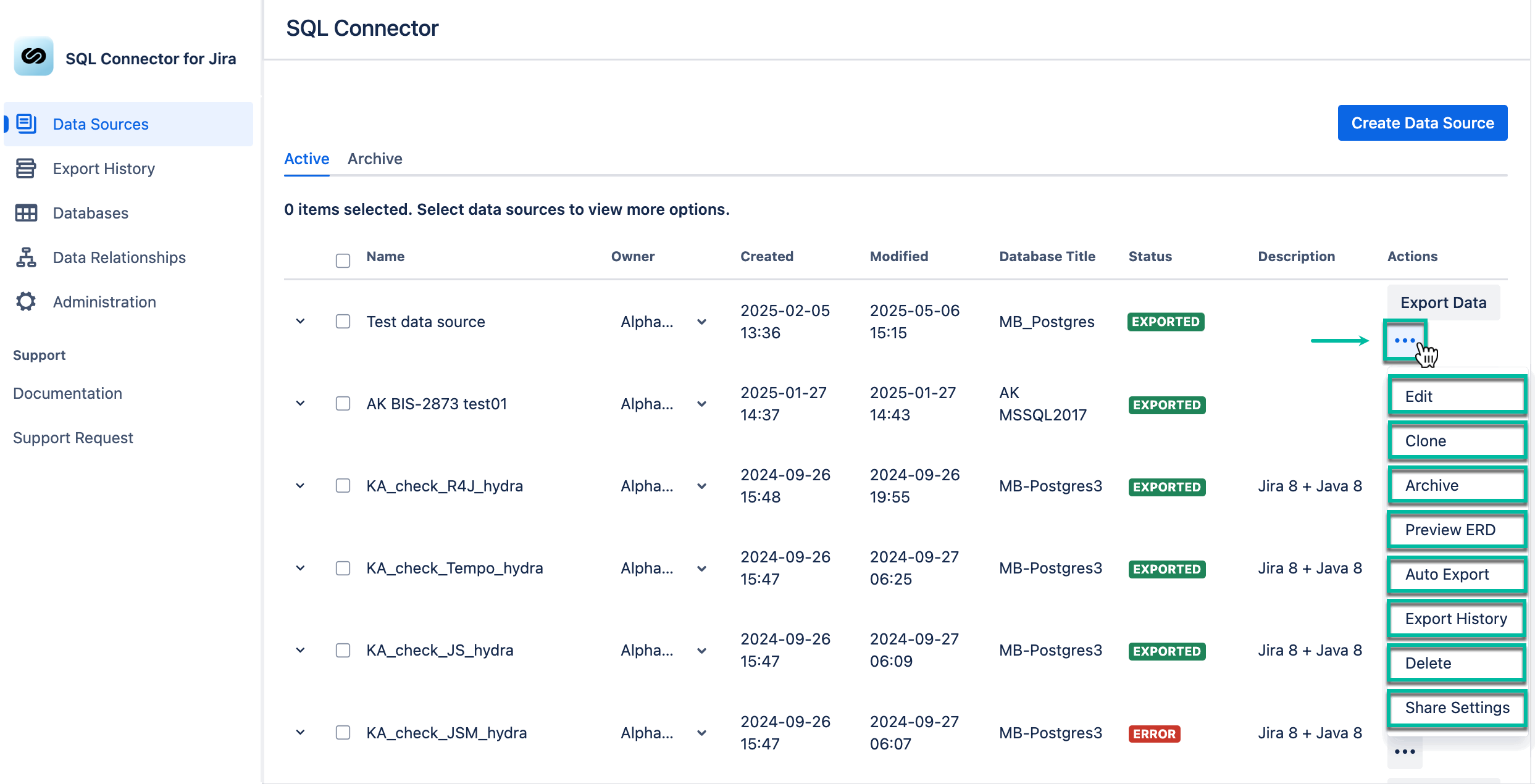
The Actions (three dots) panel introduces you to different actions:
-
Edit - This function allows you to make changes to the data source.
-
Clone - This function allows you to make a copy of the data source.
-
Starting with app version 5.3.8, when you clone a data source, you must set up your own SQL database connection to complete the configuration.
-
-
Archive - This function allows you to mark the data source as archived, data source will be moved to the Archived tab.
-
Preview ERD - This is another way to view the Entity Relationship Diagram of your data source.
-
Auto Export - This function allows you to configure auto-export (auto-refresh) of the data source.
-
Export History - This function allows you to view export history entities.
-
Delete - This function allows you to remove the data source.
-
Share Settings - This function allows you to distribute the data source to users who have permission to use this app.