
The Manage Organization page lists every contributor with their relevant username/email addresses for GitHub, Jira, and Claude Code.
When you connect to GitHub and Claude Code, Workforce Intelligence attempts to match the user information with their accounts in Jira. This information is necessary to link AI spend to development work and Jira work items.
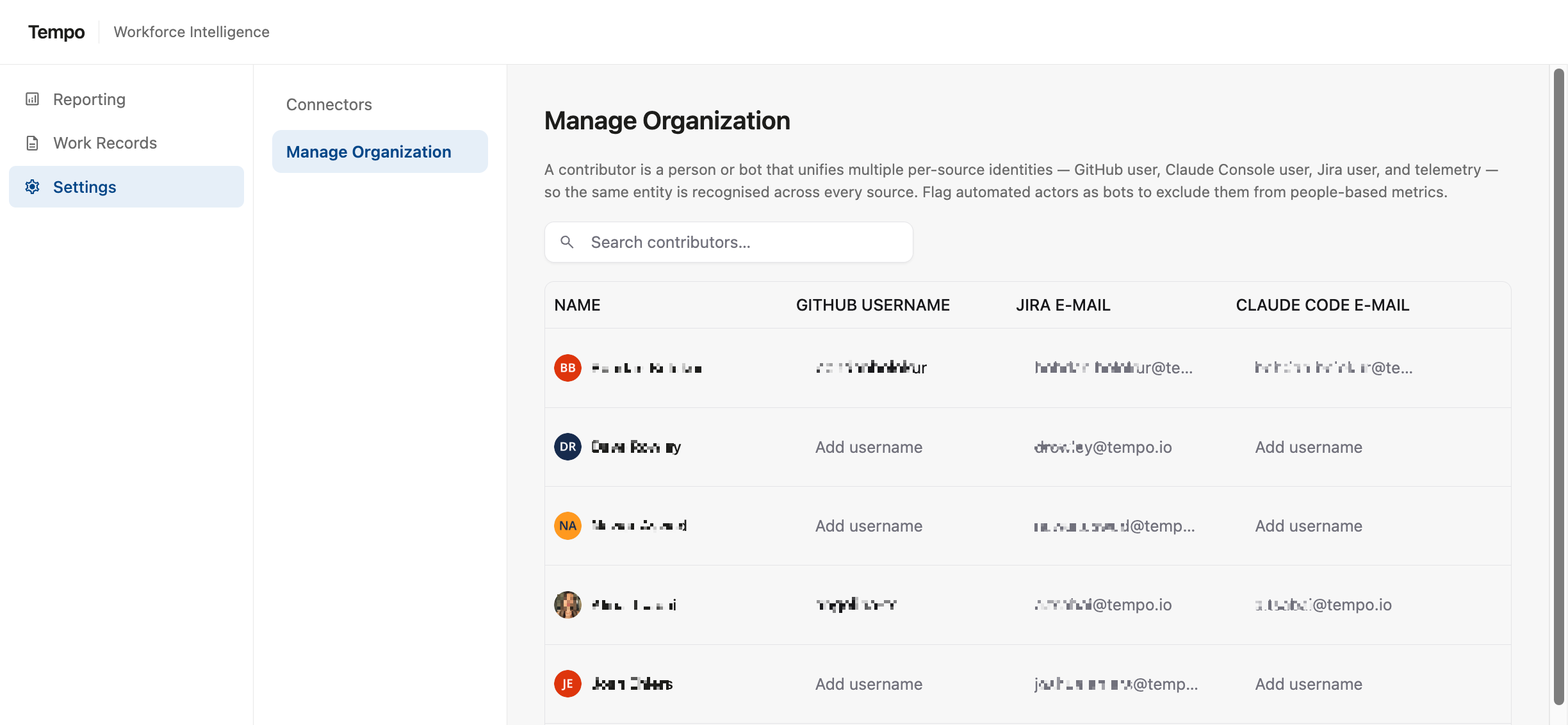
After connecting your systems or adding new users, you should check Settings | Manage Organization and update any missing information.
Updating Missing Information
If a user is missing a GitHub username or Claude Code email address:
-
Locate the user in the Manage Organization list
-
Select the missing information
-
Click the pencil icon and update the missing information

Not every user will have a Github or Claude Code account, depending on their role. Your organization includes everyone with a Jira account.
Labeling AI Agents
Workforce Intelligence can track the work performed by both humans and AI agents. To ensure accurate reporting, review the Manage Organizations list and mark any AI agents:
-
Click the user row
-
Select the robot icon at the far right

If a human has been mistakenly marked as an AI agent, you can also correct this by clicking the robot icon.