Search Section
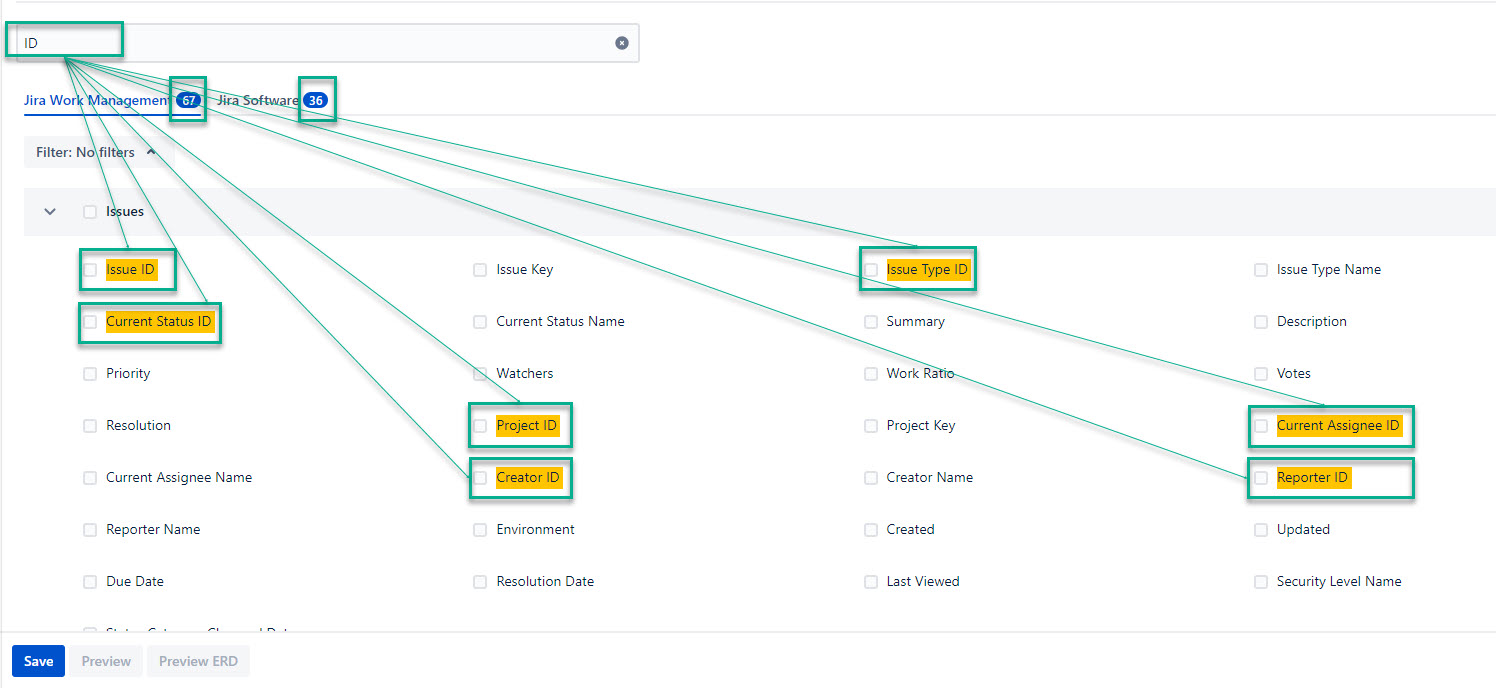
The Search box - This box allows you to quickly find, and then add to your export issue filters you need.
The amount of found issue filters will be shown on each tab you have.
View Settings
View Settings - This feature allows you to adjust table visibility, table sorting, and field details.
-
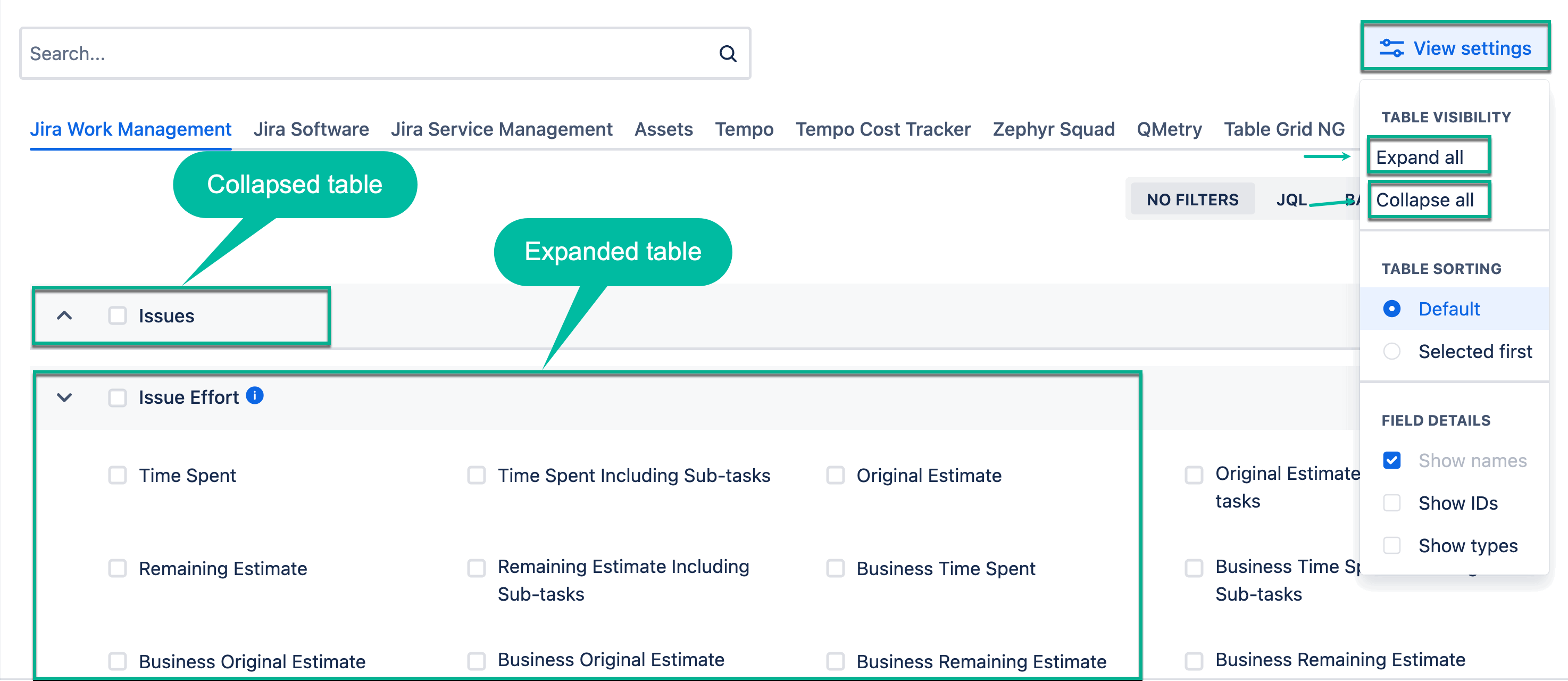
Table visibility - This feature allows you to expand or collapse all tables at once by selecting Expand all or Collapse all respectively.
-
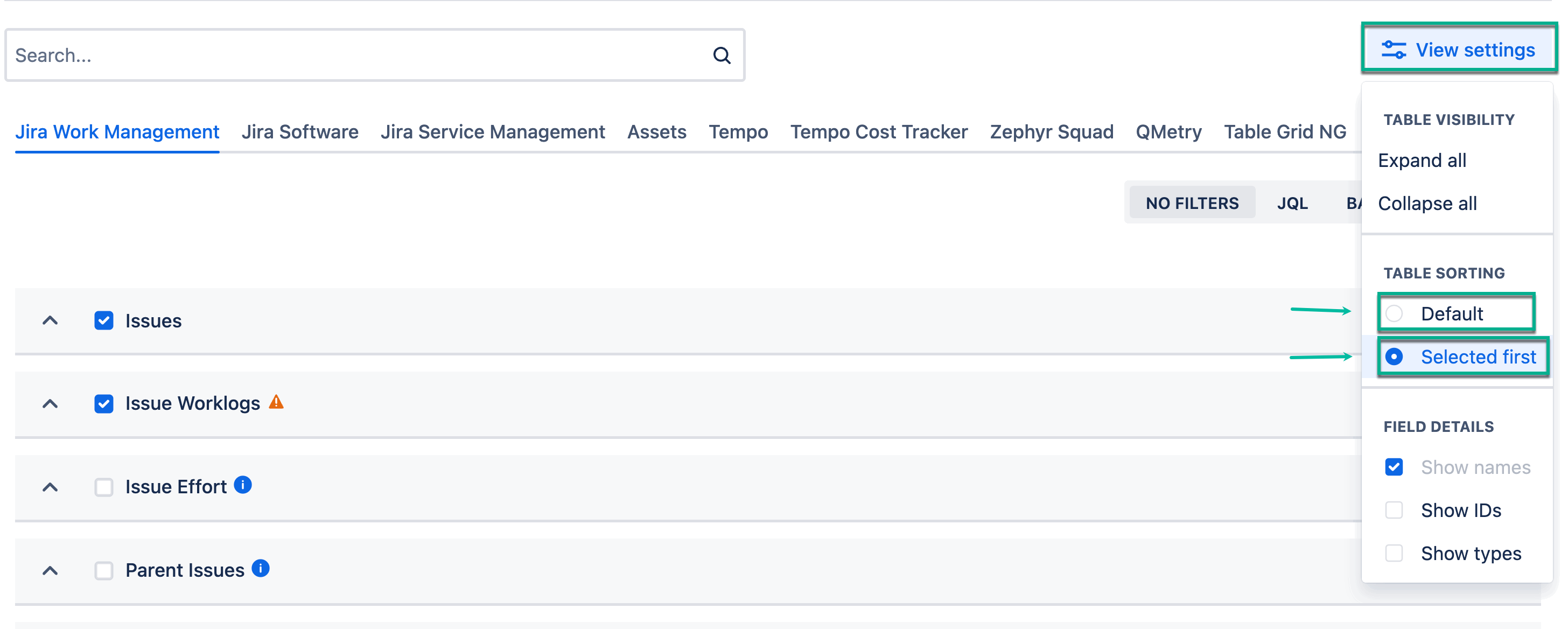
Table sorting - This feature allows you to sort tables in a way convenient for you. There are two options: Default and Selected first.
-
Default - The tables are arranged in a default way.
-
Selected first - The tables are arranged so that the already selected tables appear first on the page.
-
-
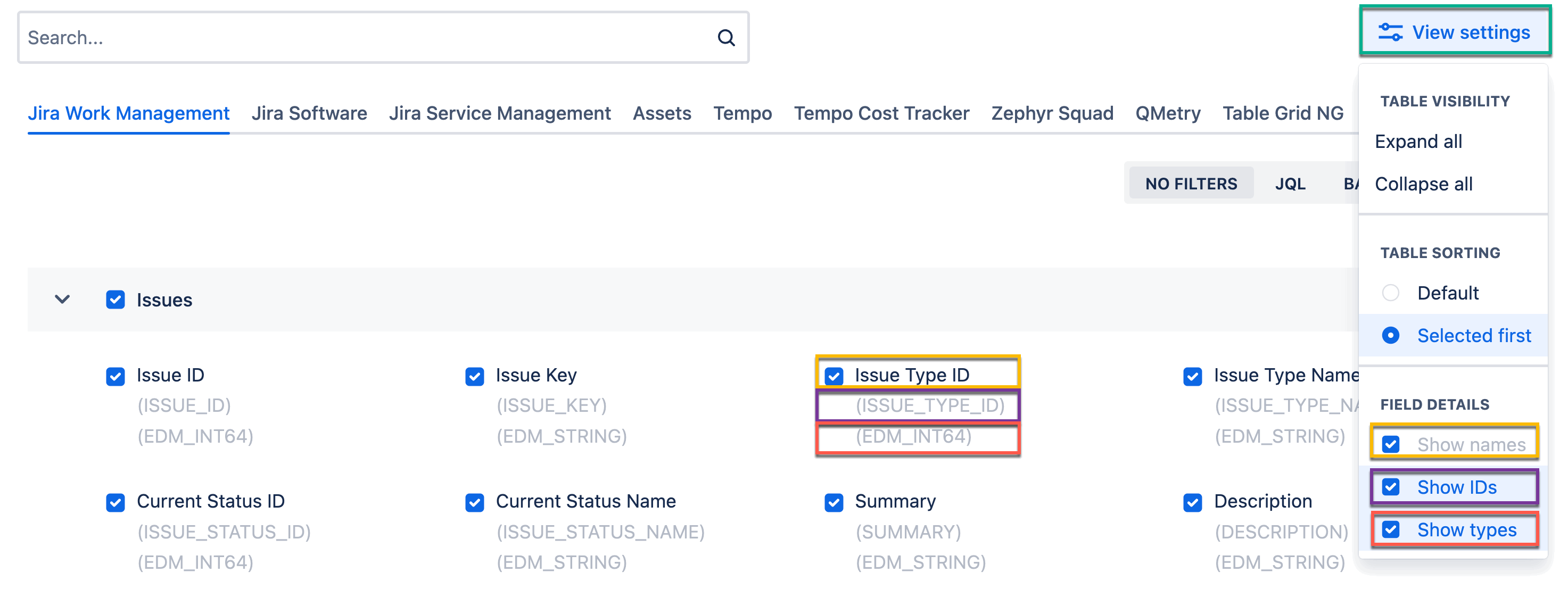
Field details - This setting allows you to adjust the appearance of the issues. You can select what option to display: Show IDs or Show Types. The Show Names option is a default. All options can be selected at once.
The screenshot presents how the options are displayed in the UI, using matching colors.