
You can now revoke your integration token at any time! This gives you more control over your connected apps and helps keep your account secure.
QMetry Test Management for Jira Overview
QMetry Test Management for Jira is an enterprise-grade test management for Agile teams.
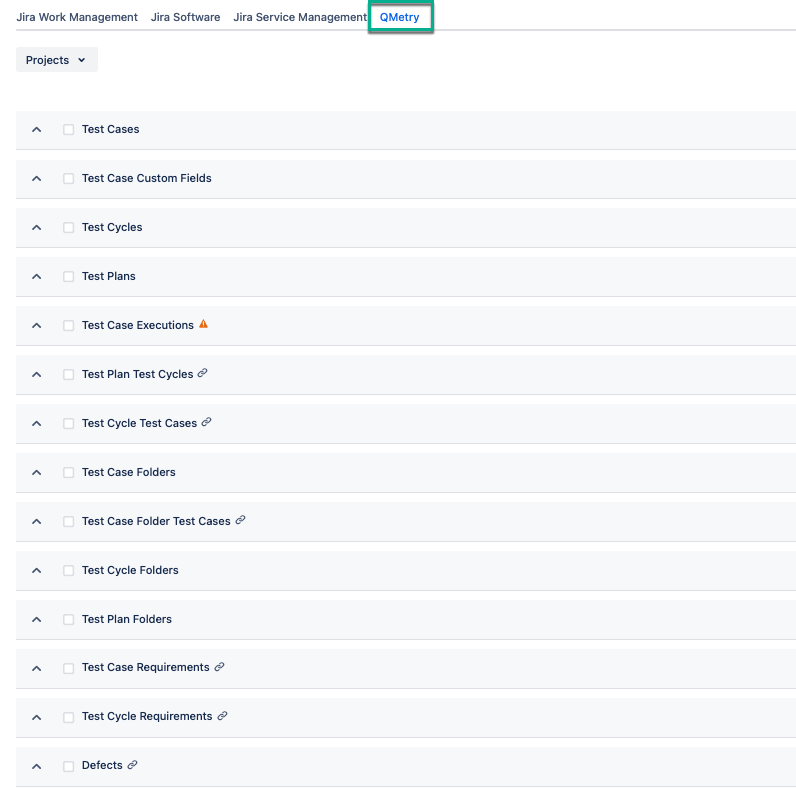
The QMetry fields are located in a separate tab.
How to Add QMetry API Key
A QMetry API Key is required to view and export QMetry data using Data Studio Connector for Jira. Each user must add their own API Key to enable QMetry data export.
Before following the steps below, please make sure that QMetry is enabled for the corresponding projects.
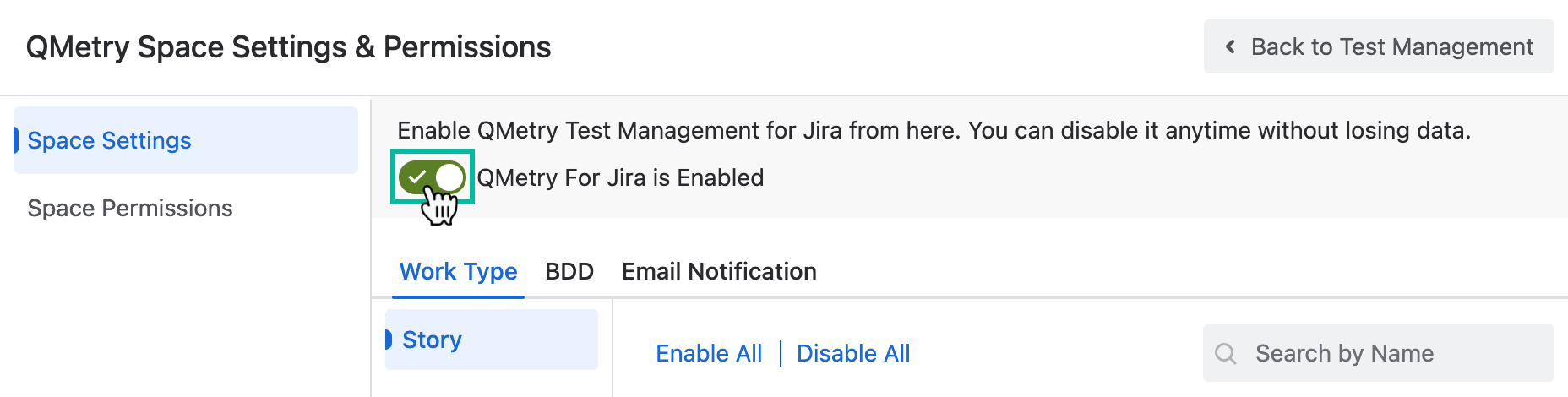
If you need detailed information on how to do it, please refer to QMetry Test Management documentation.
-
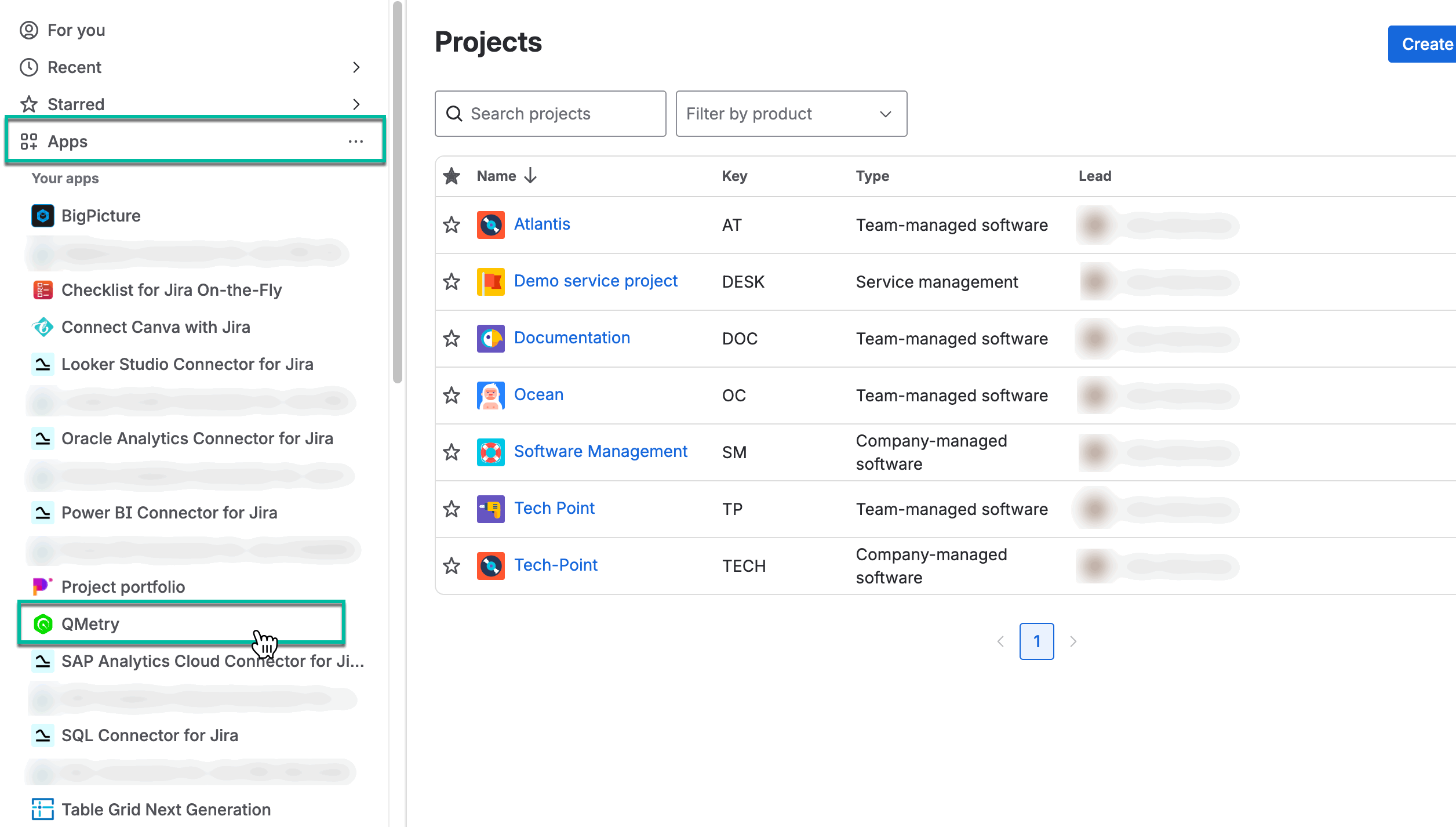
Being signed in to Jira Cloud instance, select Apps, and then select QMetry.
-
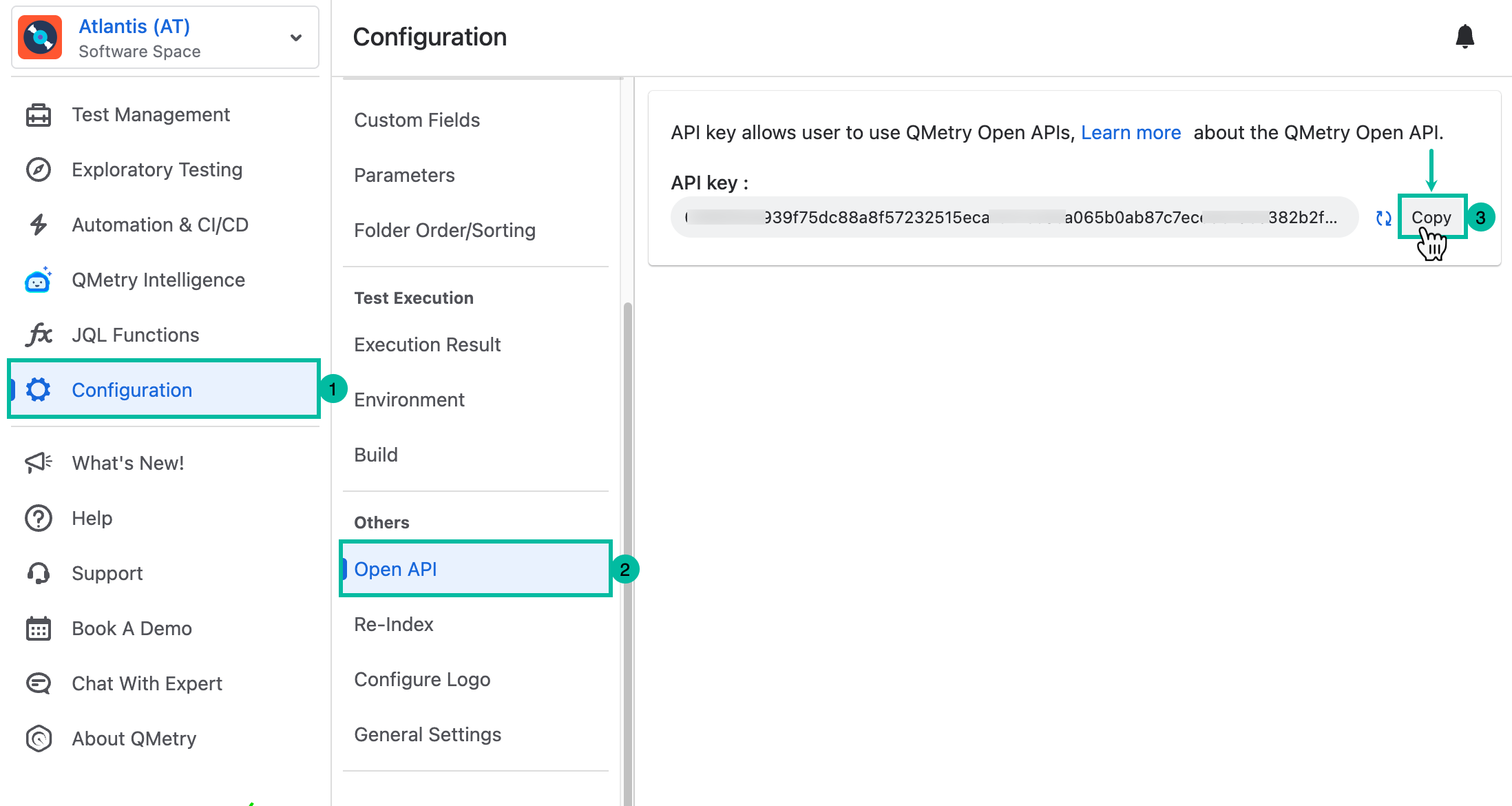
Select Configuration, and then select Open API.
-
Select Copy.
-
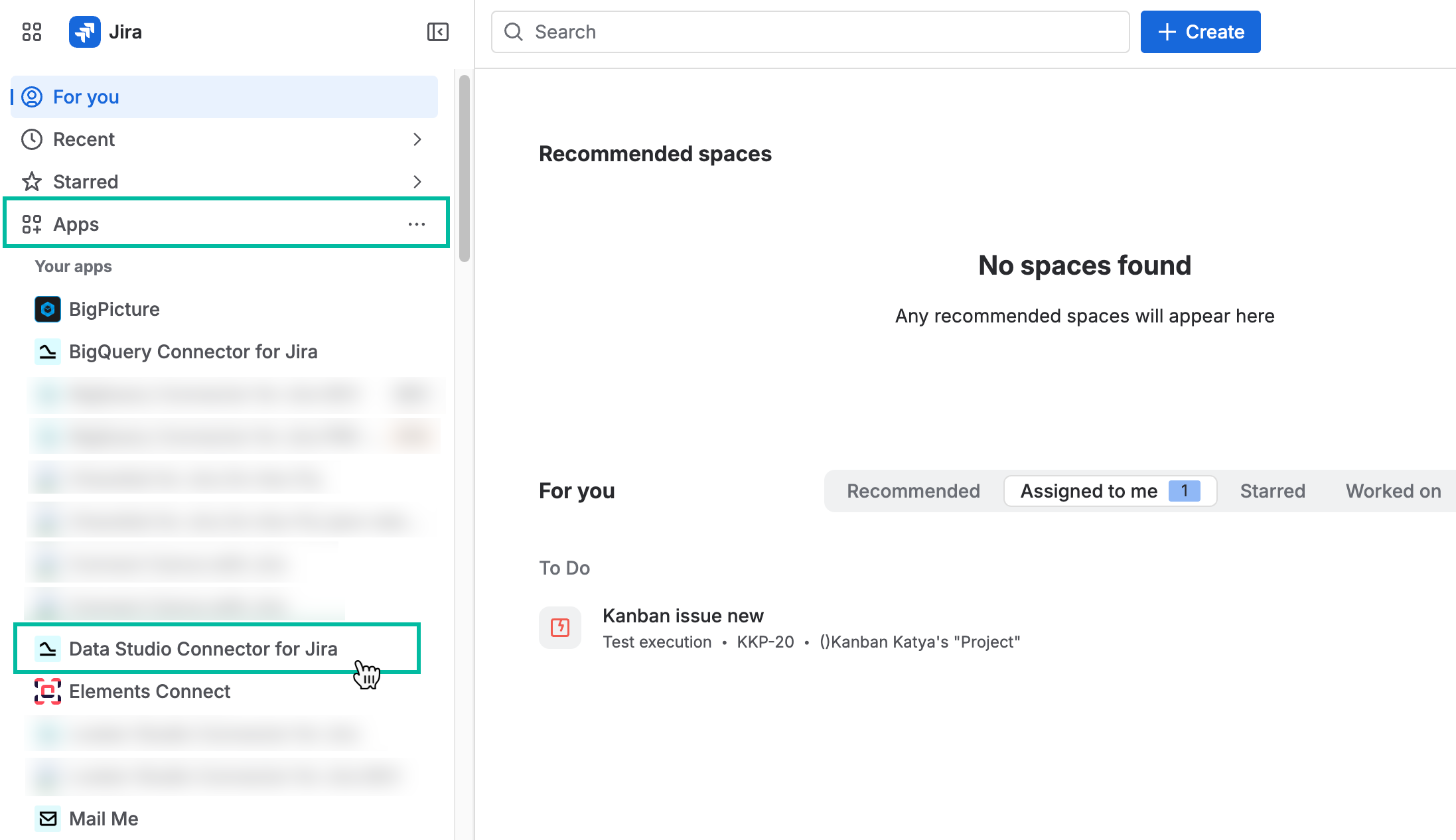
Go back to Apps, and then select Data Studio Connector for Jira.
-
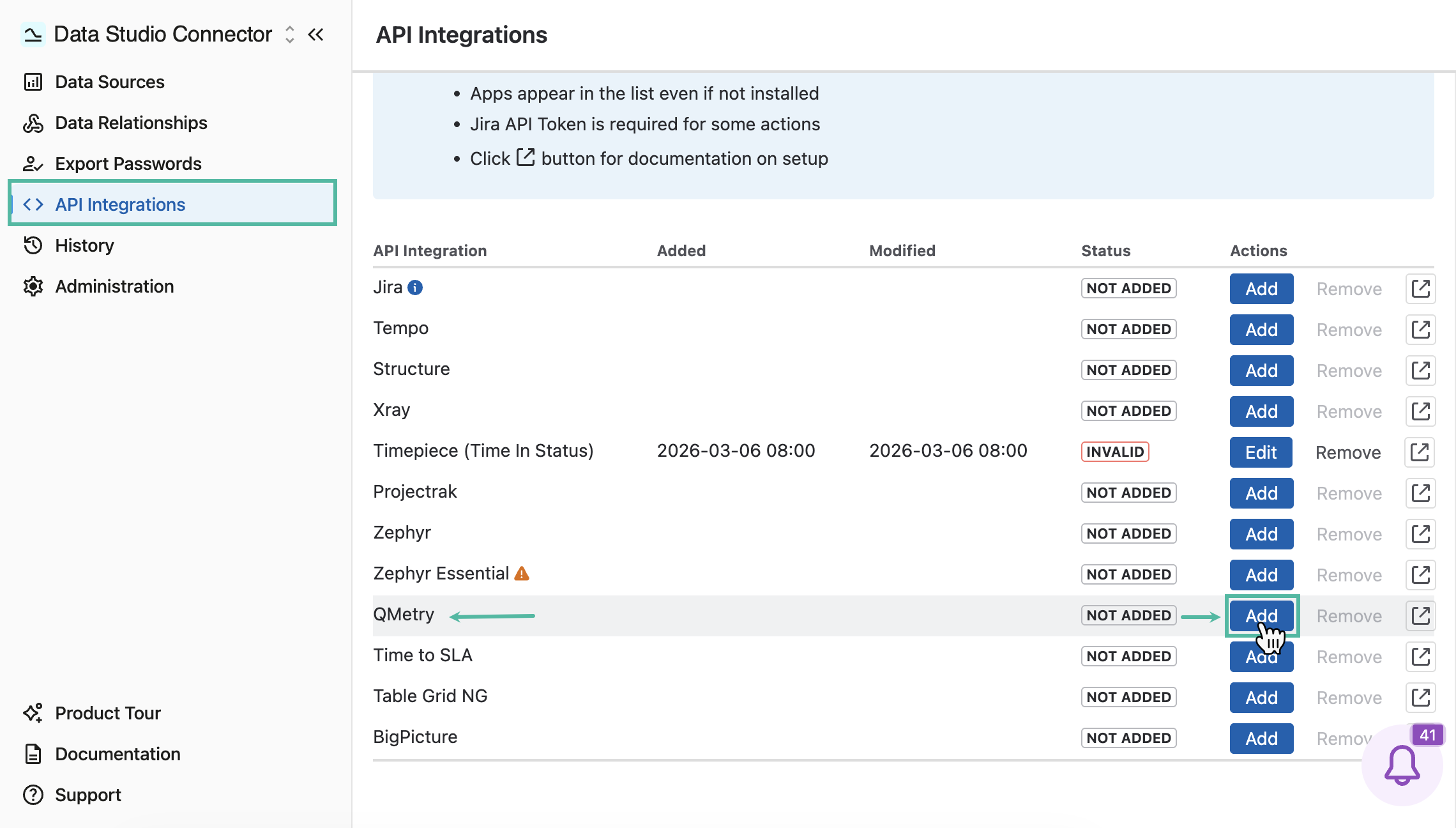
On the left-side menu, select API Integrations, locate QMetry, and then select Add.
-
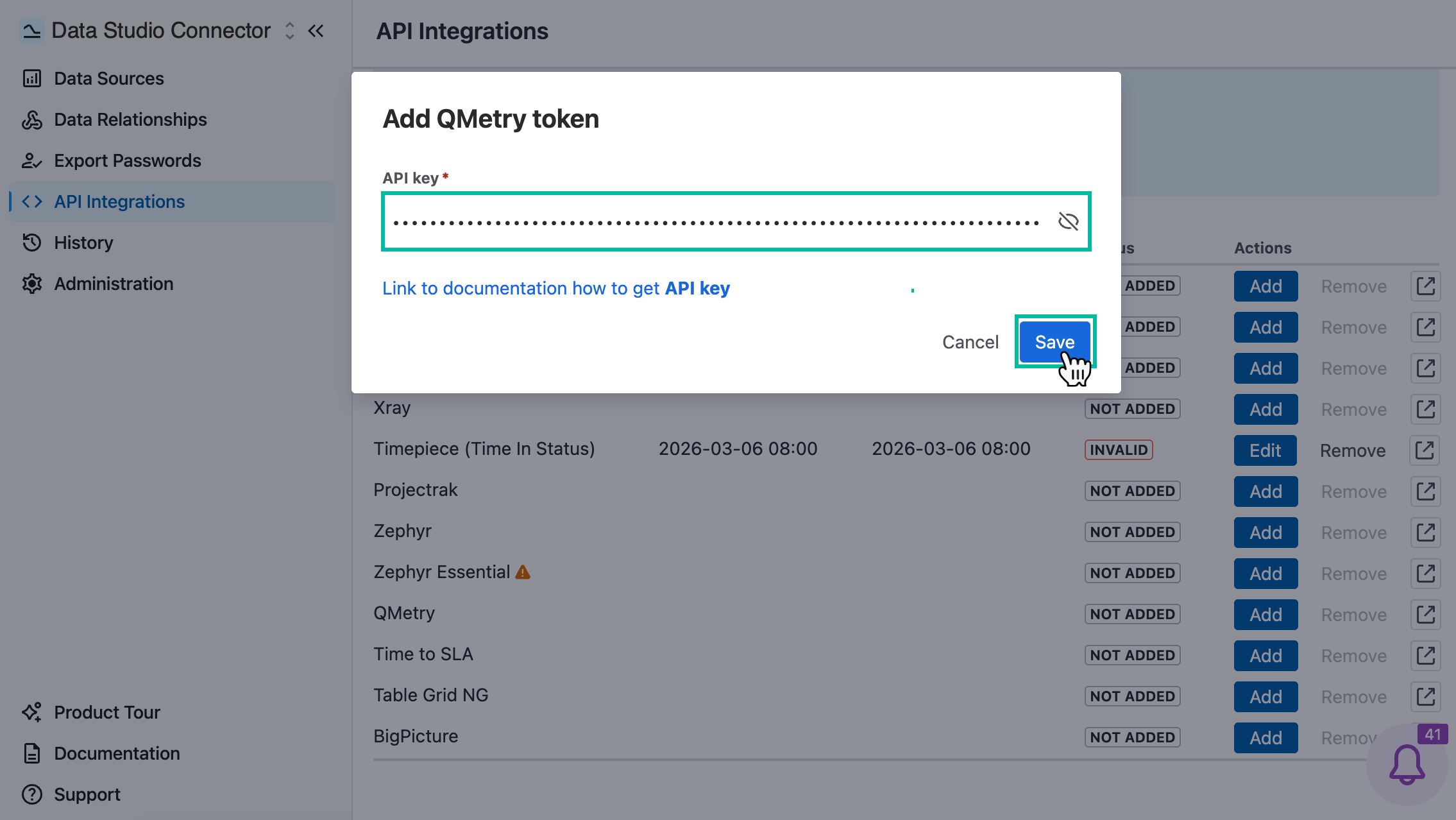
Paste your API key, and then select Save.
You can now add QMetry tables and fields to your data source to include QMetry data in your exports.