
You can now revoke your integration token at any time! This gives you more control over your connected apps and helps keep your account secure.
BigPicture Overview
BigPicture - Project Management & PPM is a comprehensive project management and portfolio management tool designed to help organizations plan, execute, and monitor their projects and portfolios effectively.
BigPicture data can tailor your Data Studio reports on various aspects, including project progress, resource allocation, risk management, and more.
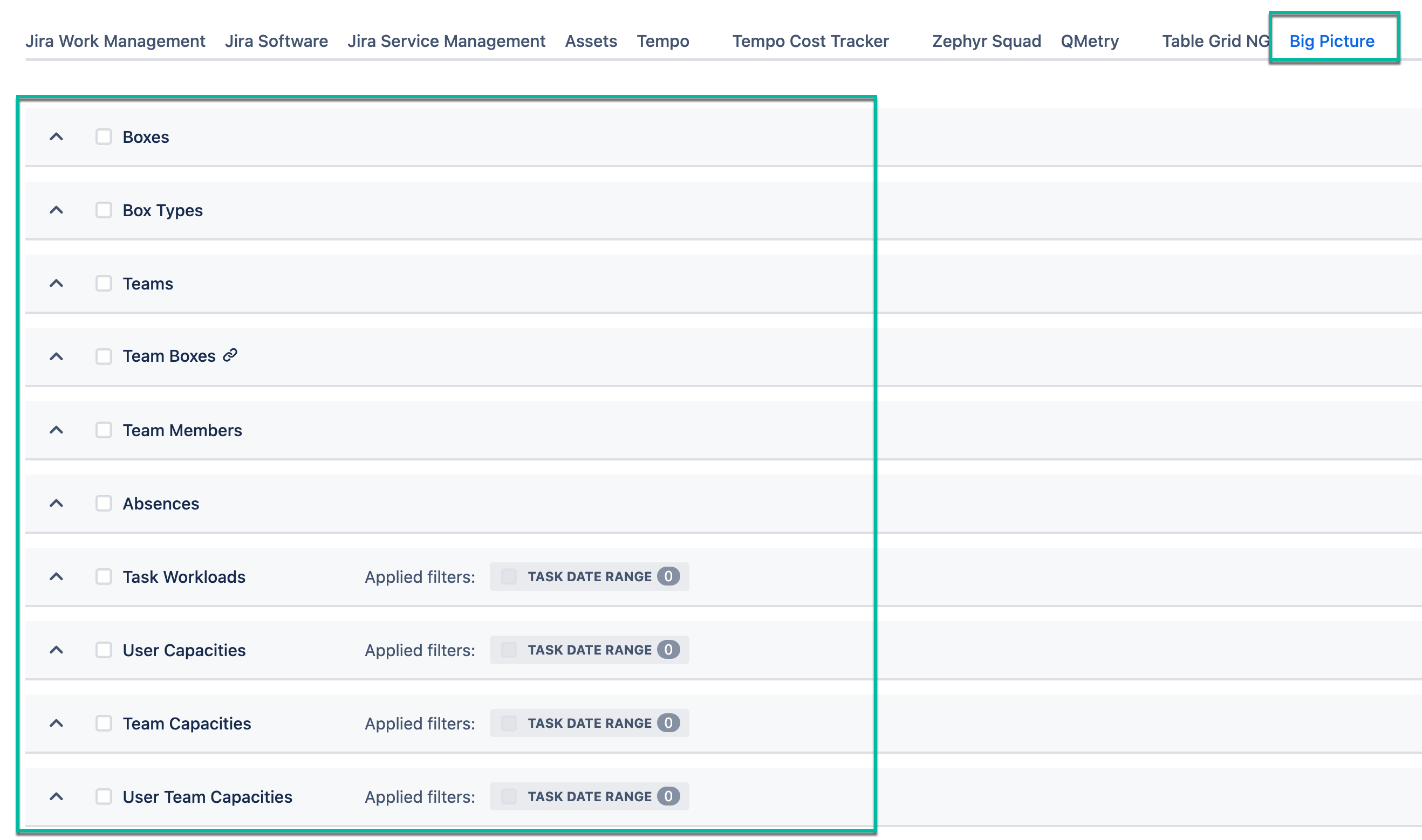
BigPicture tables are located in a separate tab.
How to Add BigPicture API Token
A BigPicture API Token is required to view and export BigPicture data using Data Studio Connector for Jira. Each user must add their own API Token to enable BigPicture data export.
Only Jira admins can create BigPicture API Tokens. If you’re not a Jira admin, ask your admin to create an API Token for you and share it with you. Then add the API Token to Power BI Connector for Jira.
-
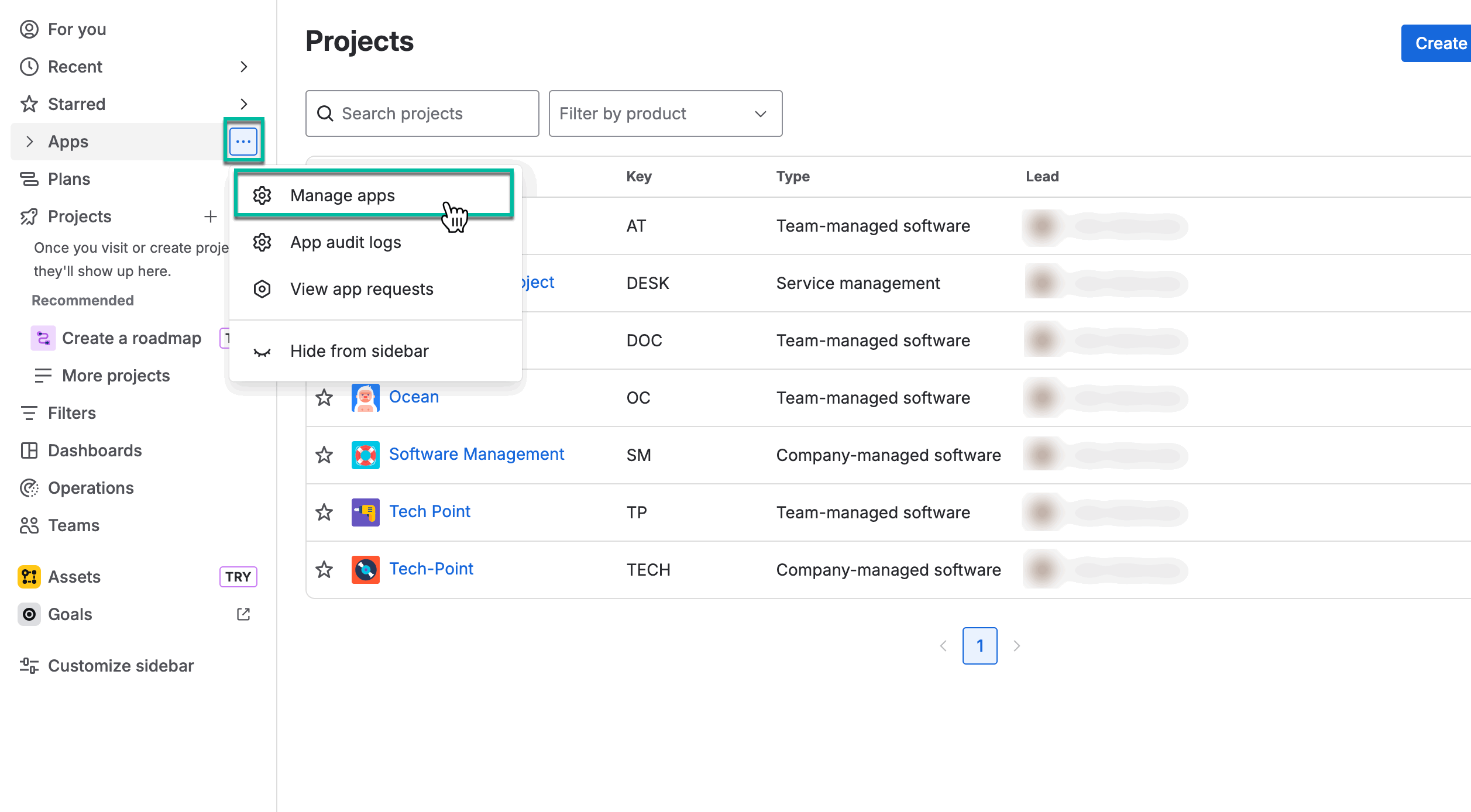
Being signed in to your Jira Cloud instance, select Ellipsis (…), and then select Manage apps.
-
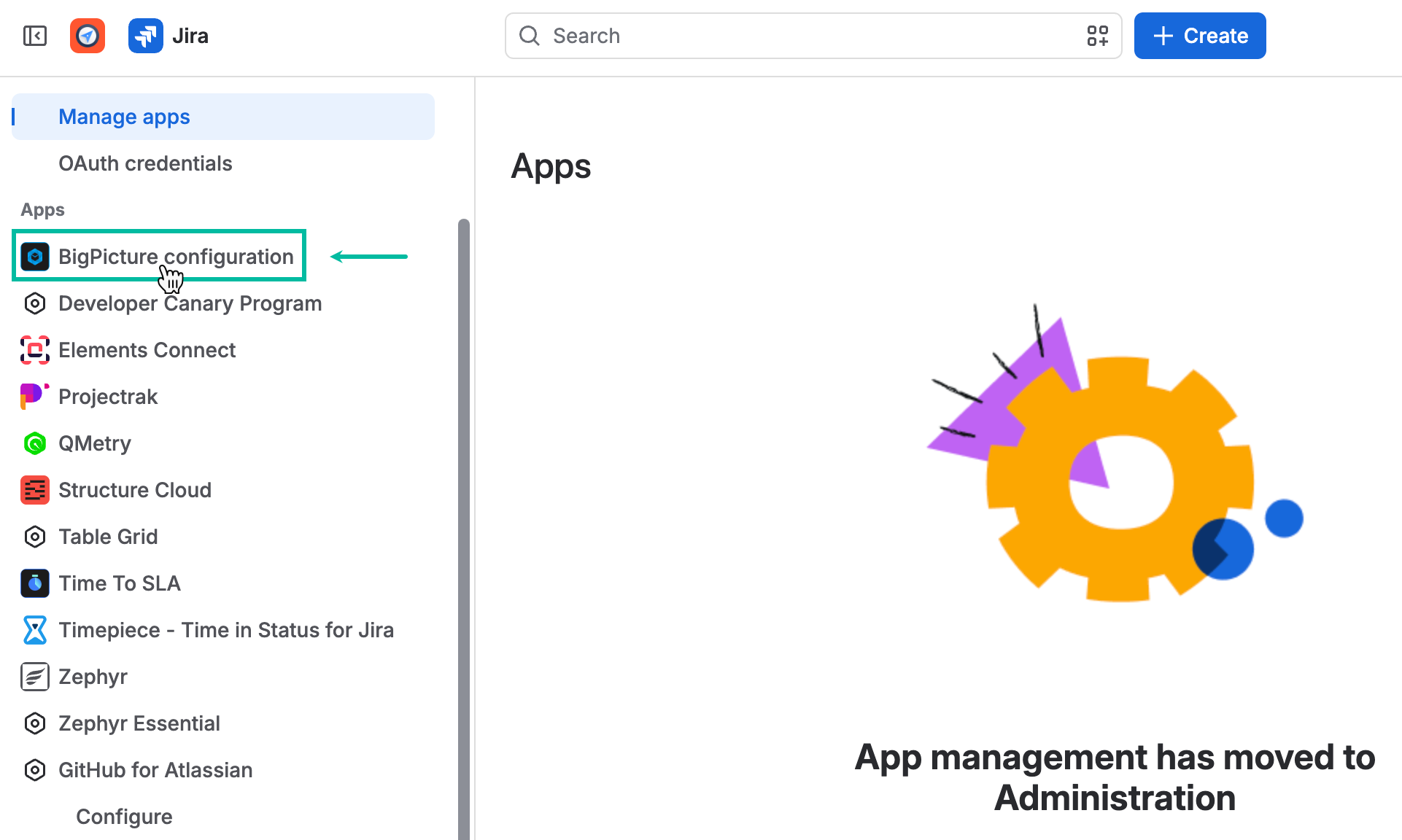
Select BigPicture configuration.
-
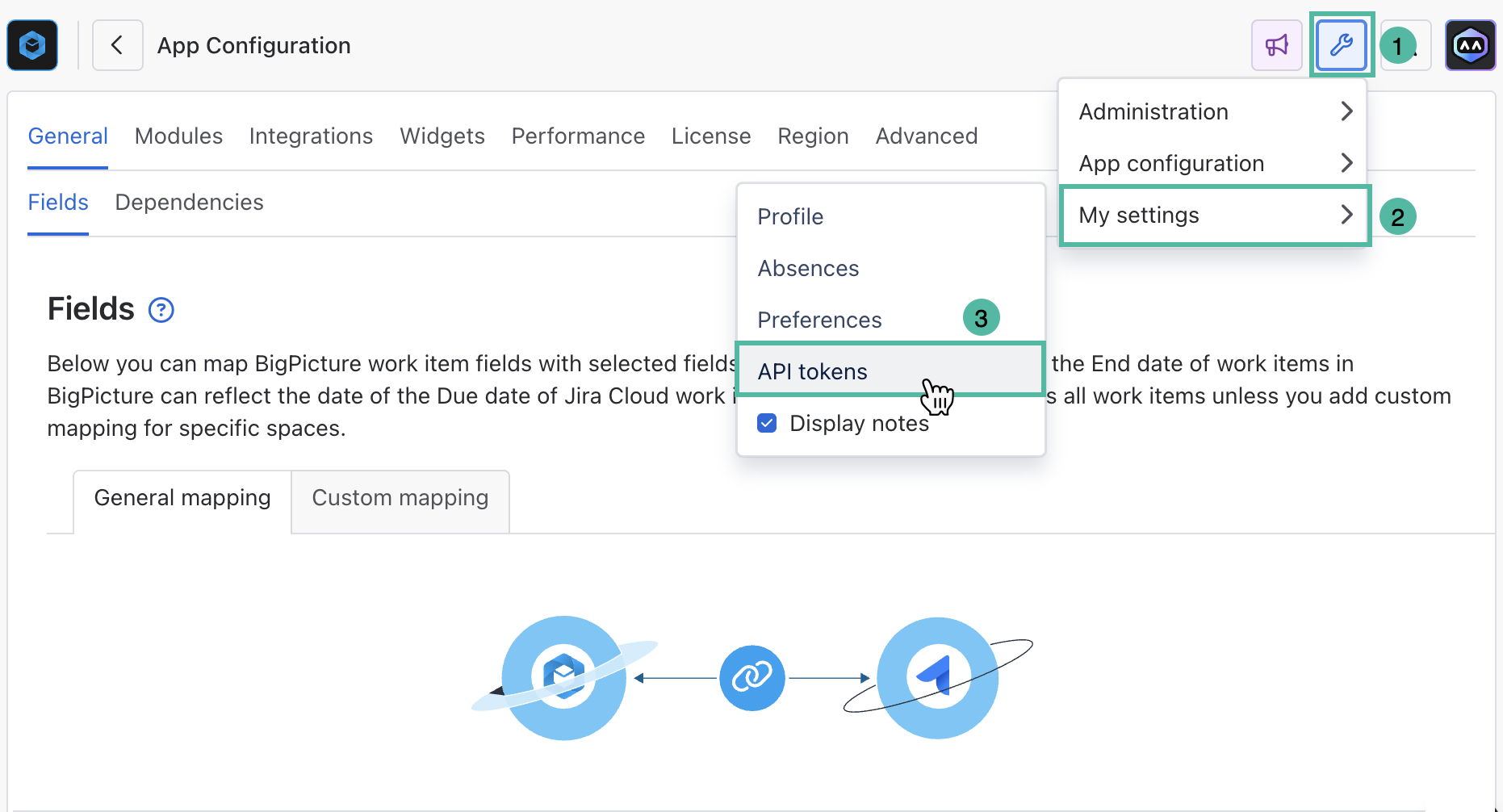
Select App Settings → My settings, and then select API tokens.
-
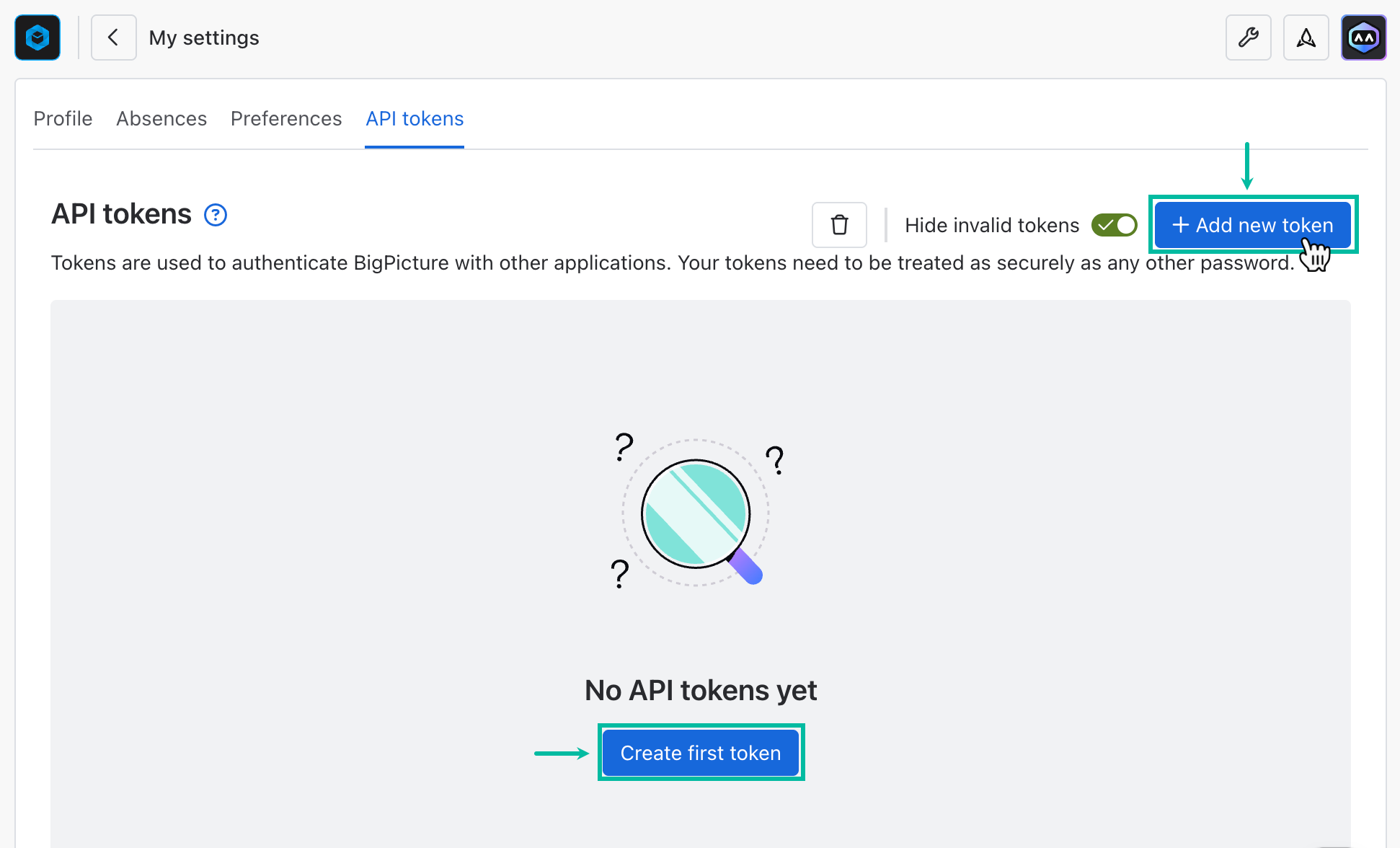
Select Create first token or + Add new token, if the one already exists.
-
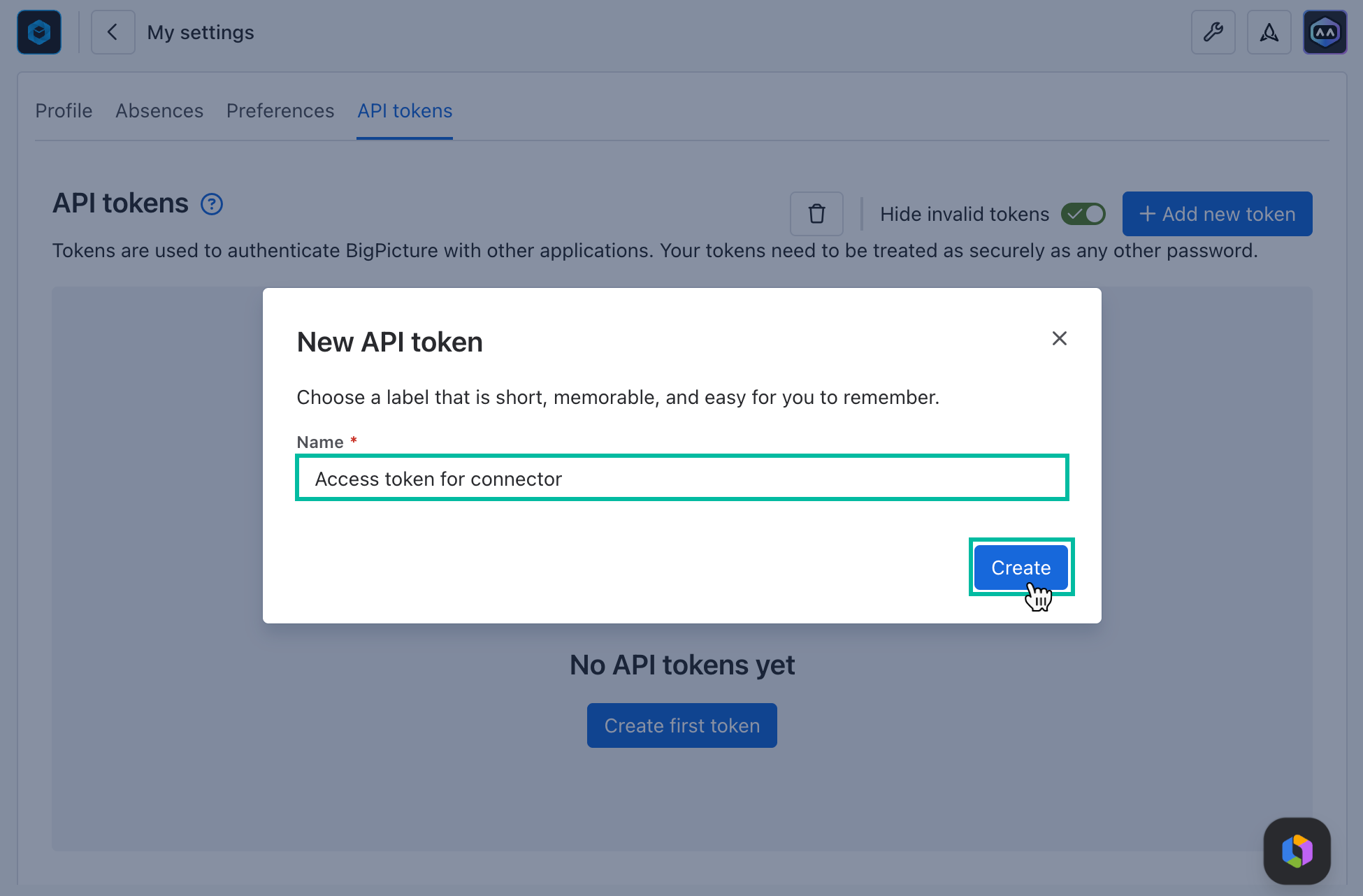
In the Name* field, enter the desired name of your token, and then select Create.
-
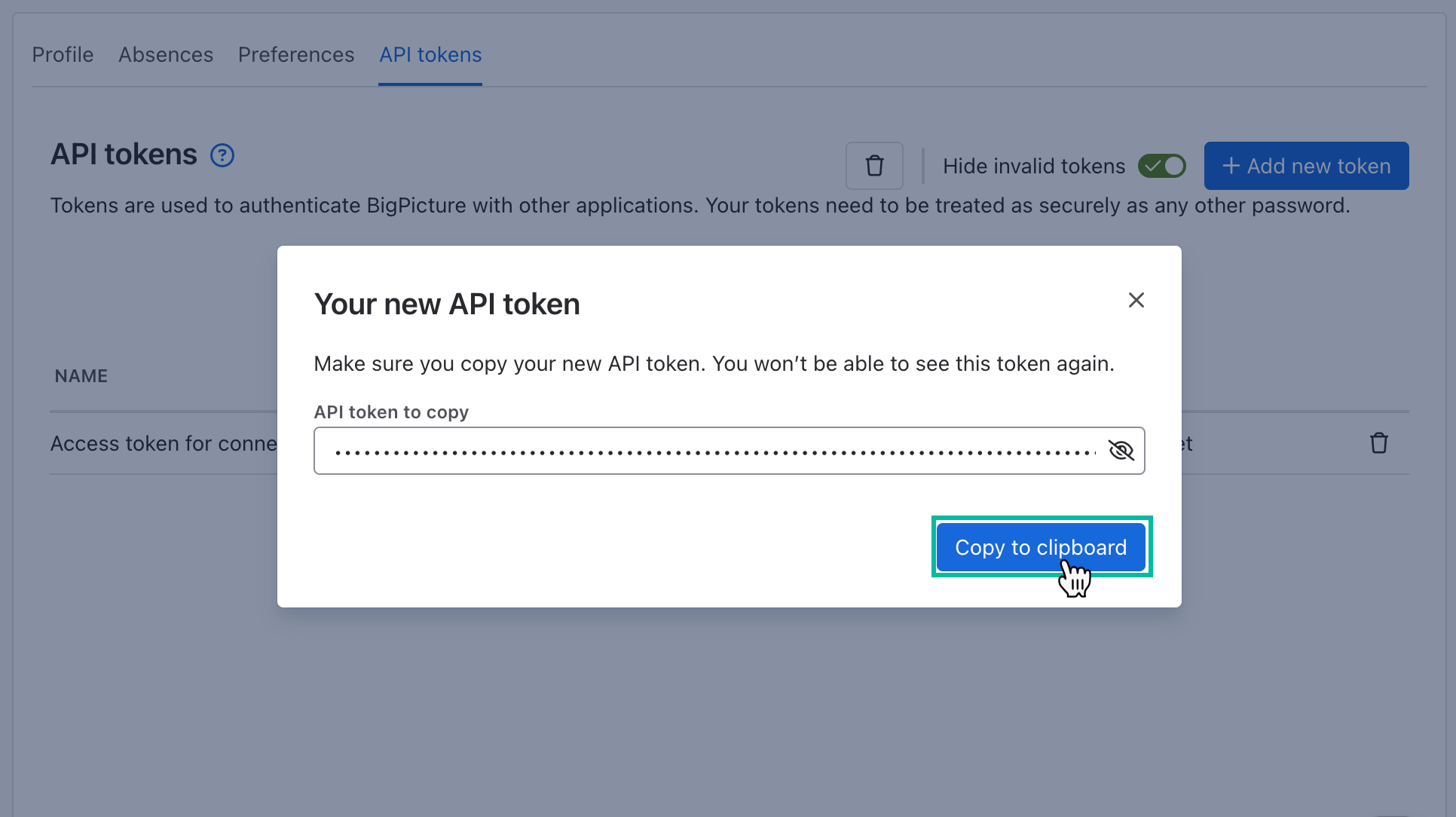
Select Copy to clipboard.
Before closing the window, make sure you copy your new API token. You won’t be able to see this token again.
-
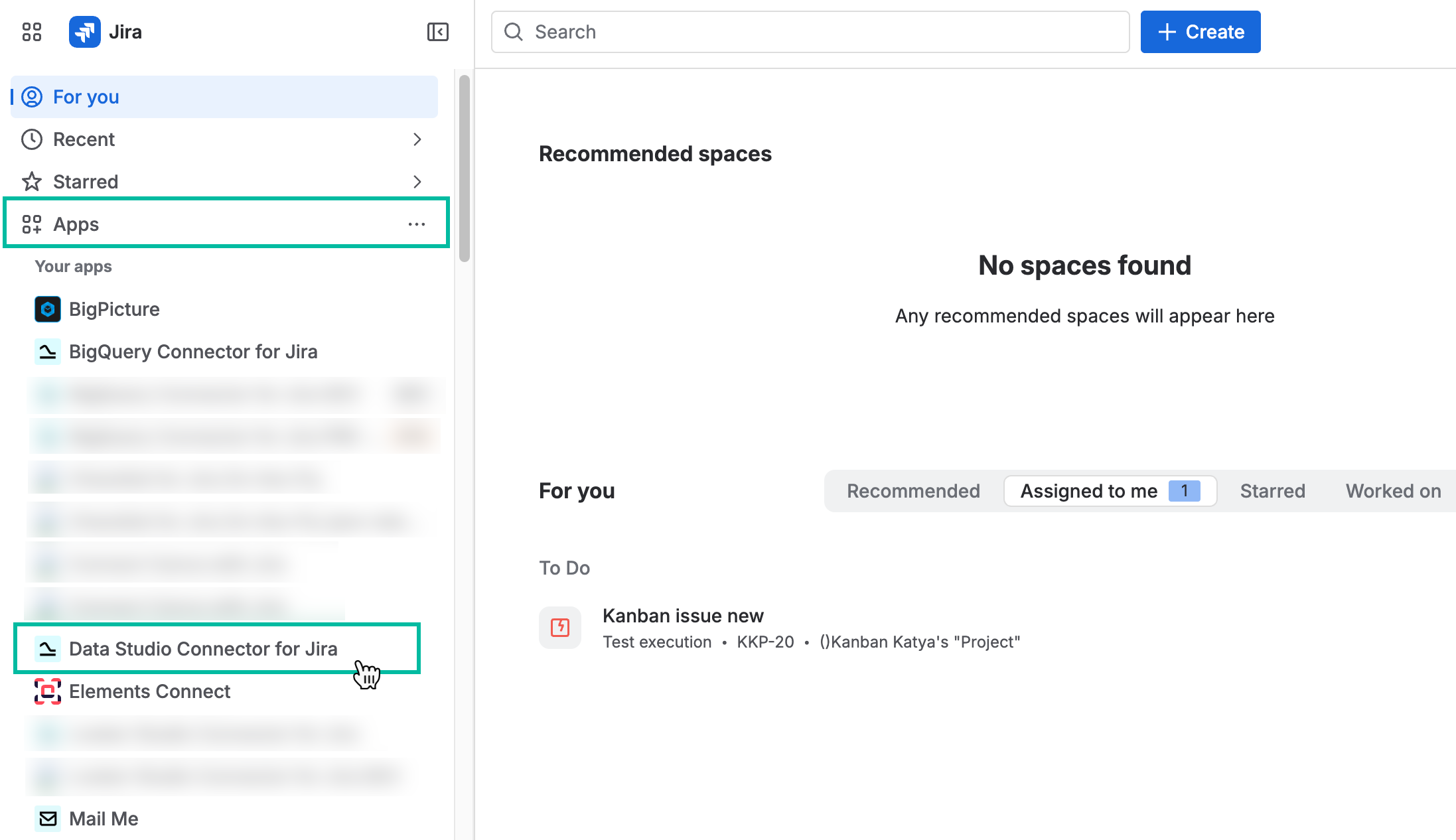
Select Apps, and then select Data Studio Connector for Jira.
-
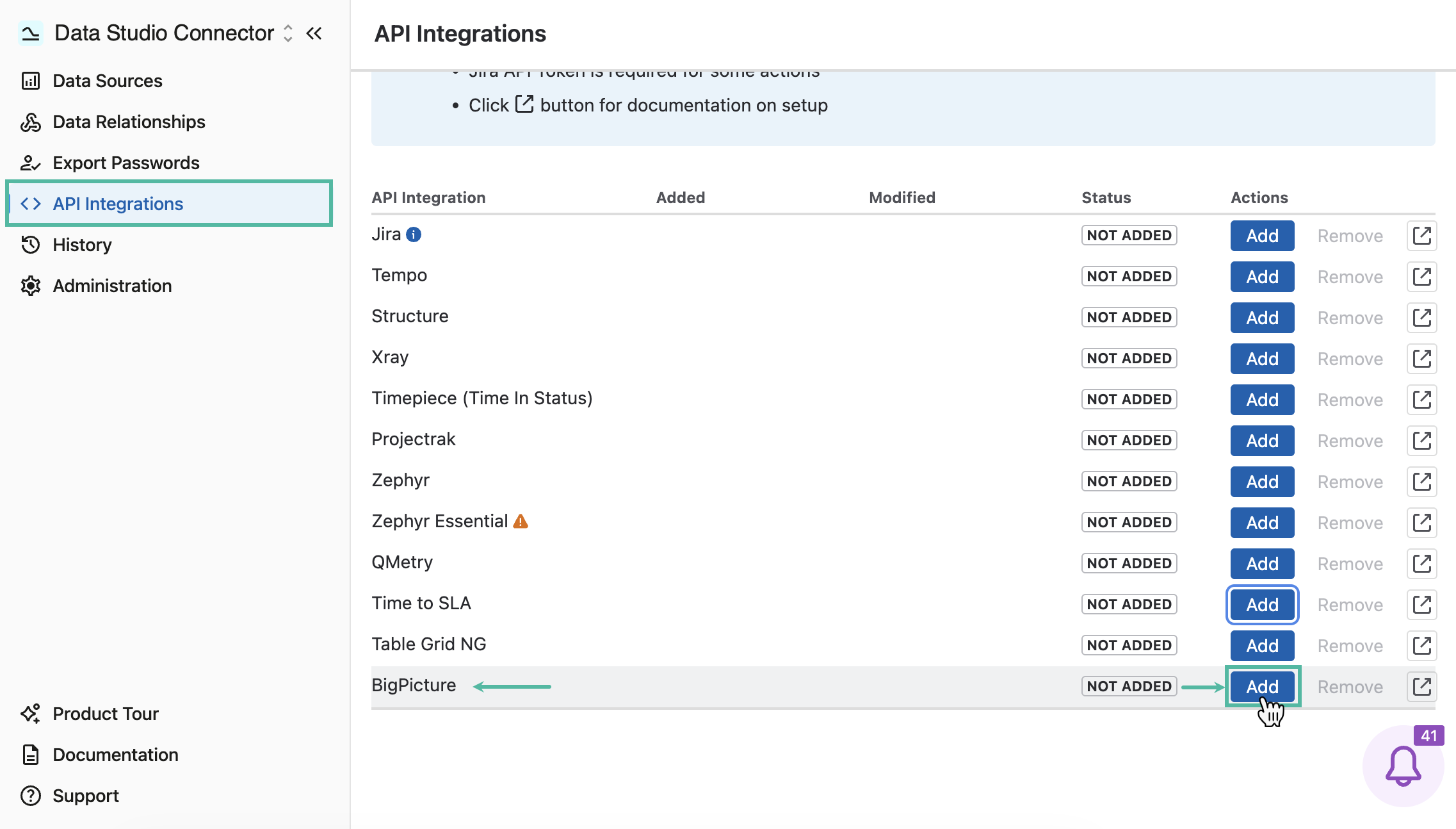
On the left-side menu, select API Integrations, locate BigPicture, and then select Add.
-
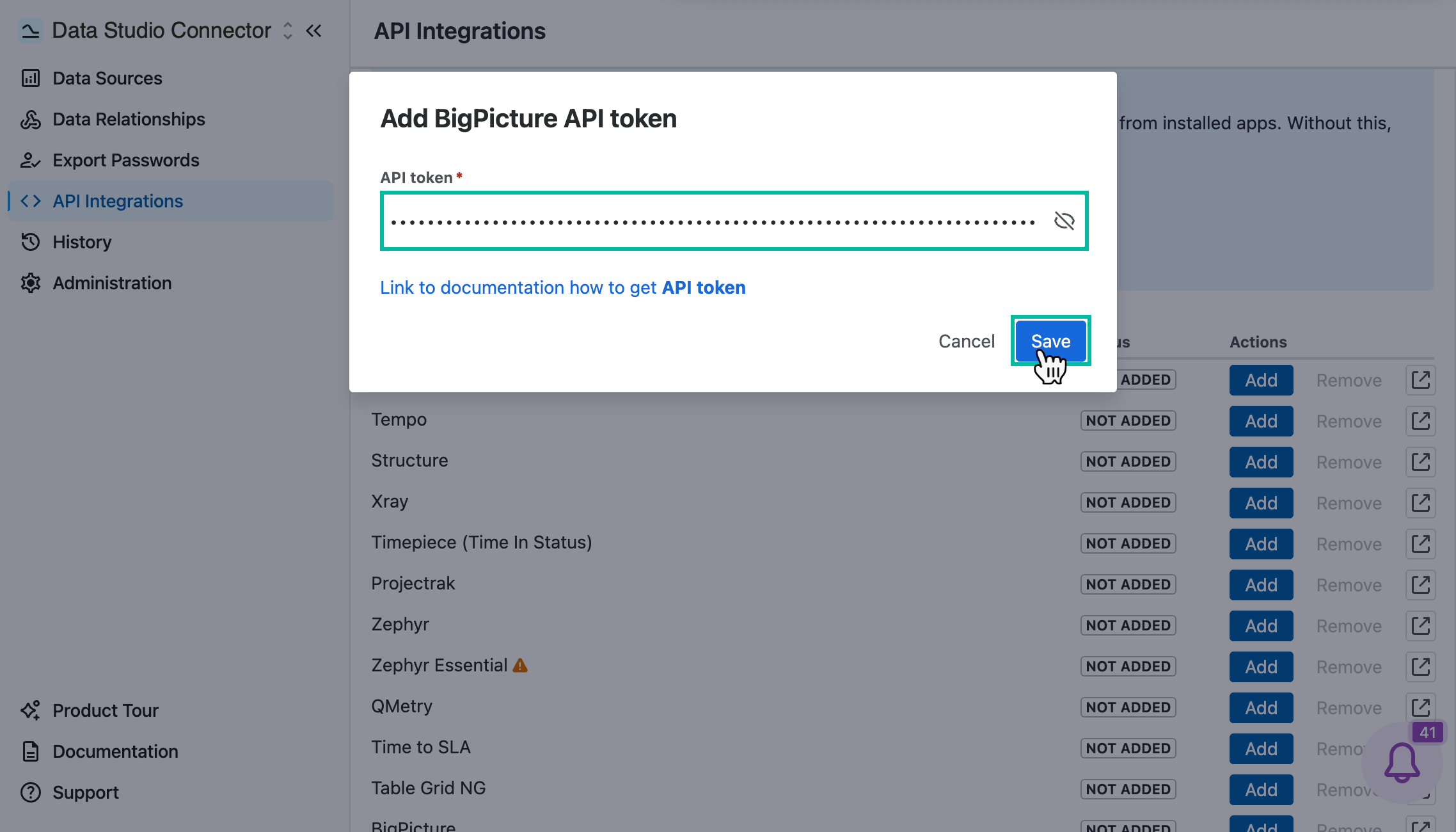
In the API token* field, paste your newly-created API token, and then select Save.
You can now add BigPicture tables and fields to your data source to include BigPicture data in your exports.