
Yes. Since the app is now built on Forge, updates to the BigQuery Connector for Jira on Cloud must be applied manually by Jira administrators.
🔗 We’re upgrading to Forge – here’s what you need to know
To check for available updates and apply them:
-
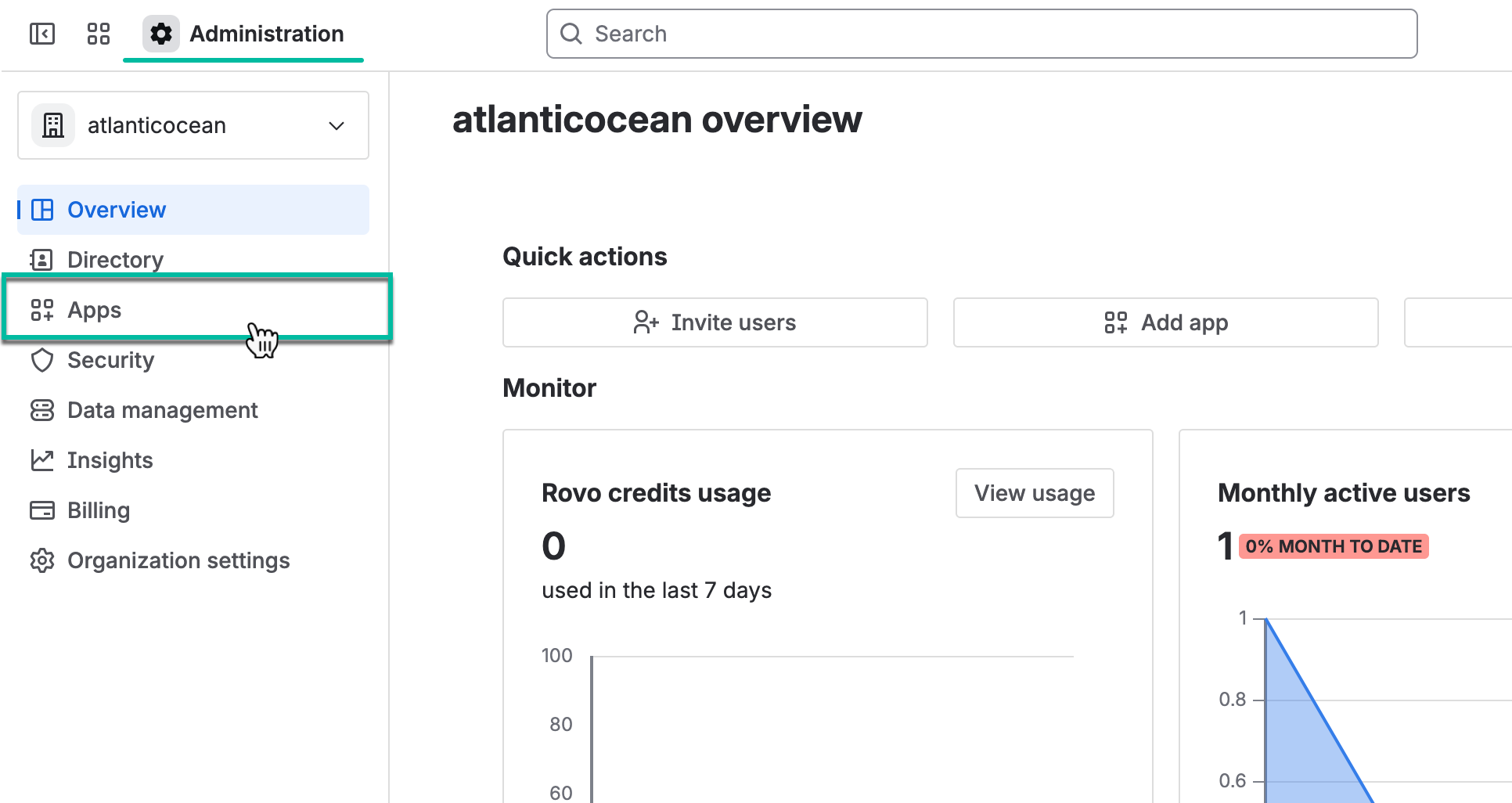
Navigate to Atlassian Administration, and then select Apps.
-
Alternatively, select Manage apps, and then select Take me there. You will be redirected to the Connected apps page.
-
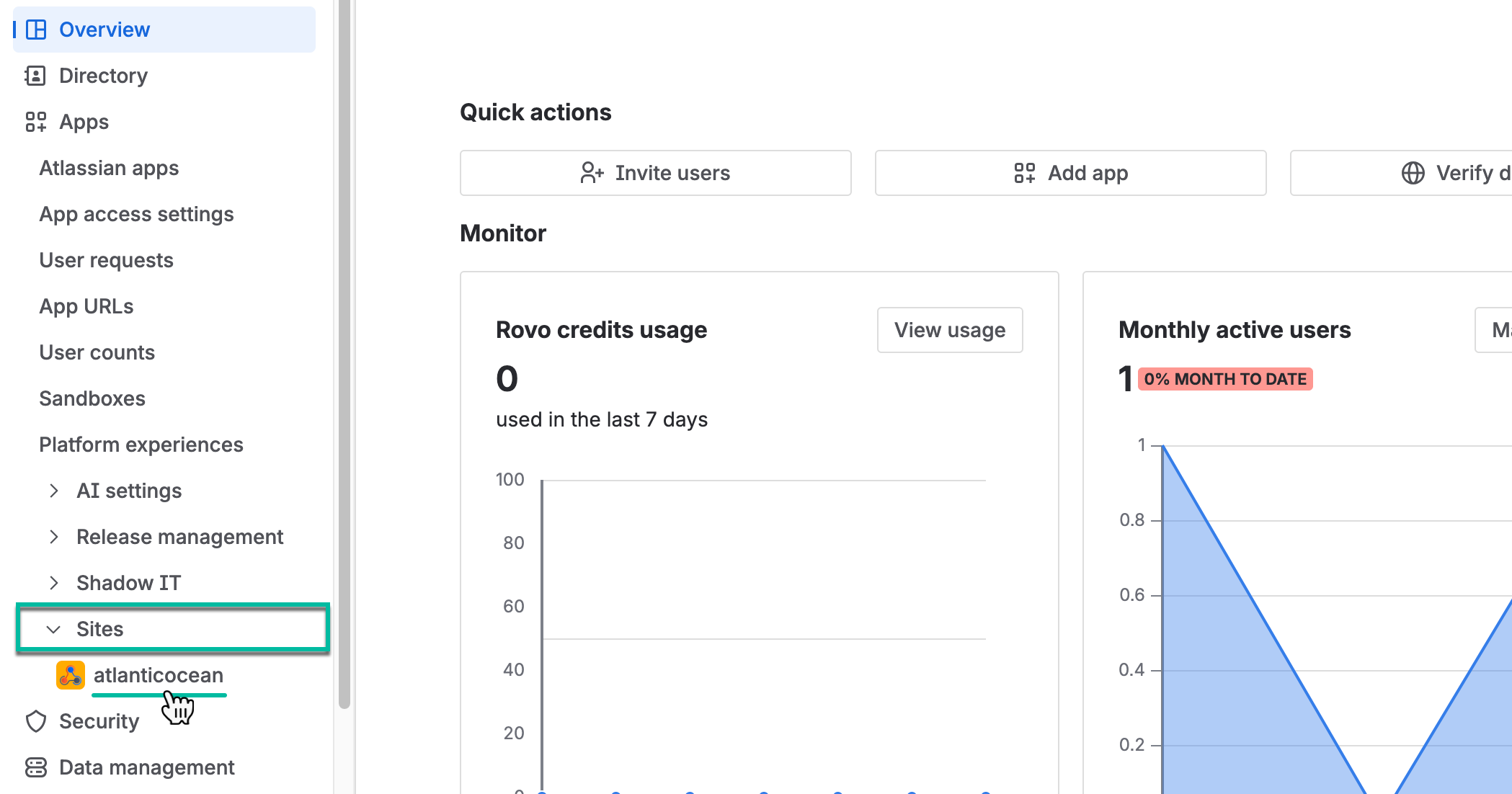
Select Sites, and then select the one you need.
-
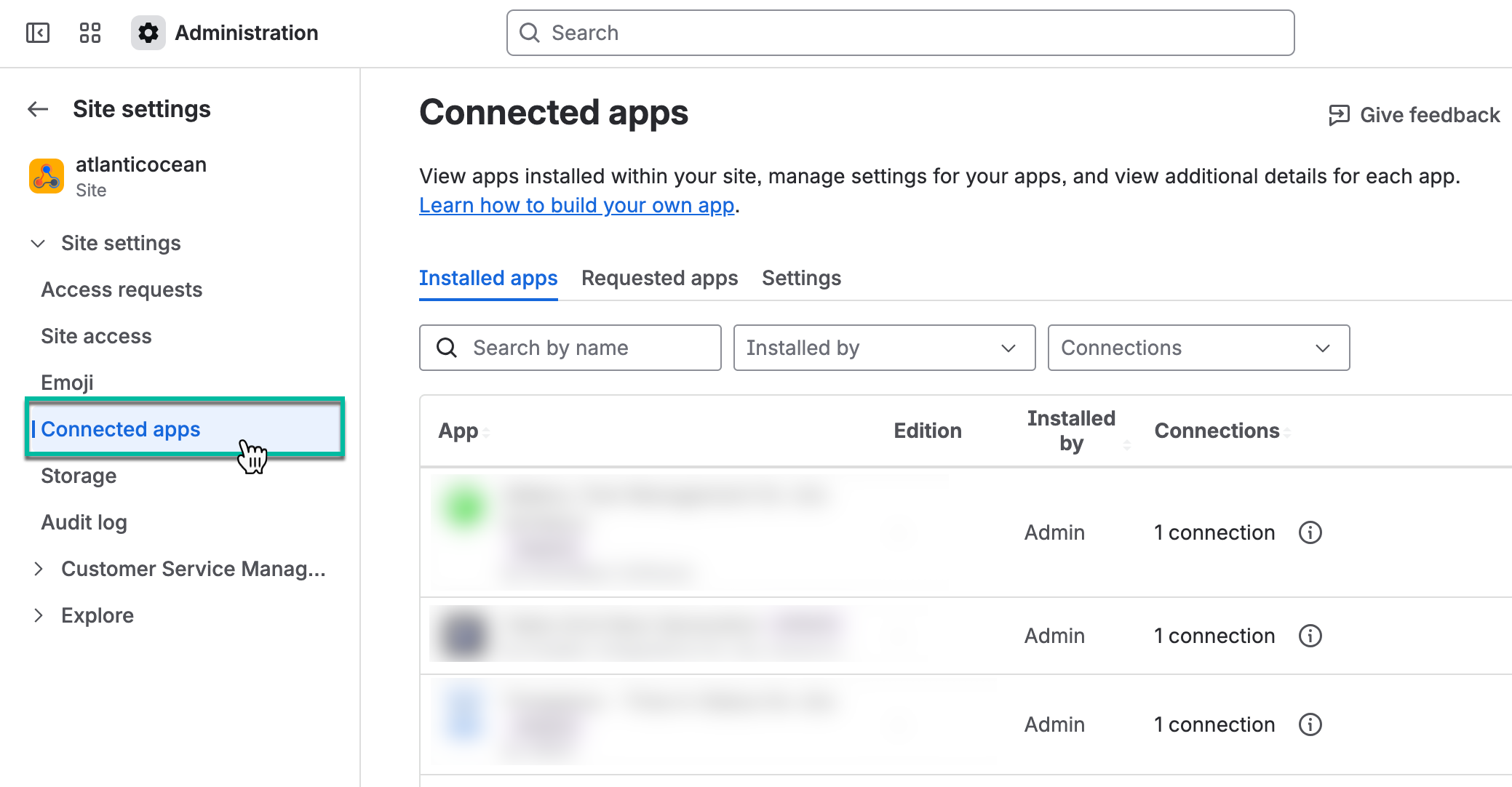
Select Connected apps.
-
In the search box, start entering the app name, and then select View app details.
.png?cb=7952ce2af0f792a16a8b759860685c69)
-
Select Update.
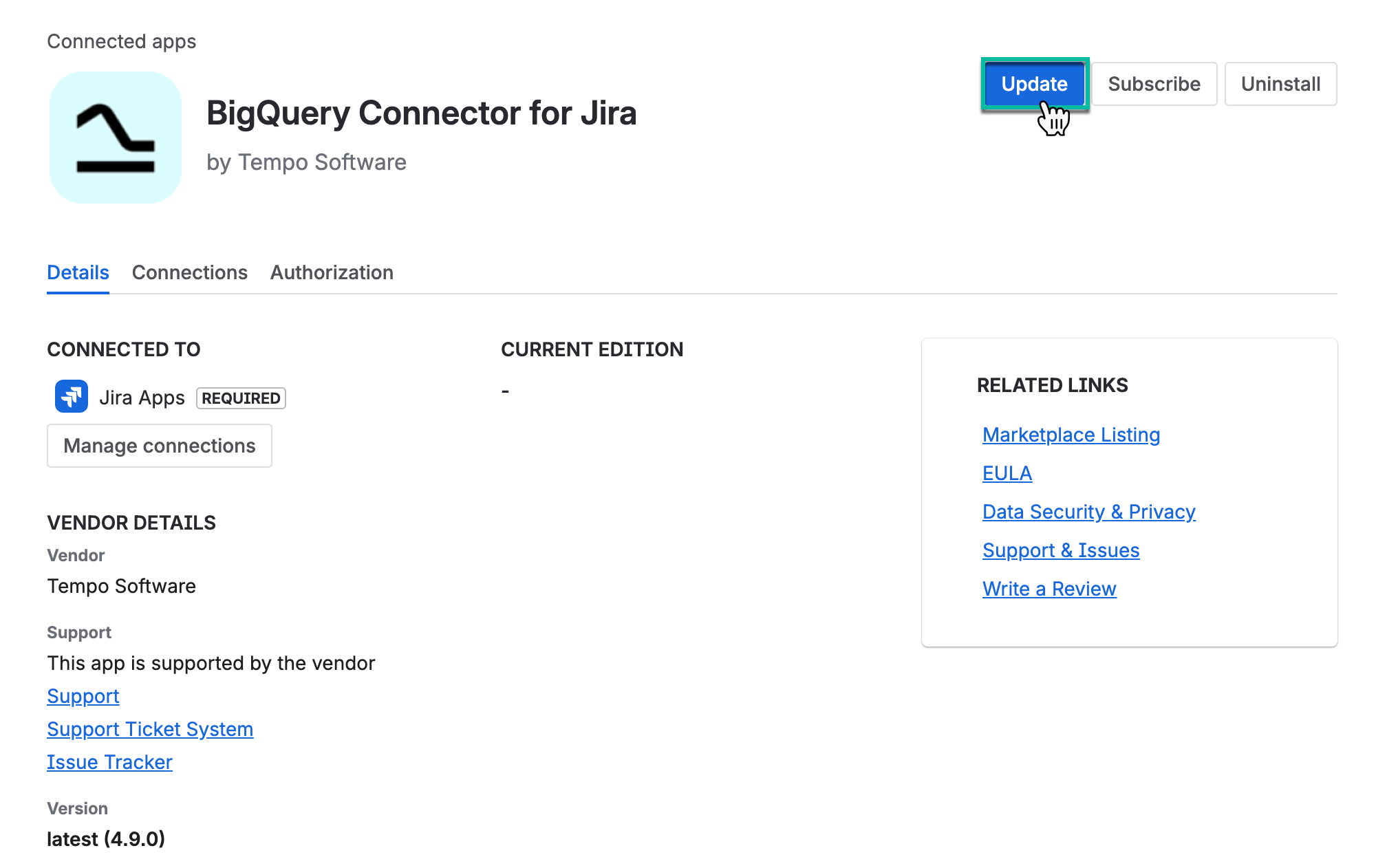
When a new version of the app is available, a warning message appears on the app page.
