
You can now revoke your integration token at any time! This gives you more control over your connected apps and helps keep your account secure.
Tempo Financial Manager Overview
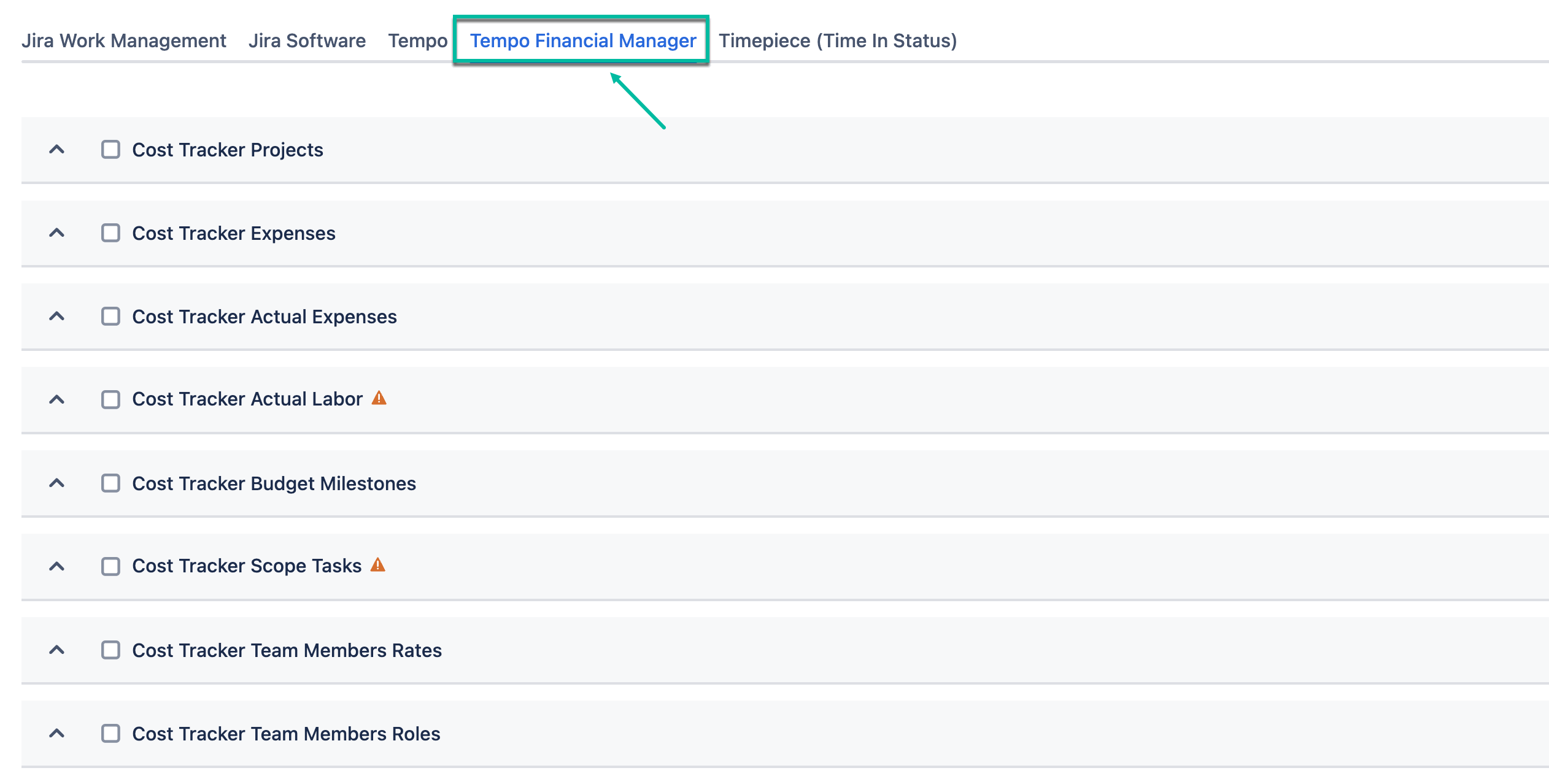
Financial Manager - Jira Project Cost Tracking | Tempo turns Tempo Timesheet data into a real-time reflection of your project's financial health. Thus, without this data, you’ll not be able to build a big-picture report on your project in Tableau.
Tempo Financial Manager tables are located in a separate tab.
How to Add Tempo Client ID
A Tempo Client ID and Client Secret are required to view and export Tempo Financial Manager data using Tableau Connector for Jira. Each user must add their own Client ID and Client Secret to enable Tempo Financial Manager data export.
-
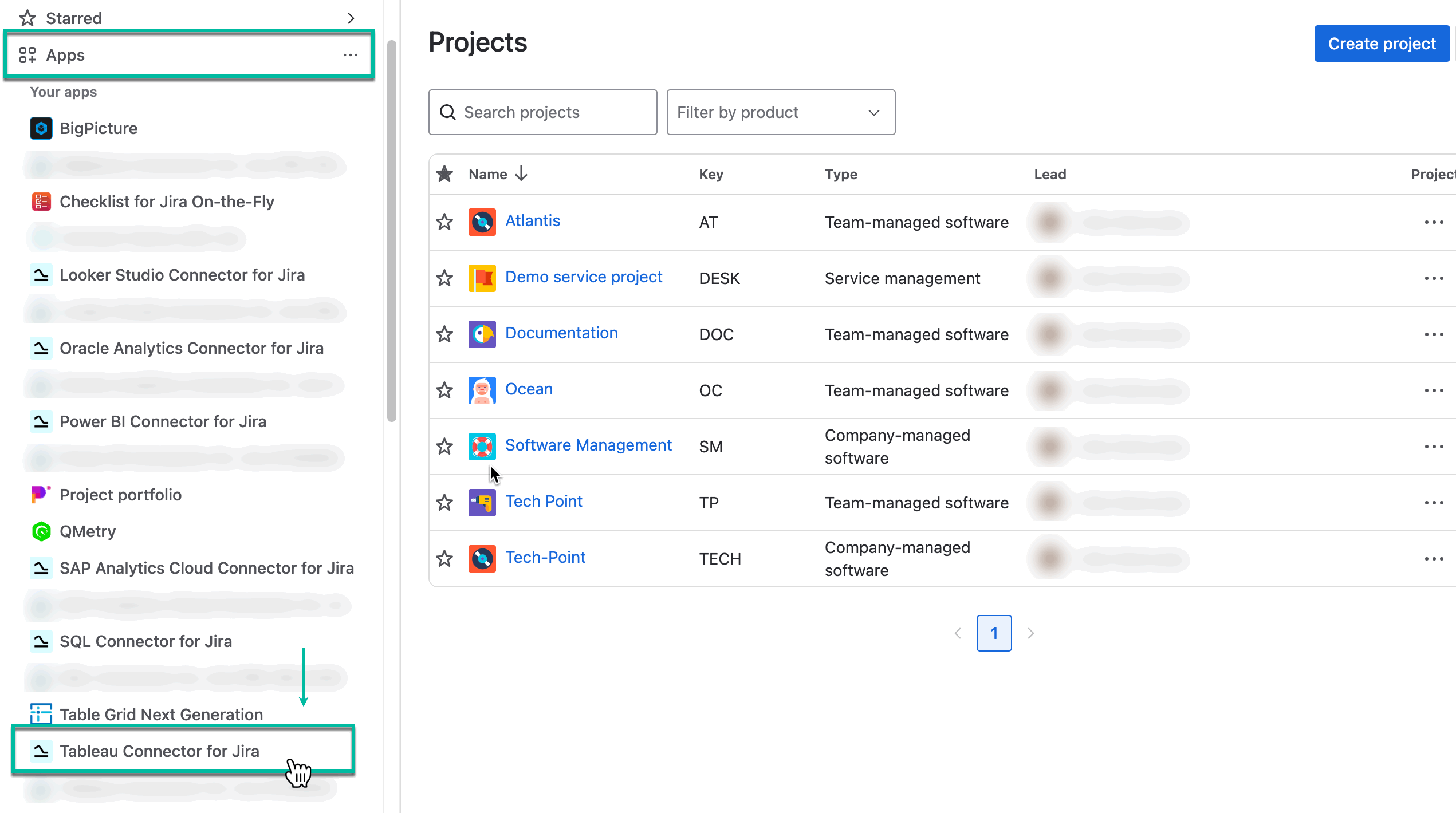
Being signed in to your Jira Cloud instance, select Apps, and then select Tableau Connector for Jira.
-
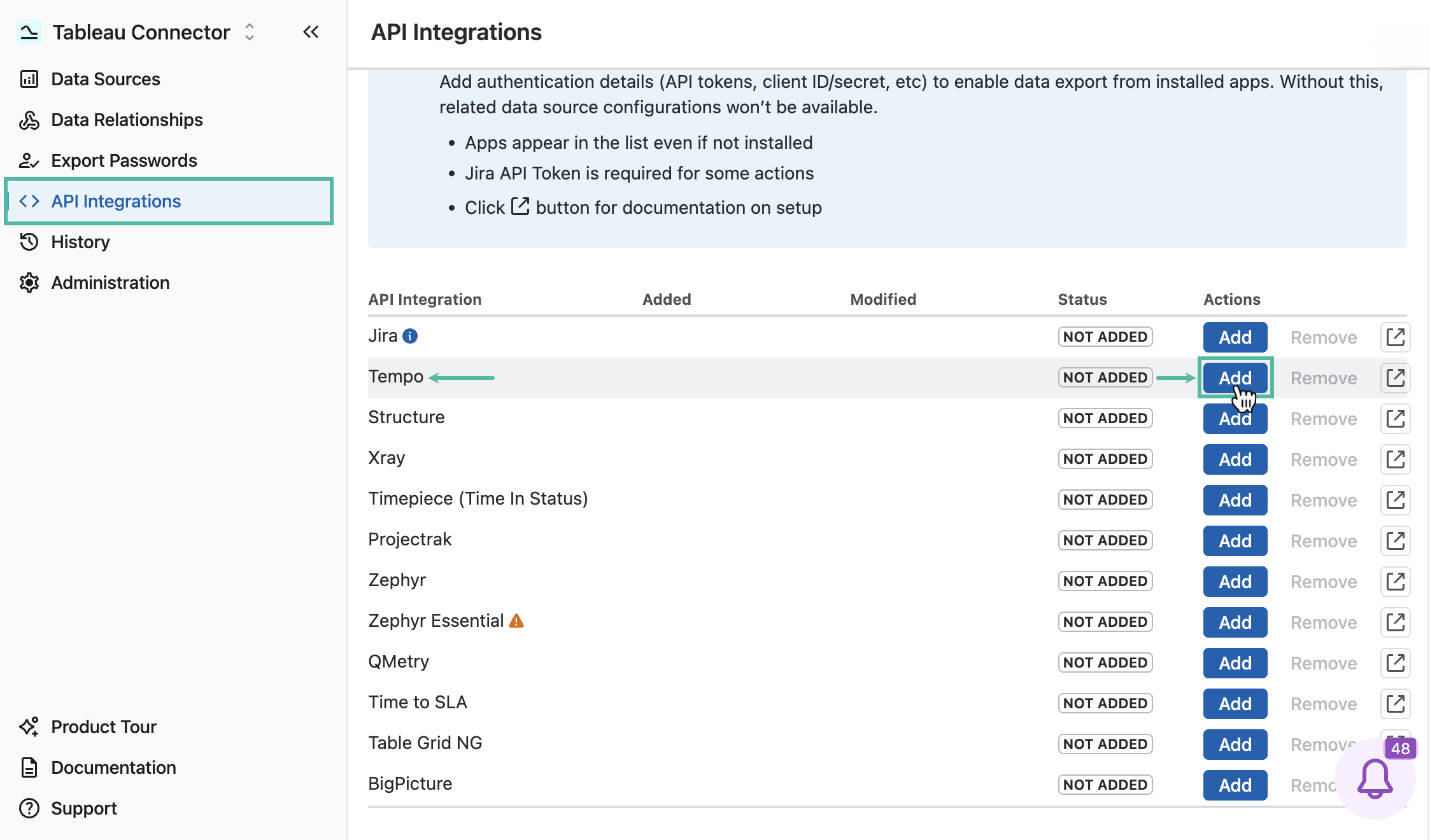
On the left-side menu, select API Integrations, find Tempo, and then select Add.
-
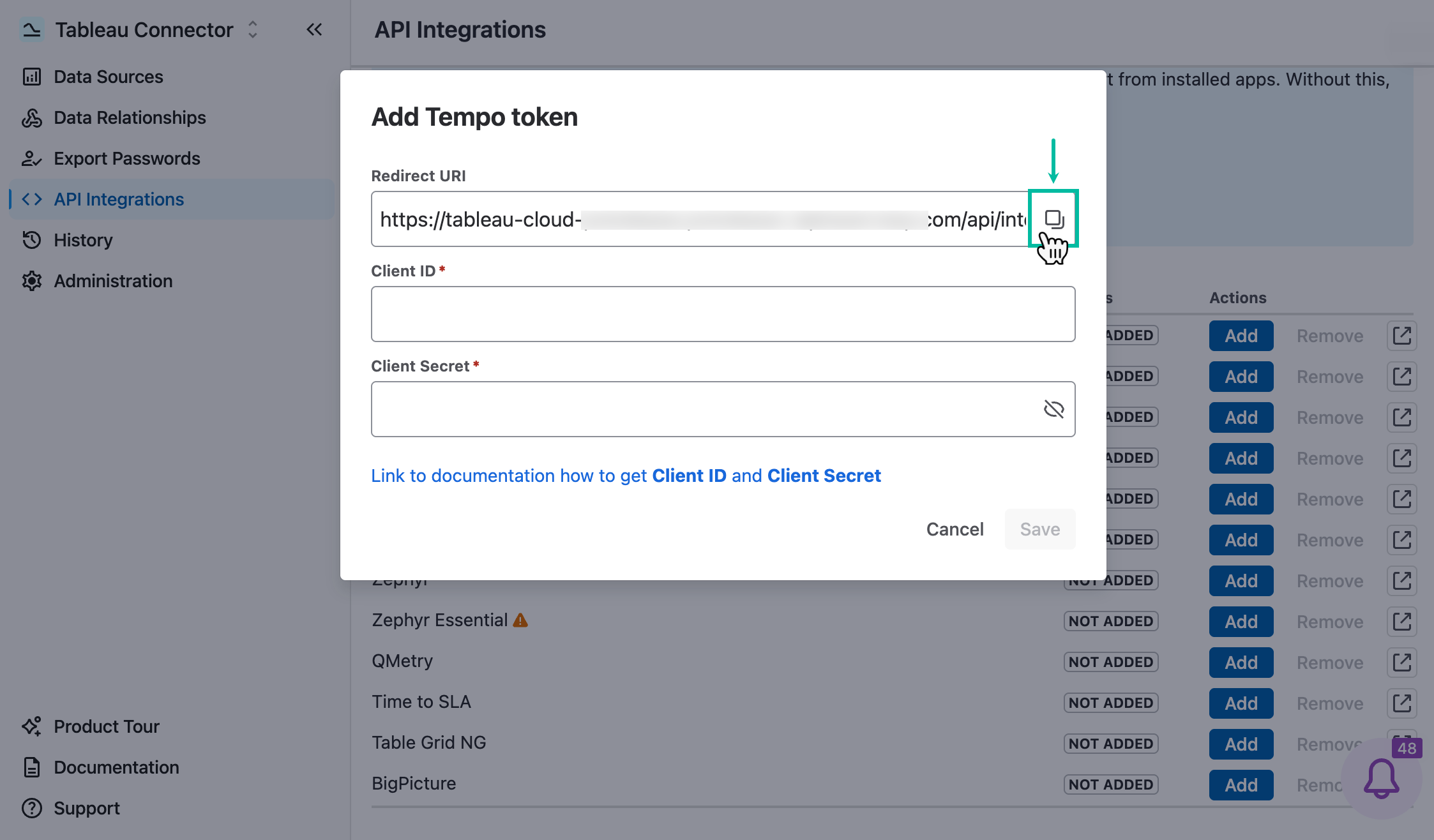
Copy redirect URL.
-
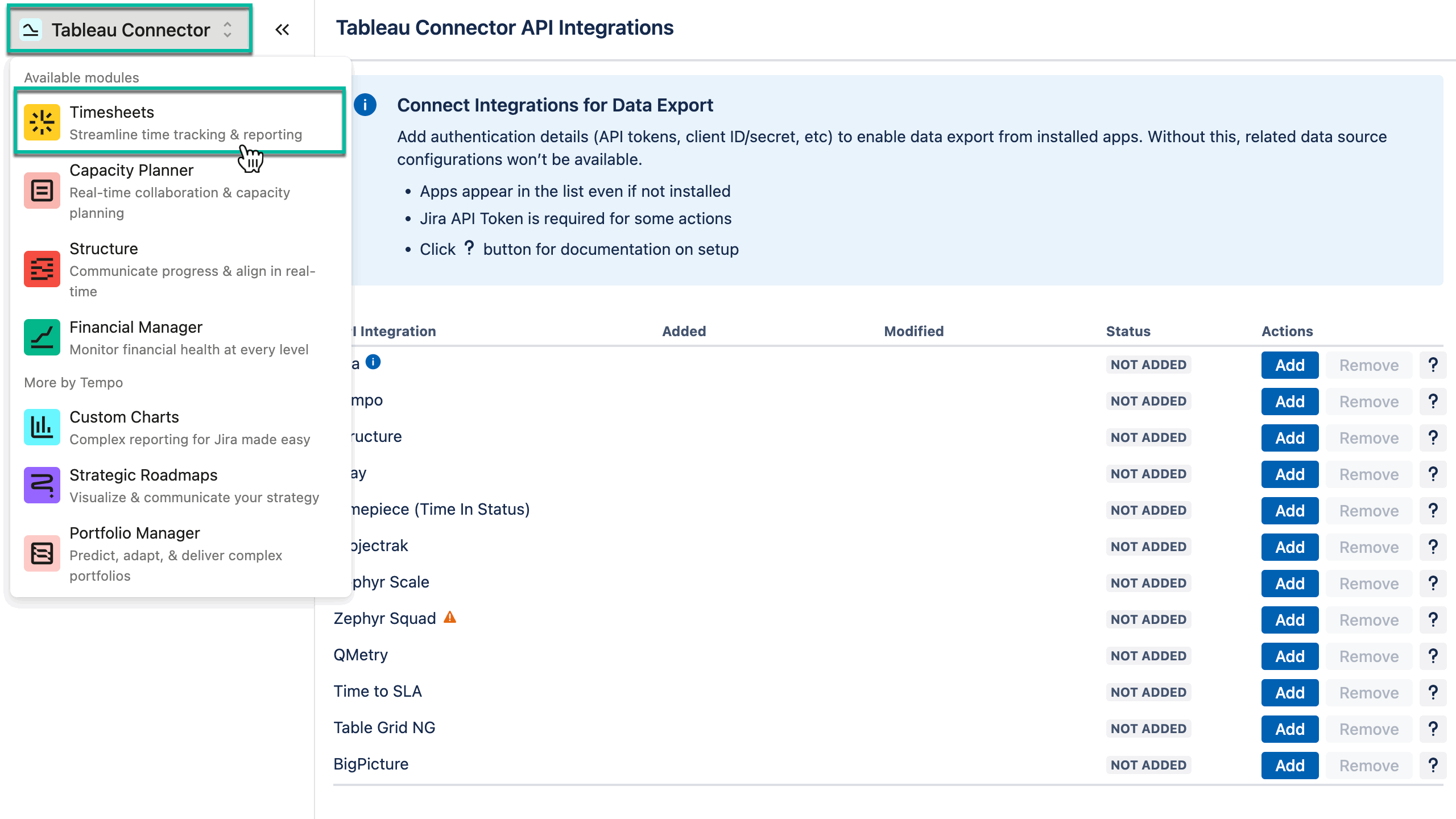
On the left-side menu, select Tableau Connector, and then select Timesheets.
For your convenience, open Timesheets in a new tab. To do it, right-click on Timesheets, and then select Open link in new tab.
-
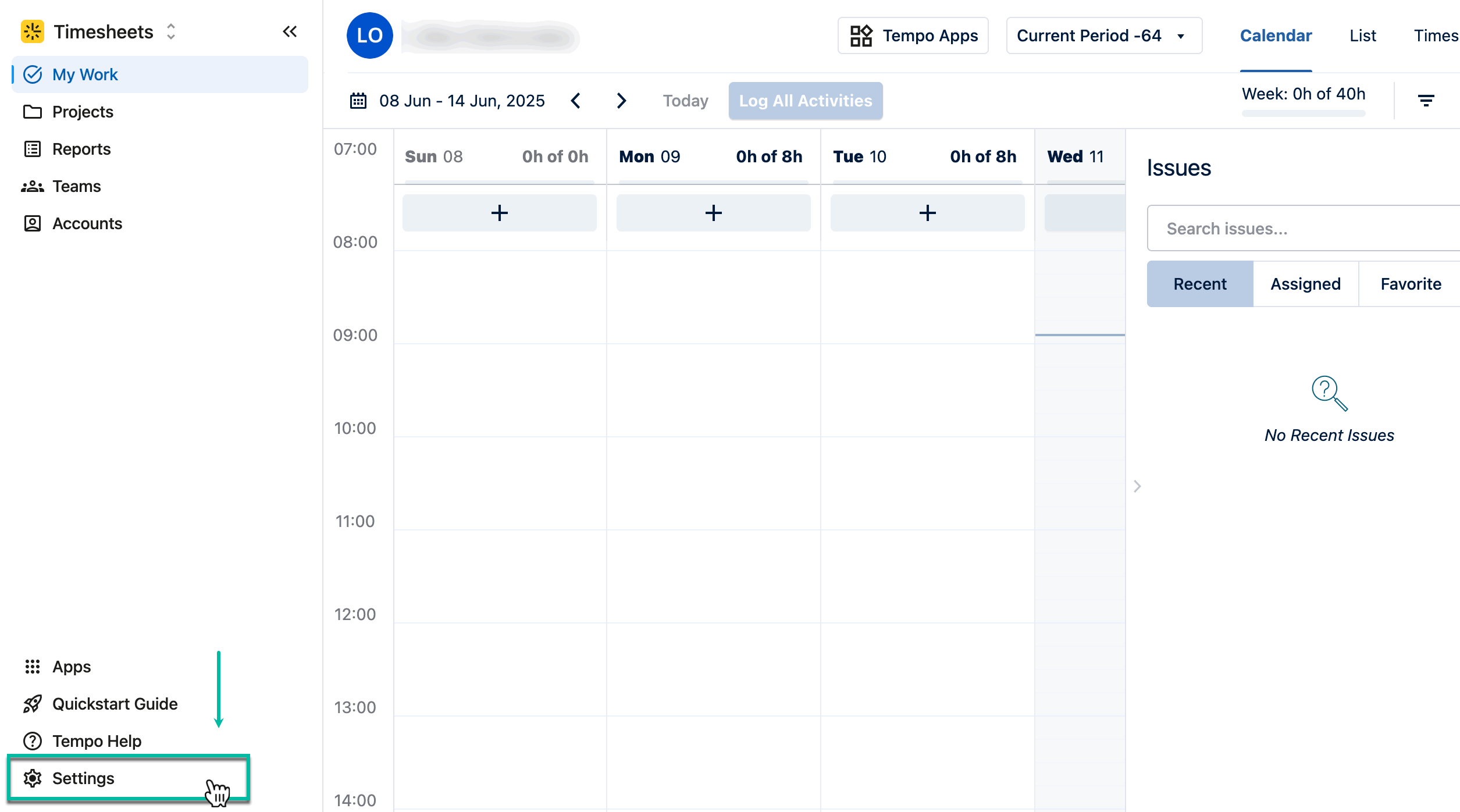
Select Settings.
-
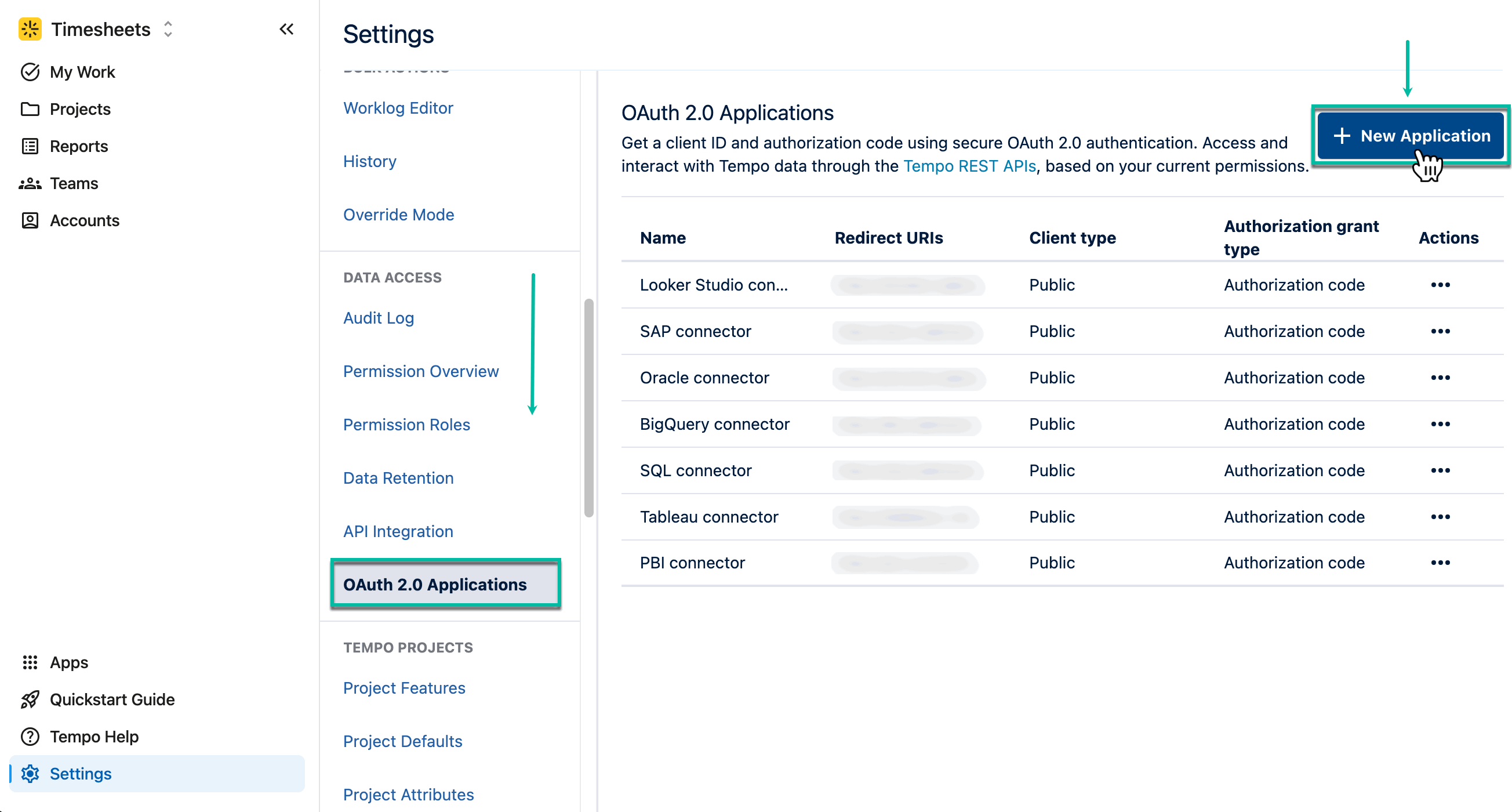
Scroll down, select OAuth 2.0 Applications, and then select + New Application.
-
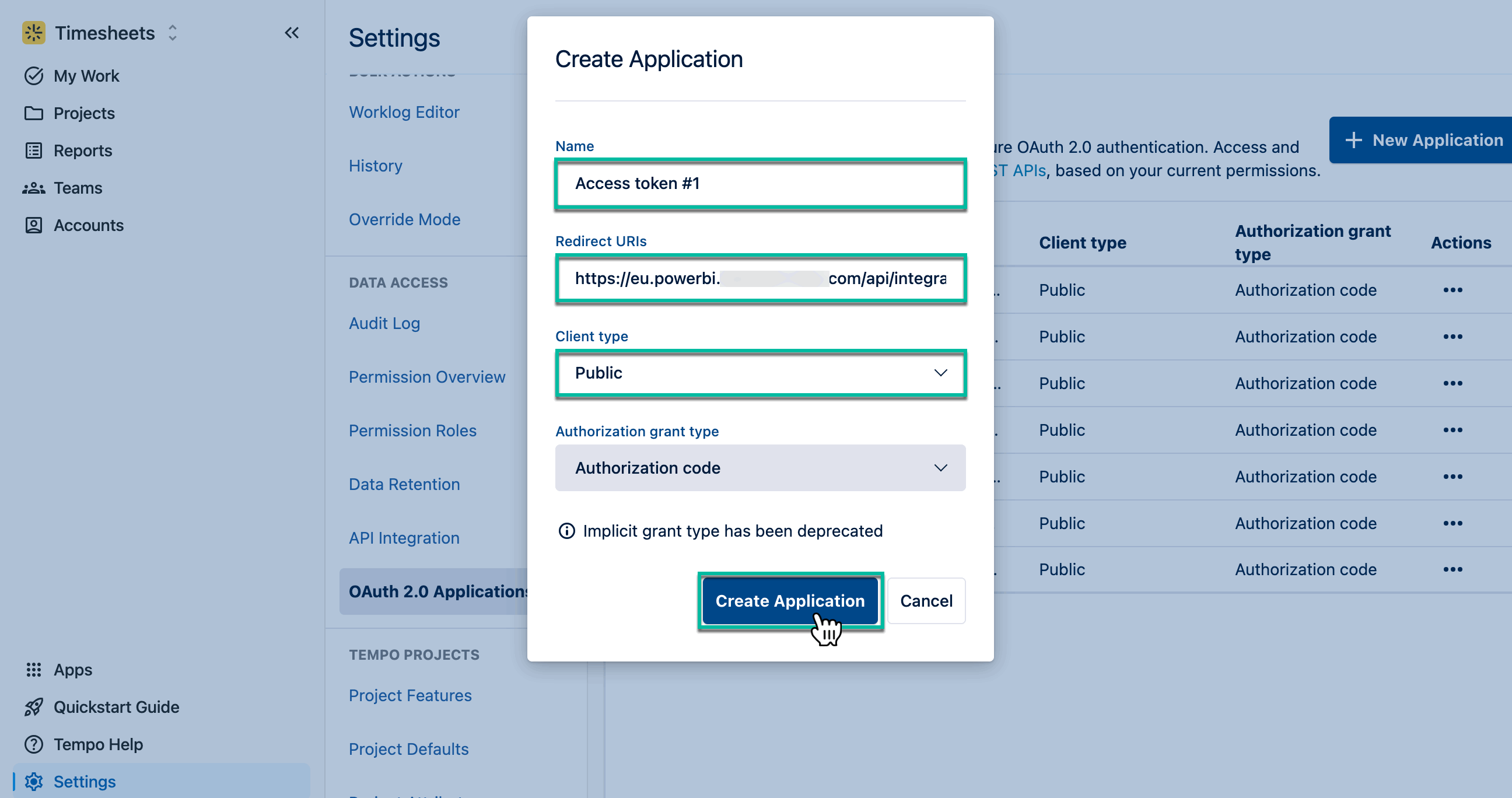
In the Name field, enter any name you’d like.
-
In the Redirect URLs, field, paste the redirect URL.
The redirect URL for this form was copied in step 3.
-
In the Client type field, select Public.
-
In the Authorization grant type, select Authorization code.
-
Select Create Application.
-
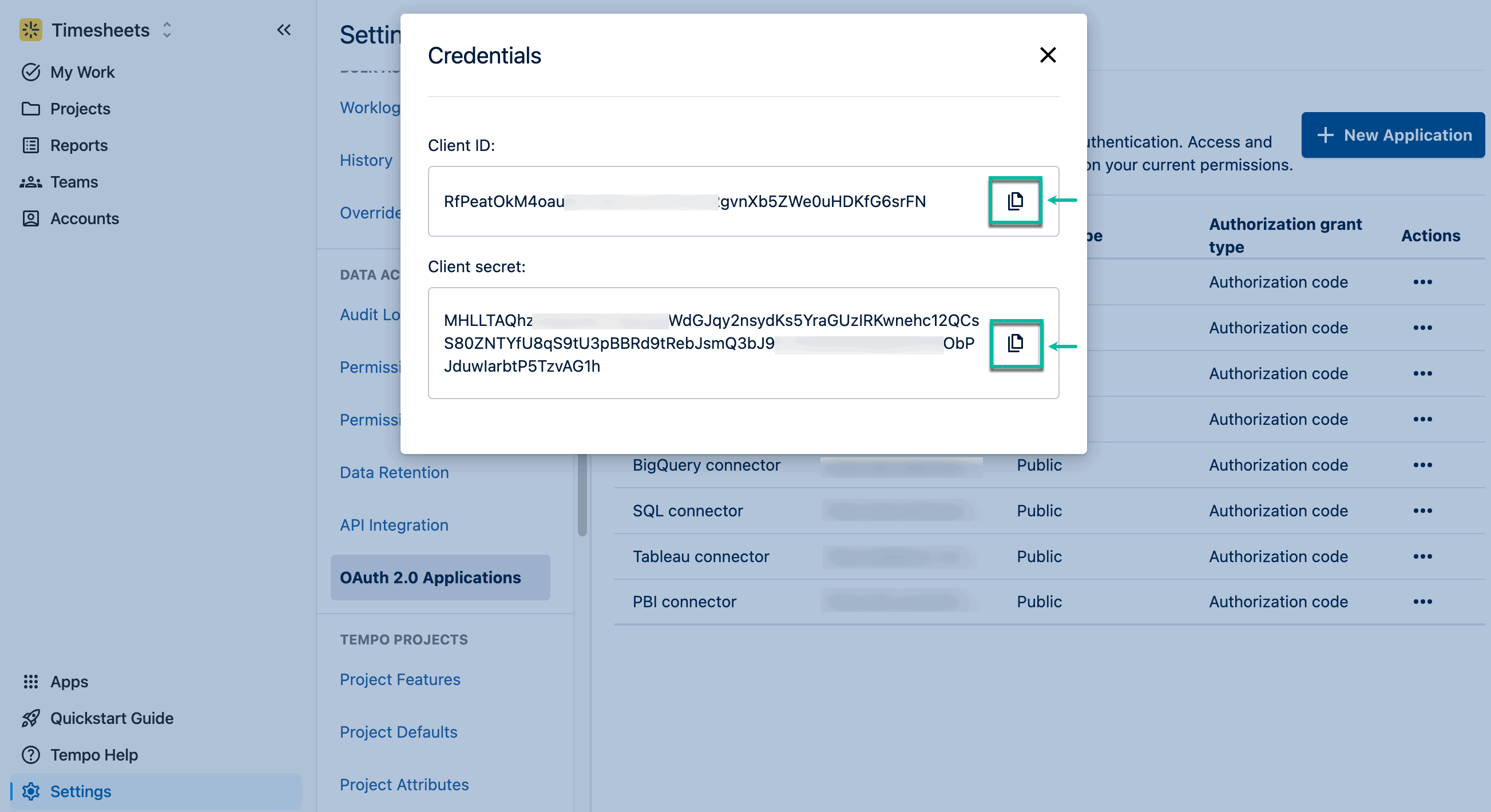
Copy the client ID and client secret, and then close the window.
-
Return to API Integrations, and then select Tempo.
-
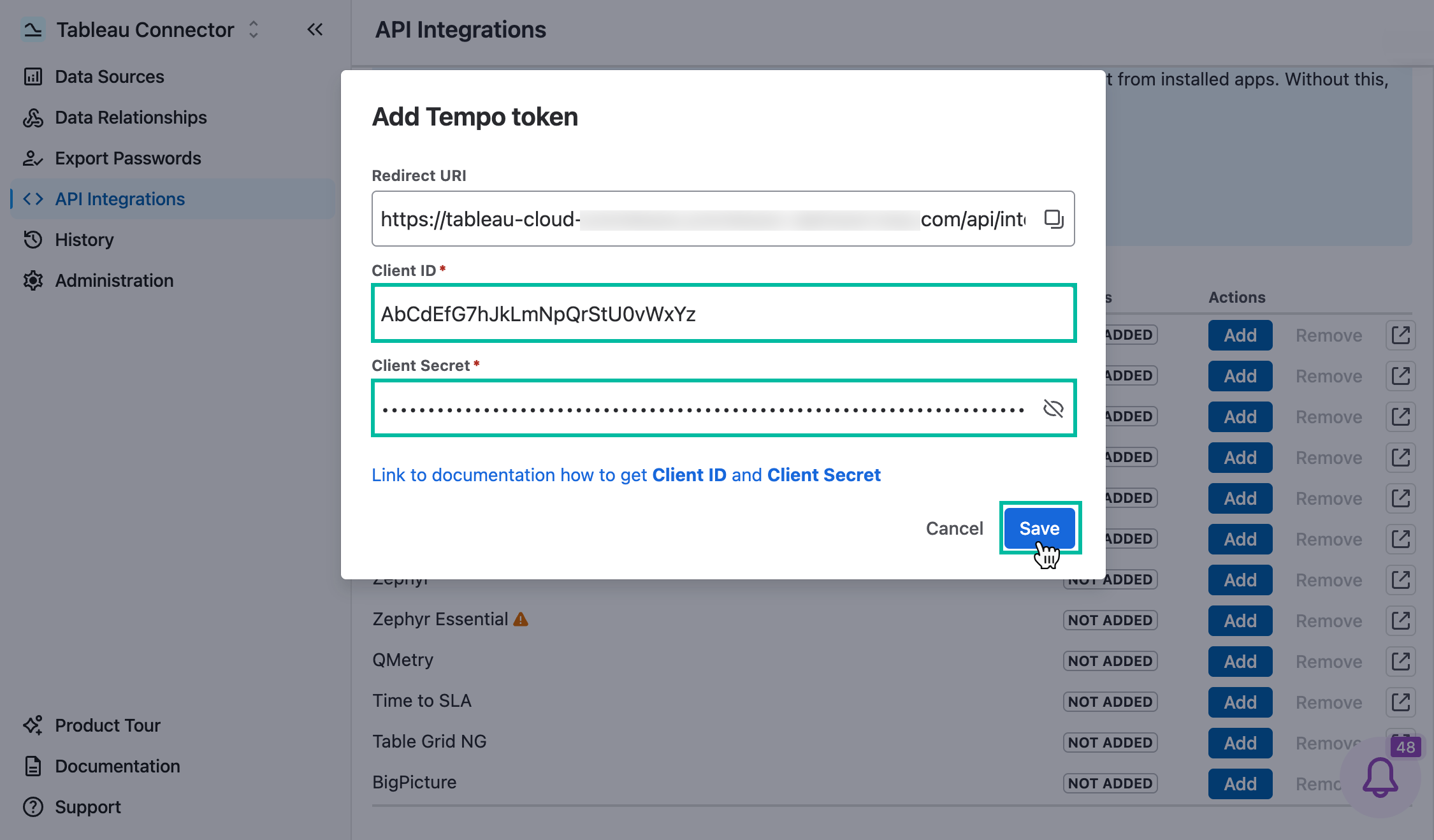
Paste your client ID and client secret to the corresponding fields, and then select Save.
-
Select Authorize Access.
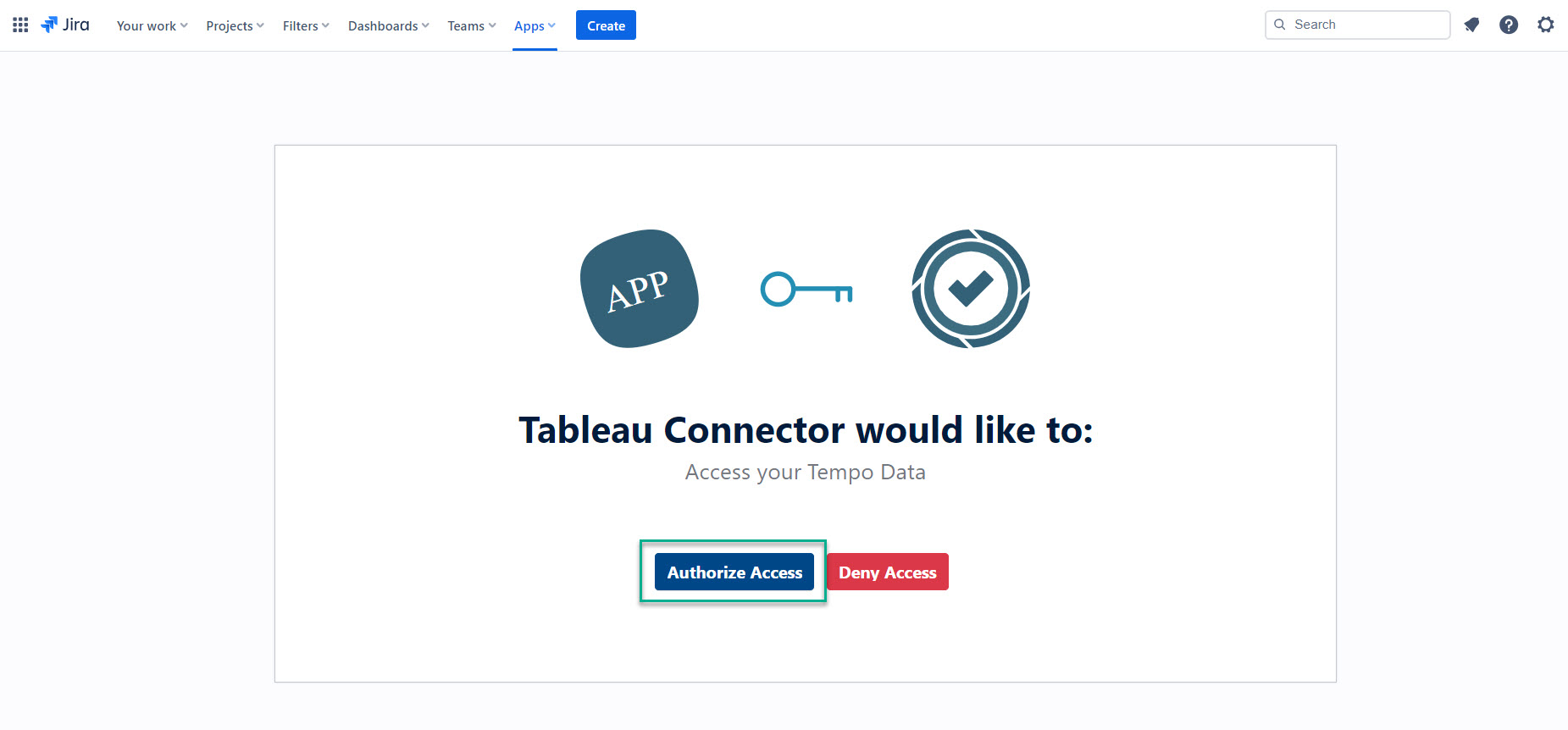
The Success! message will appear.
Select Onwards!
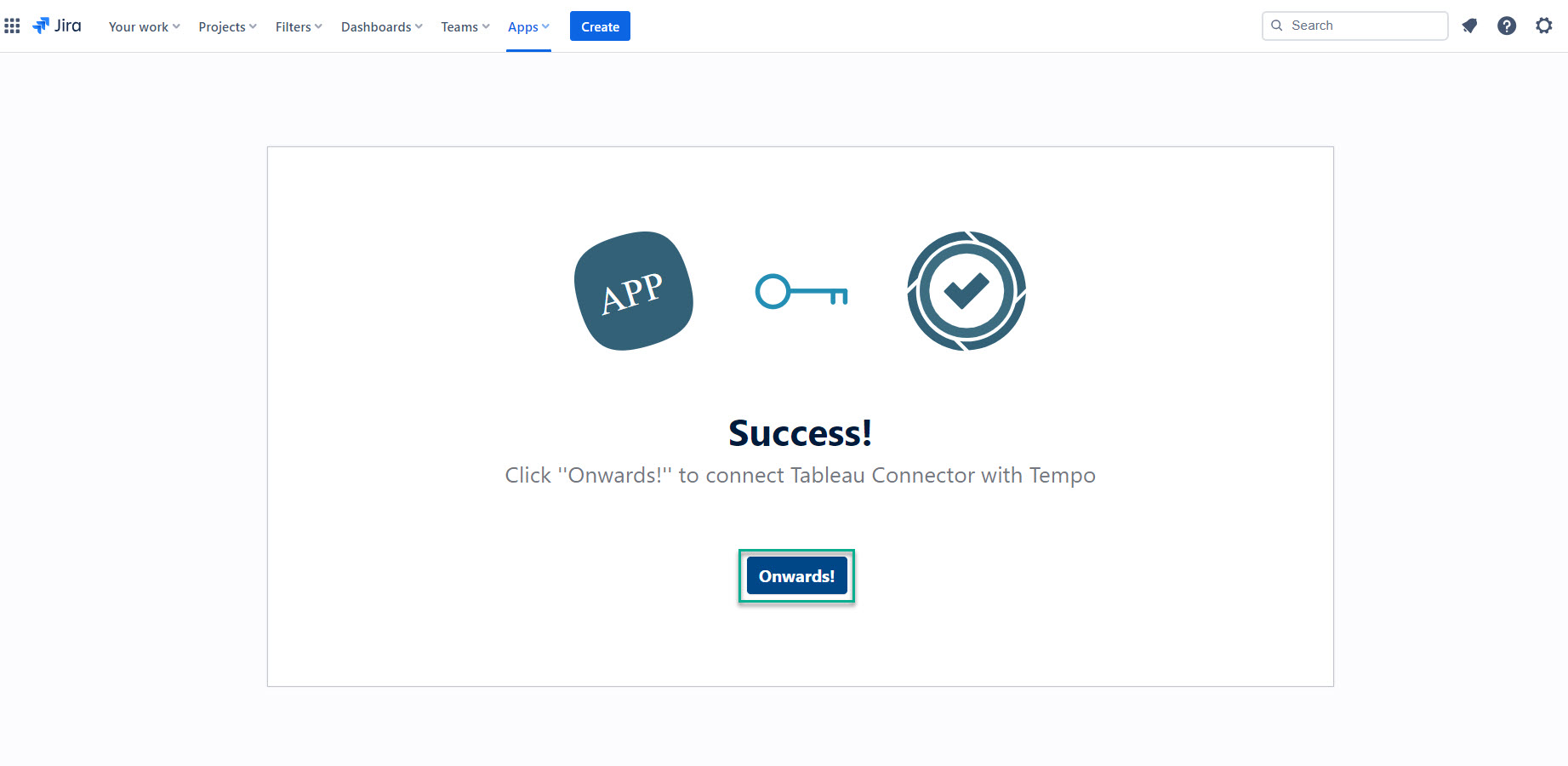
You can now add Tempo (Timesheets, Capacity Manager, Financial Manager) tables and fields to your data source to include Tempo data in your exports.
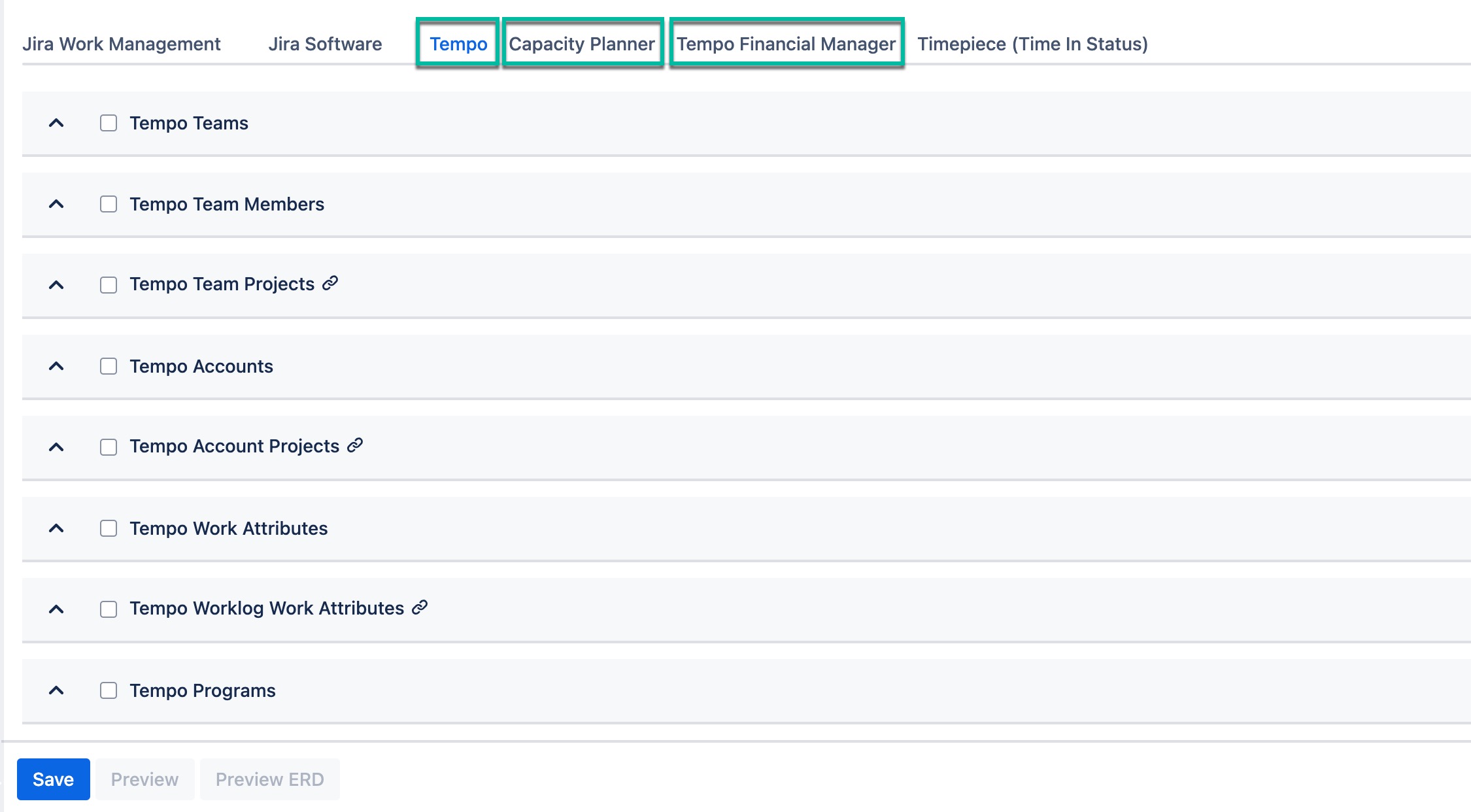
Tempo Tables Overview
|
Table Name |
Table Fields References |
|---|---|
|
Cost Tracker Projects |
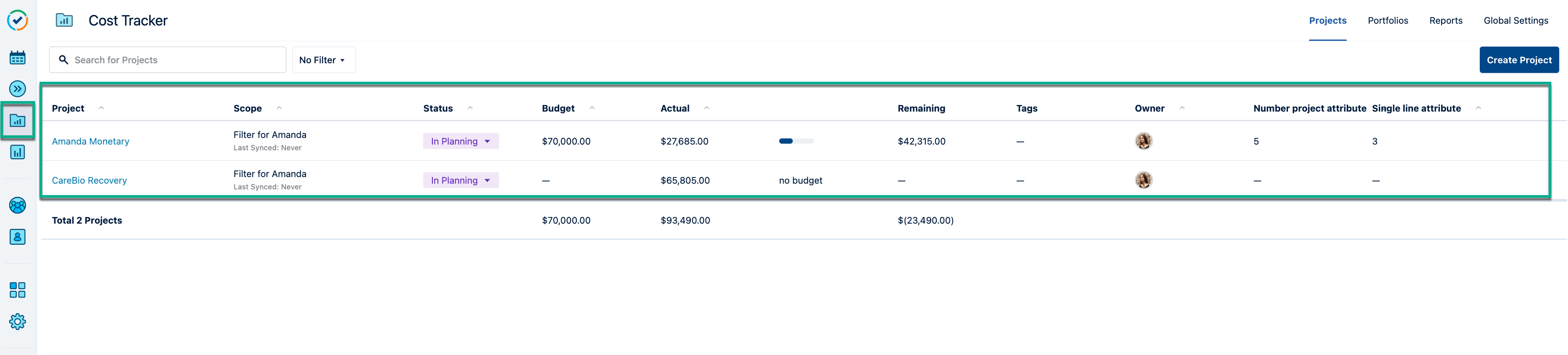

|
|
Cost Tracker Expenses |
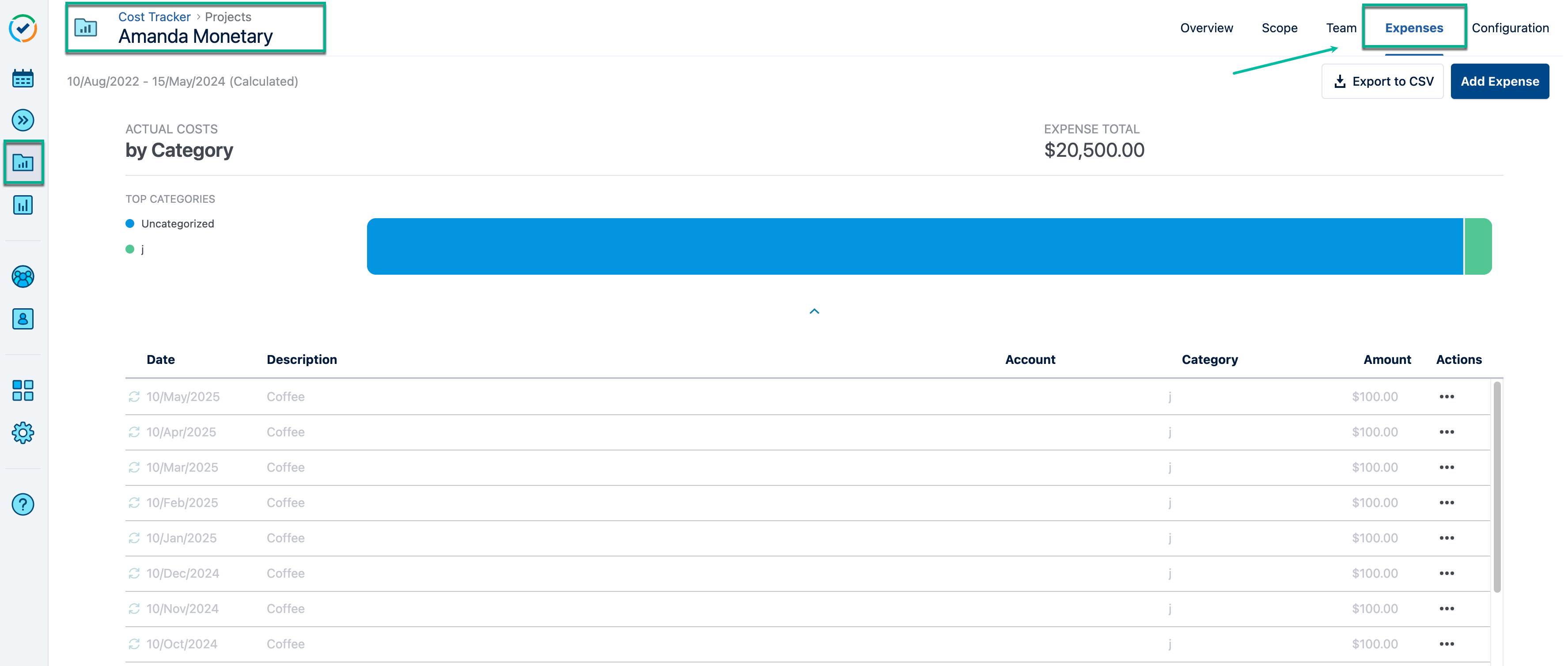

|
|
Cost Tracker Actual Expenses |
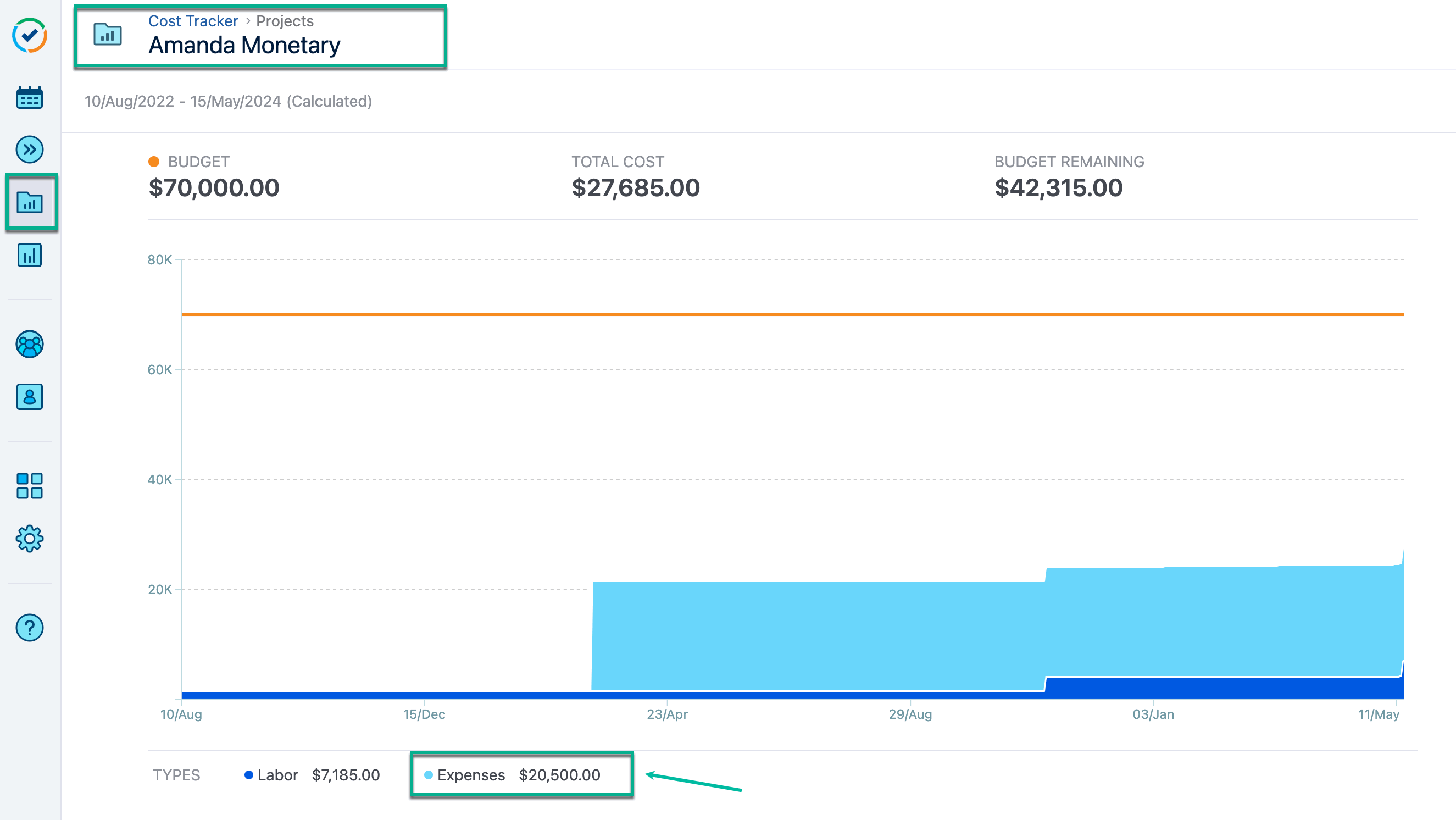
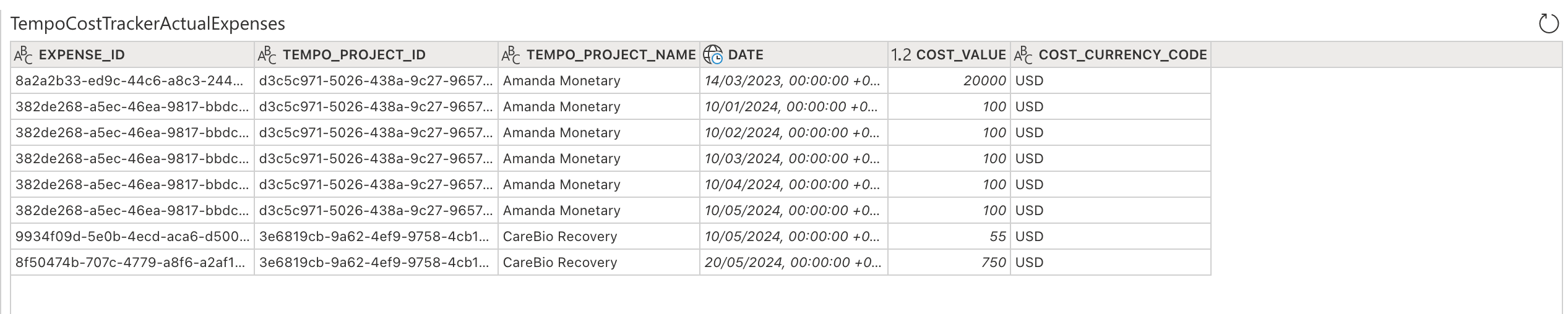
|
|
Cost Tracker Actual Labor |
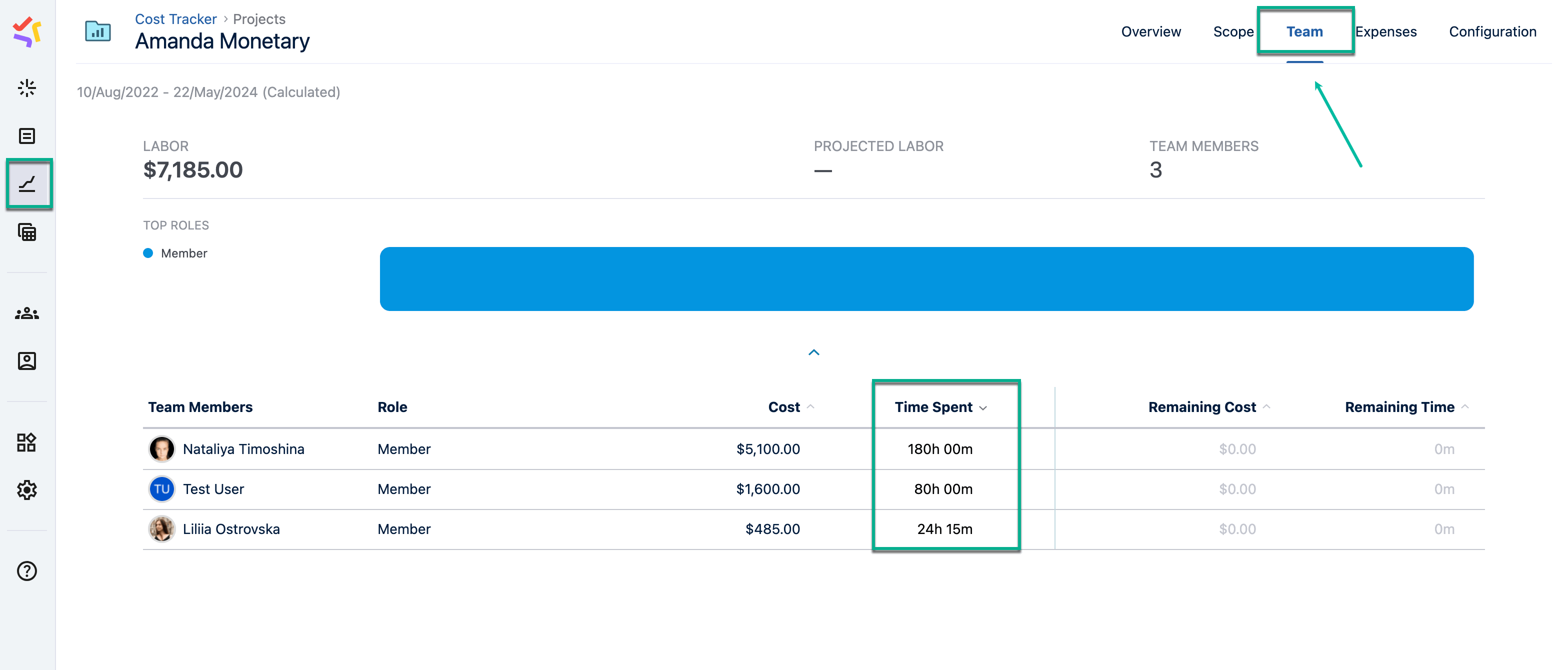

|
|
Cost Tracker Budget Milestone |
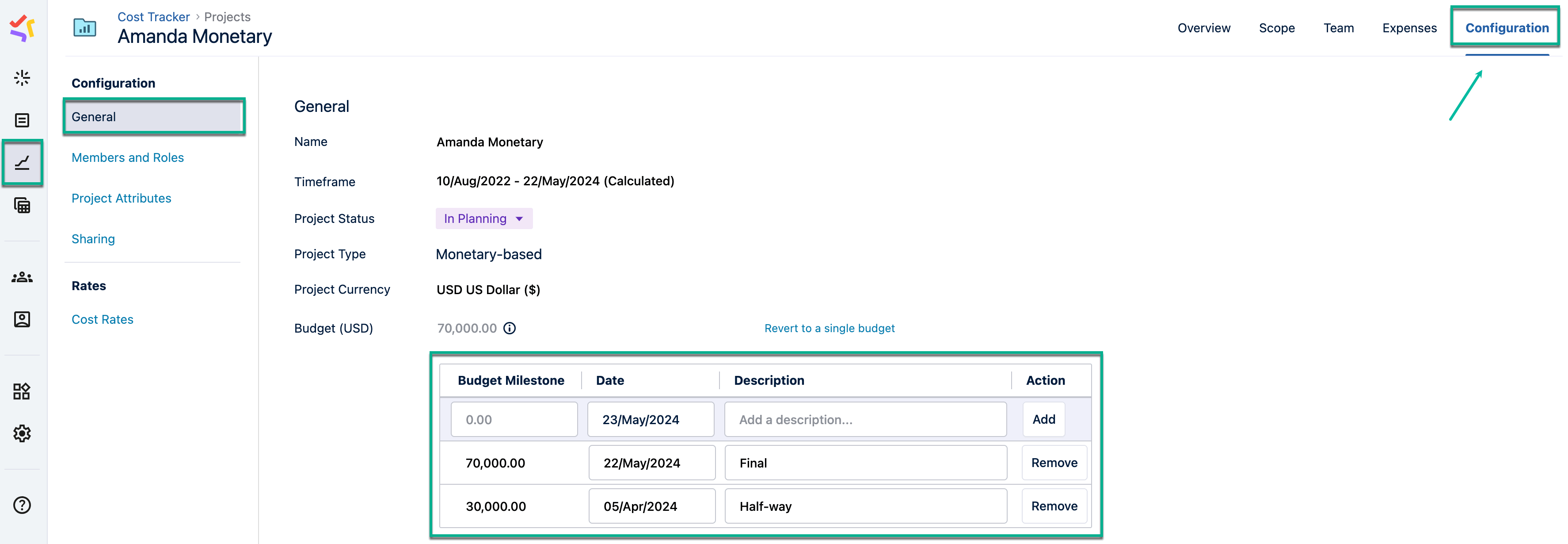

|
|
Cost Tracker Scope Tasks |
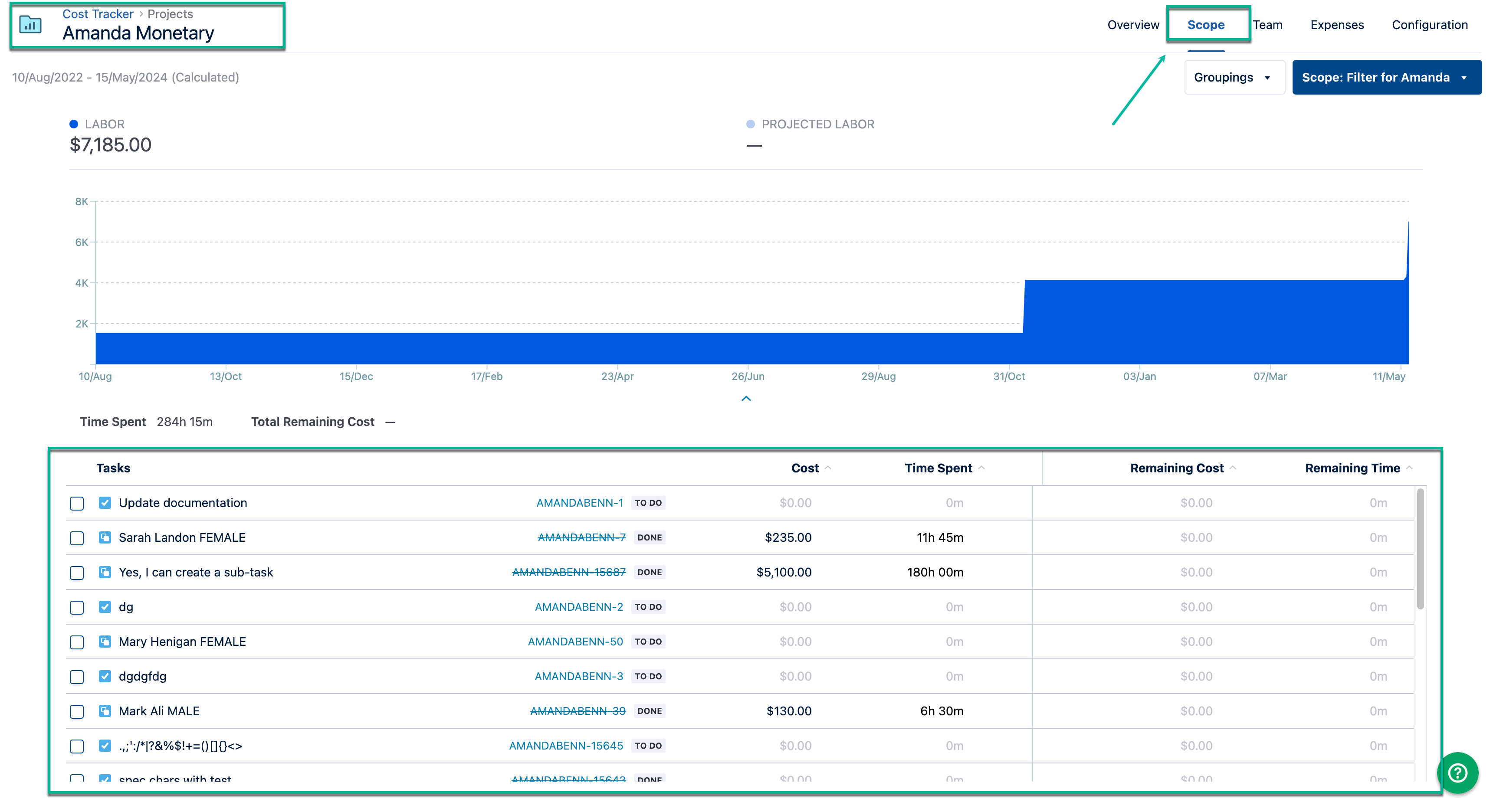
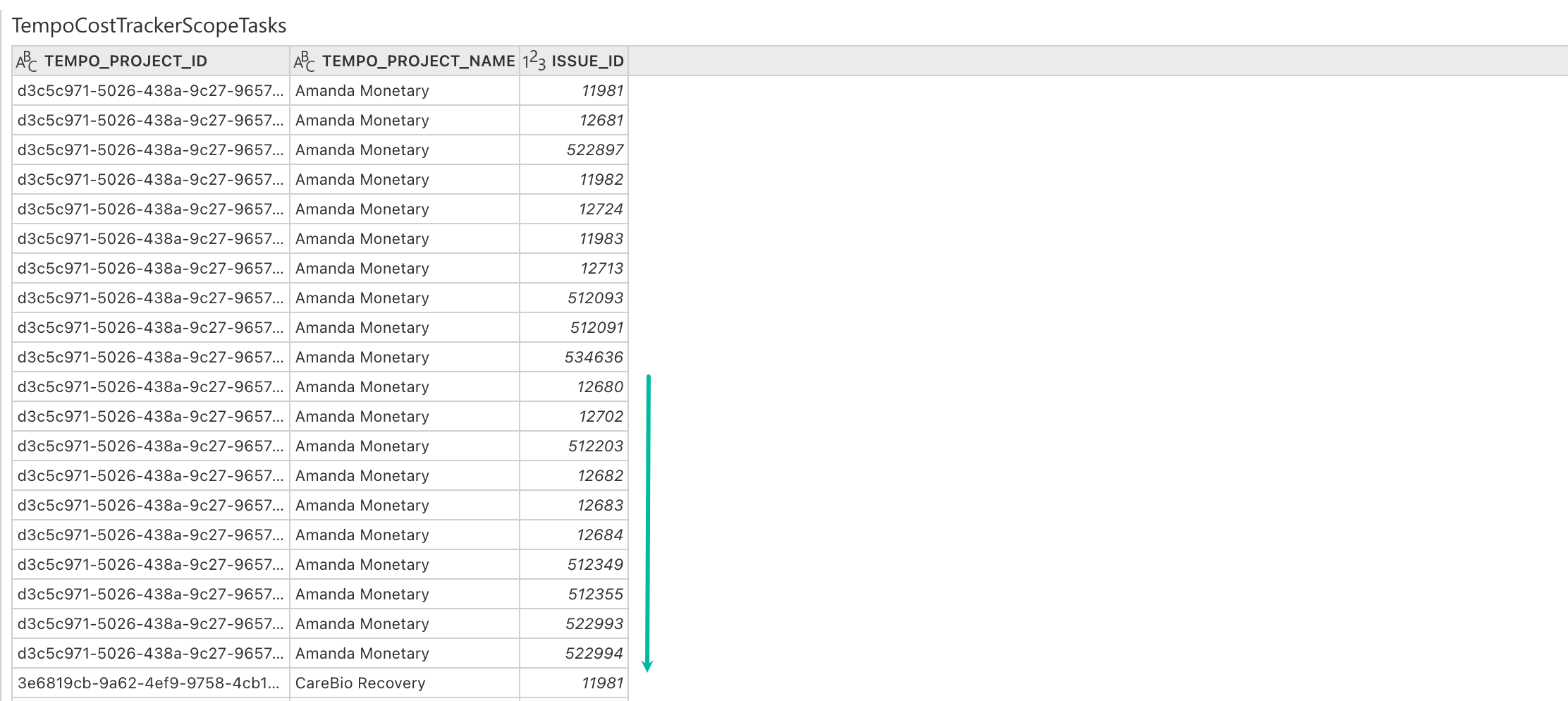
|
|
Cost Tracker Team Member Rates |
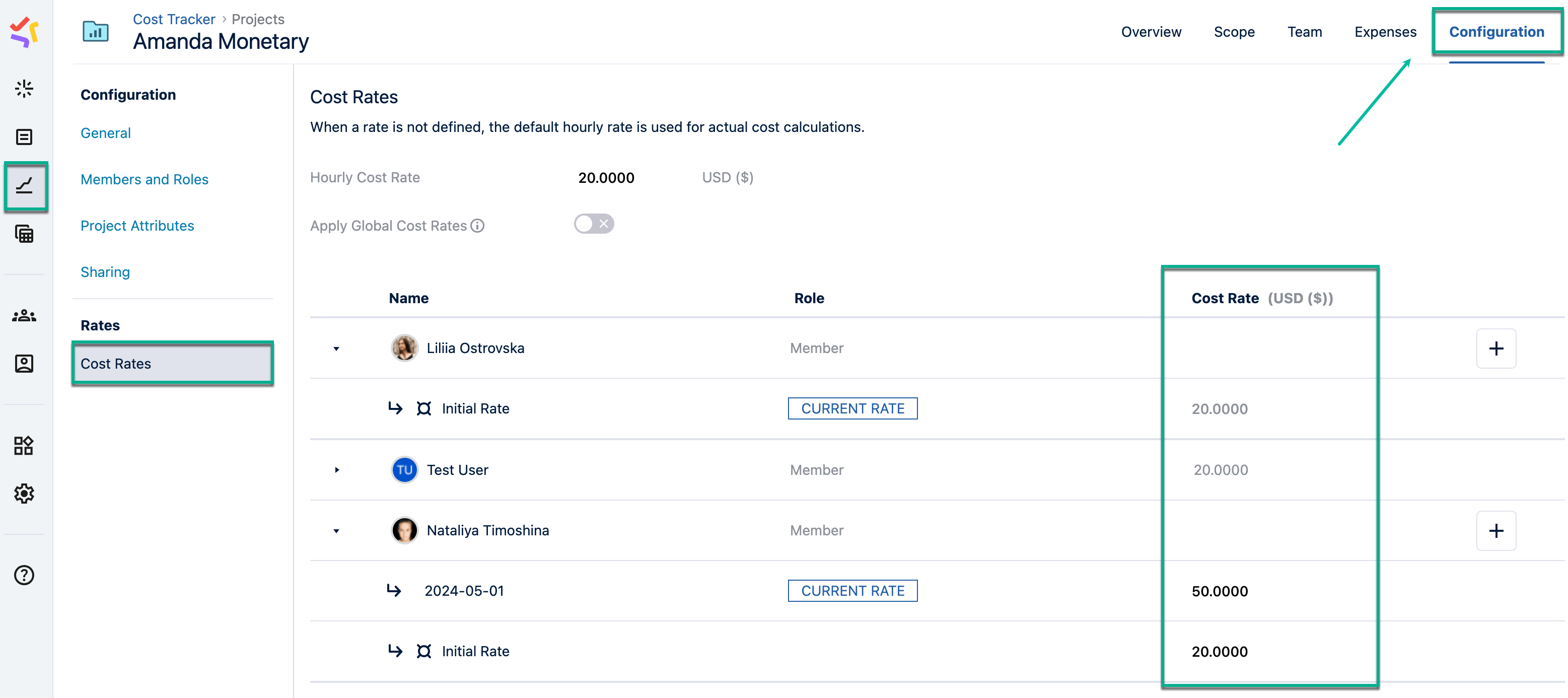
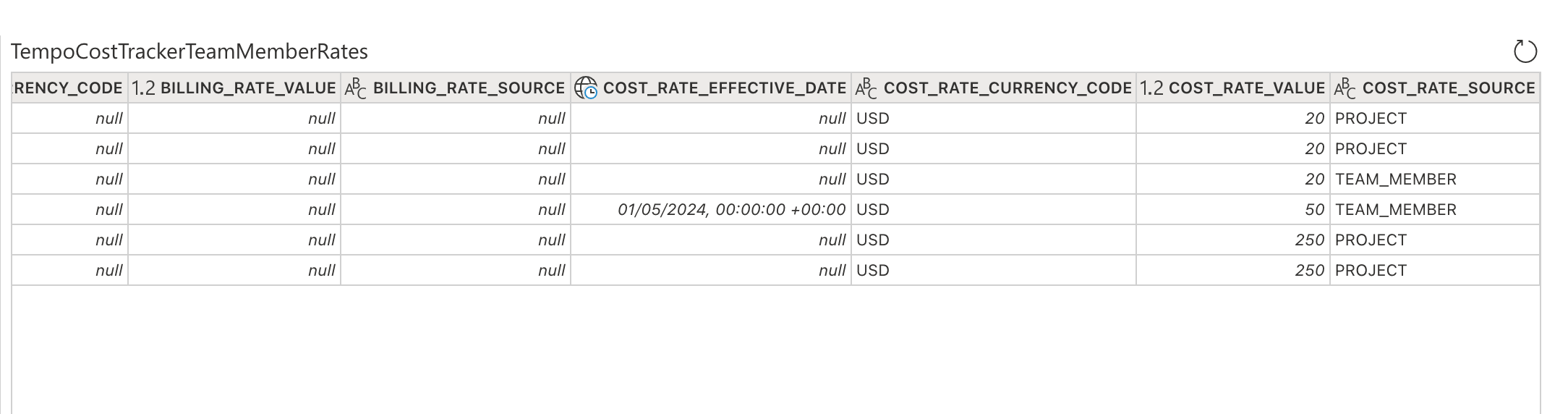
|
|
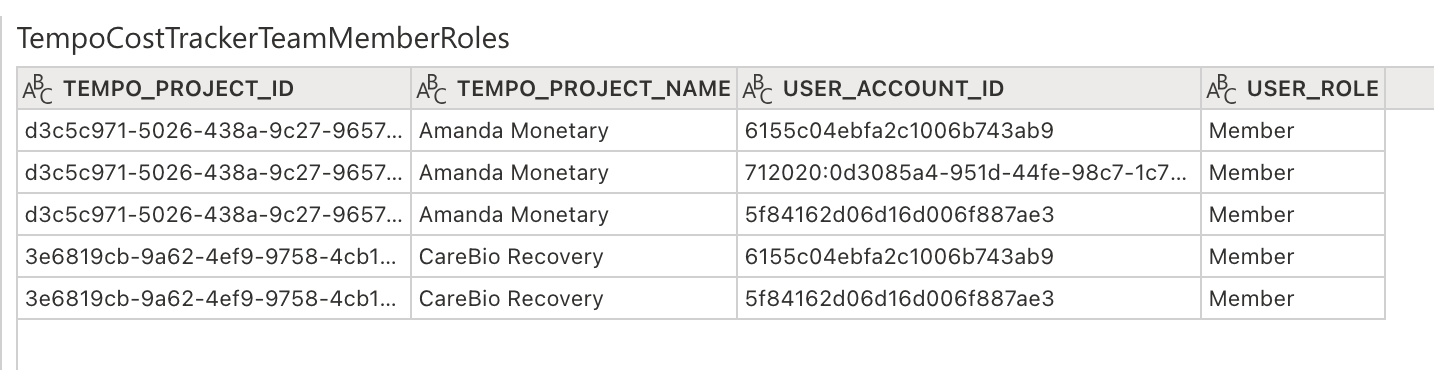
Cost Tracker Team Member Roles |
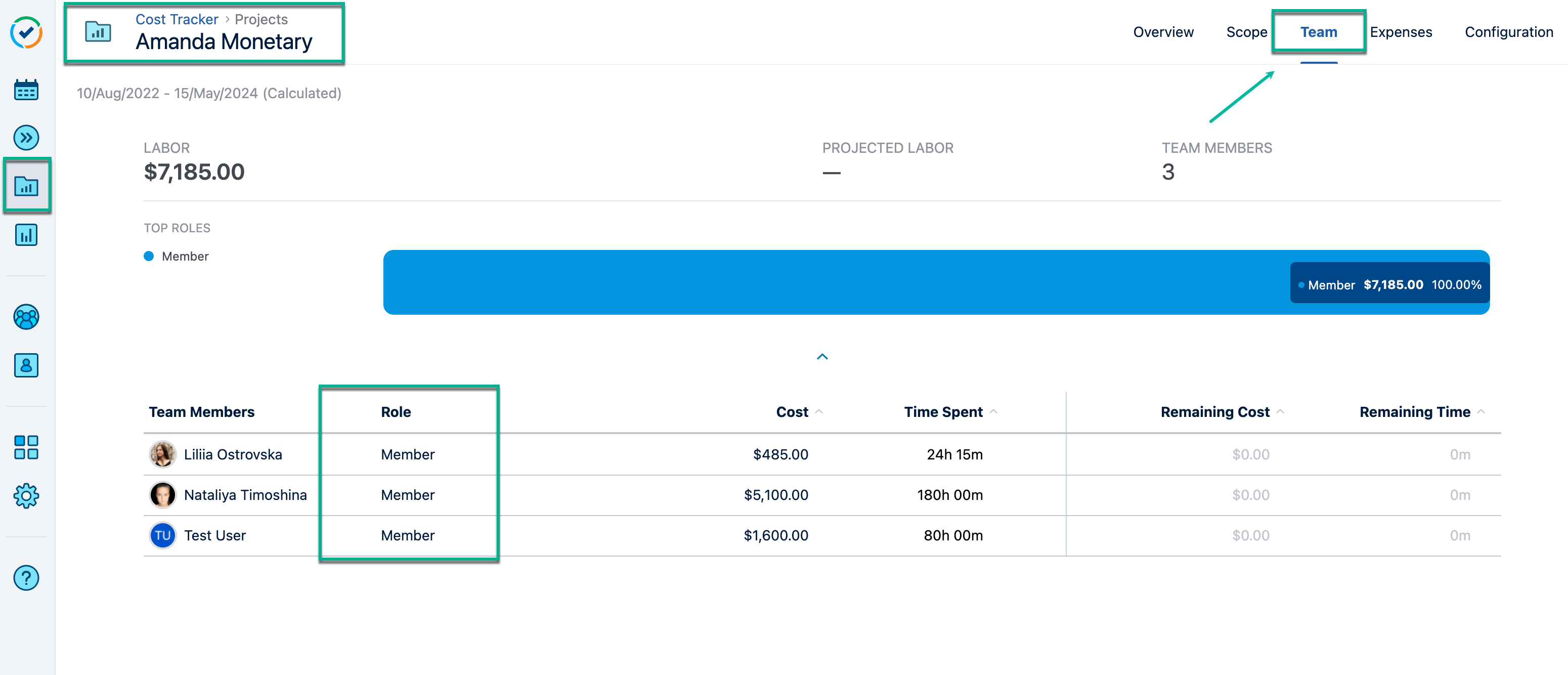
|