You must have the relevant Shopify account rights to be able to carry out the instructions on this page.
How to install Exportier - Data Export?
.png?cb=d15ebb788593cbc5452ca6e75bcf75d9)
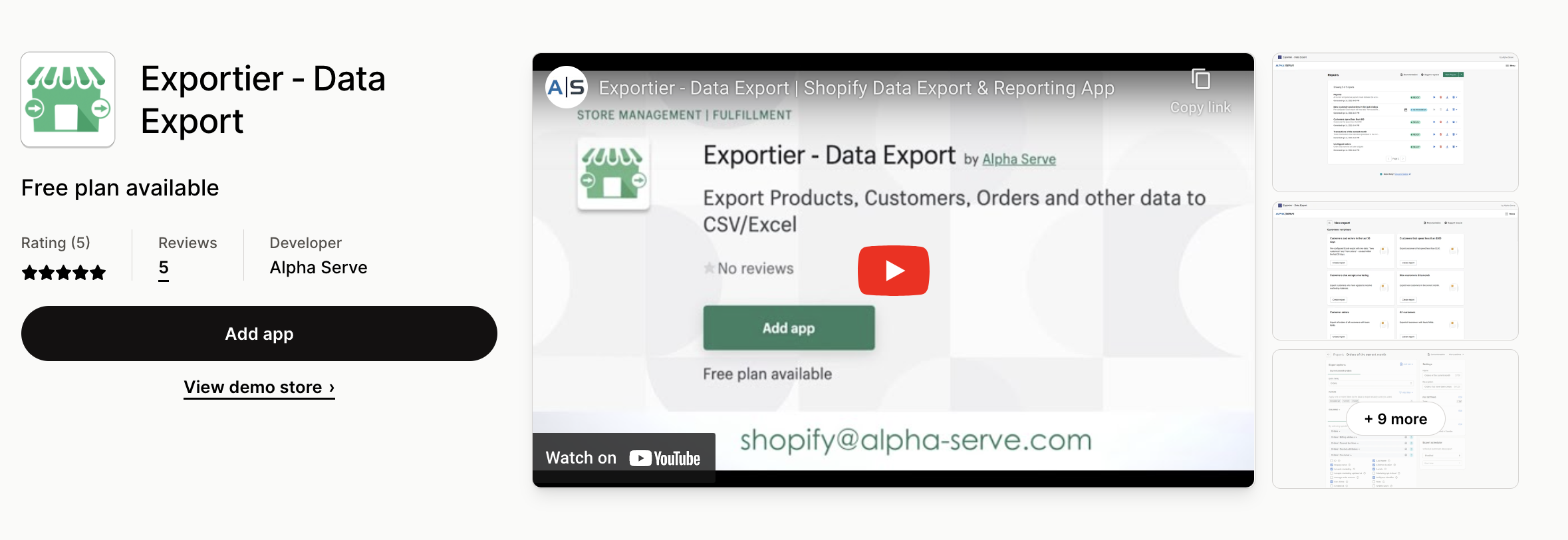
Step 1. Go to the Exportier - Data Export listing on the Shopify app store and click the Add app button.
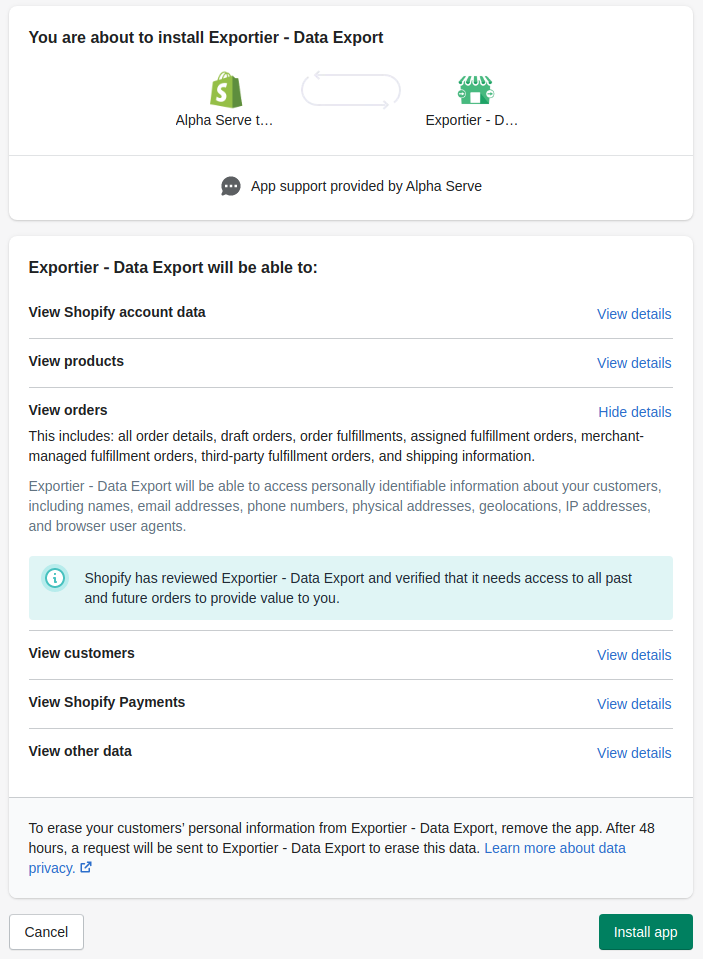
Step 2. You will be redirected to the Confirmation page. Read all details and click Install app.
Step 3. The application will be automatically installed on your Shopify store. You can start exporting the data you need.
How to Uninstall Exportier for Shopify - Data Export
-
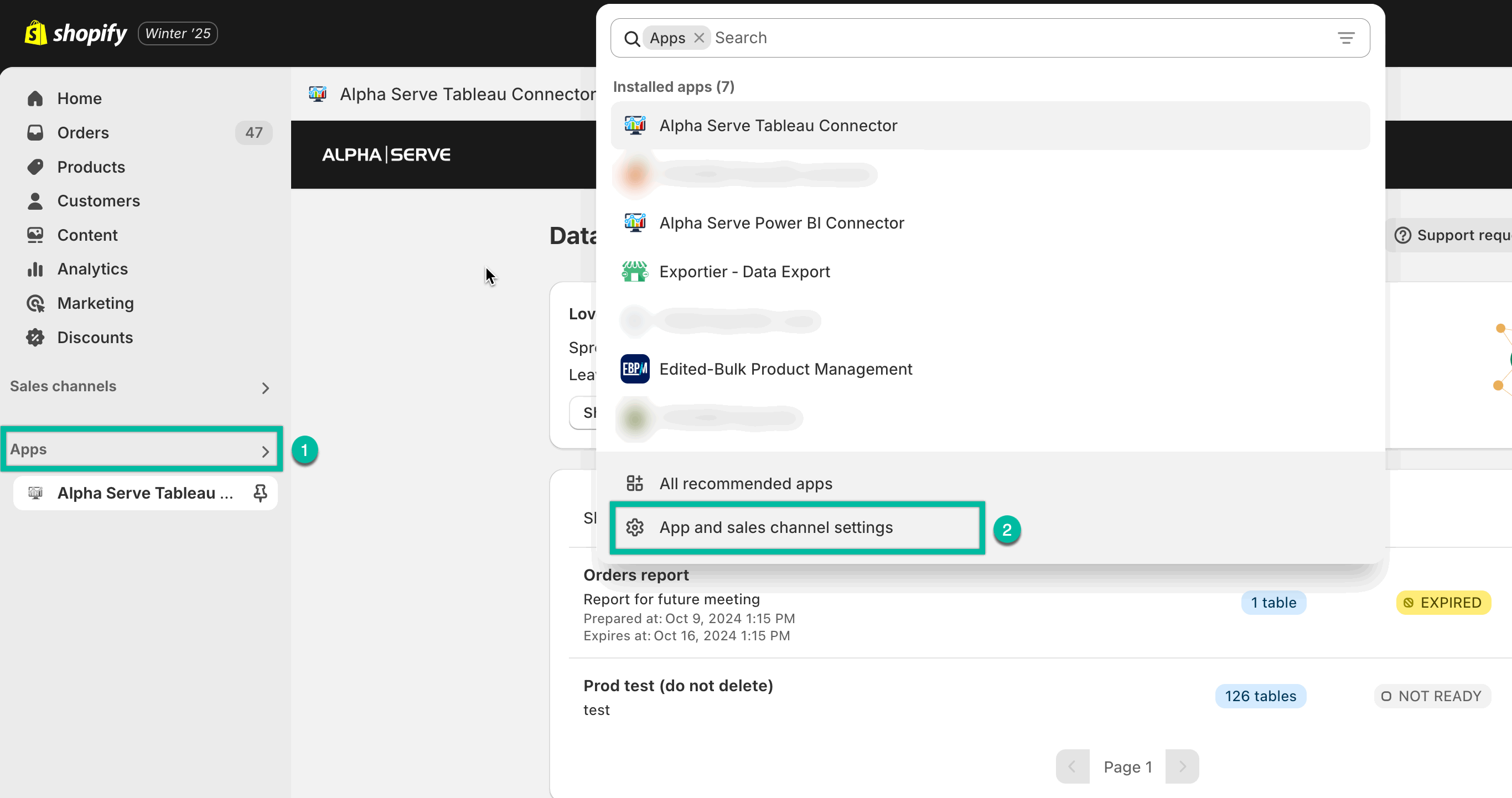
Being on the home page of your Shopify store, select Apps, and then select ⚙️ Apps and sales channel settings.
-
Find the corresponding app, and then select Action panel (three dots), and then select Uninstall.
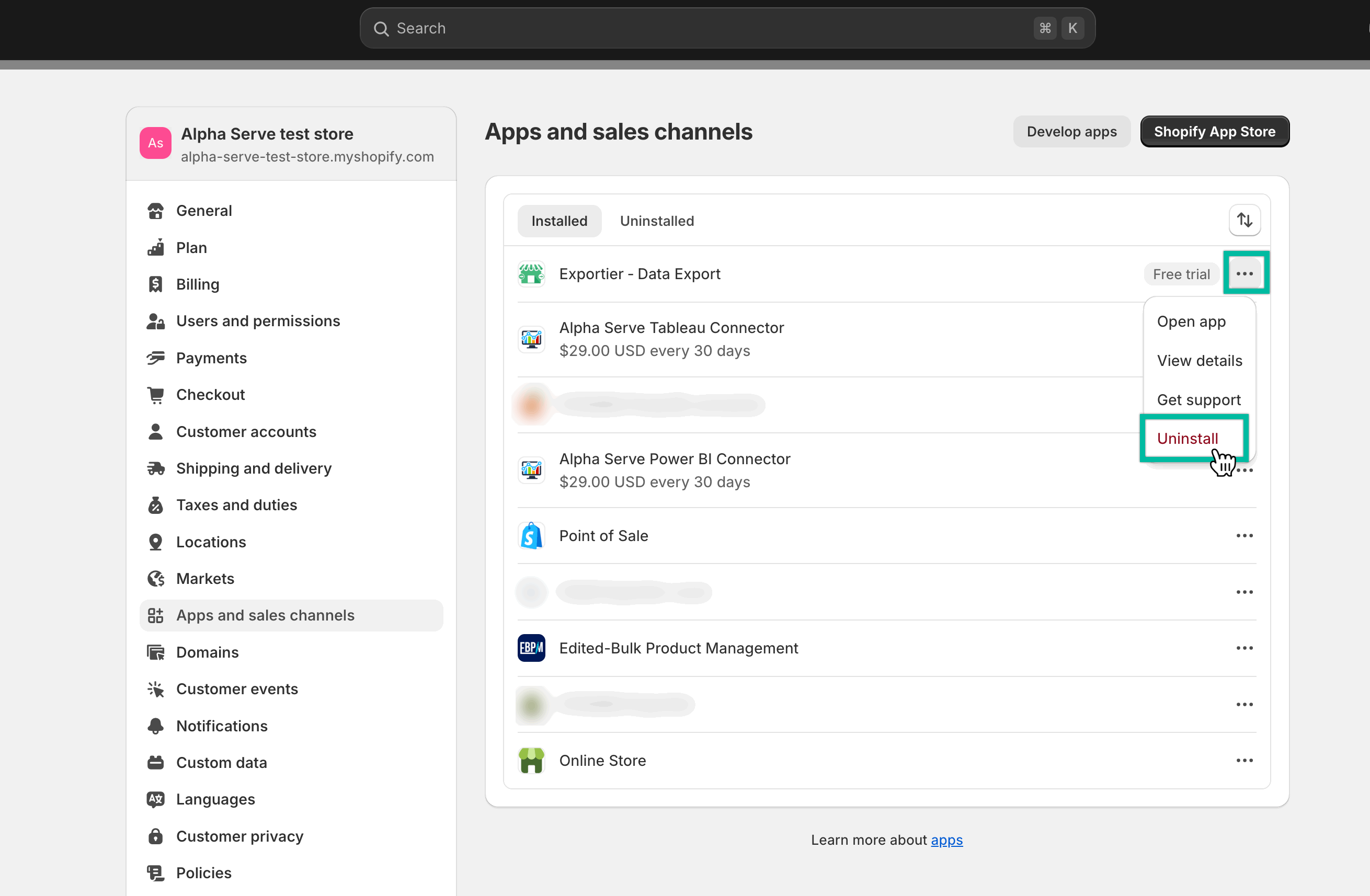
-
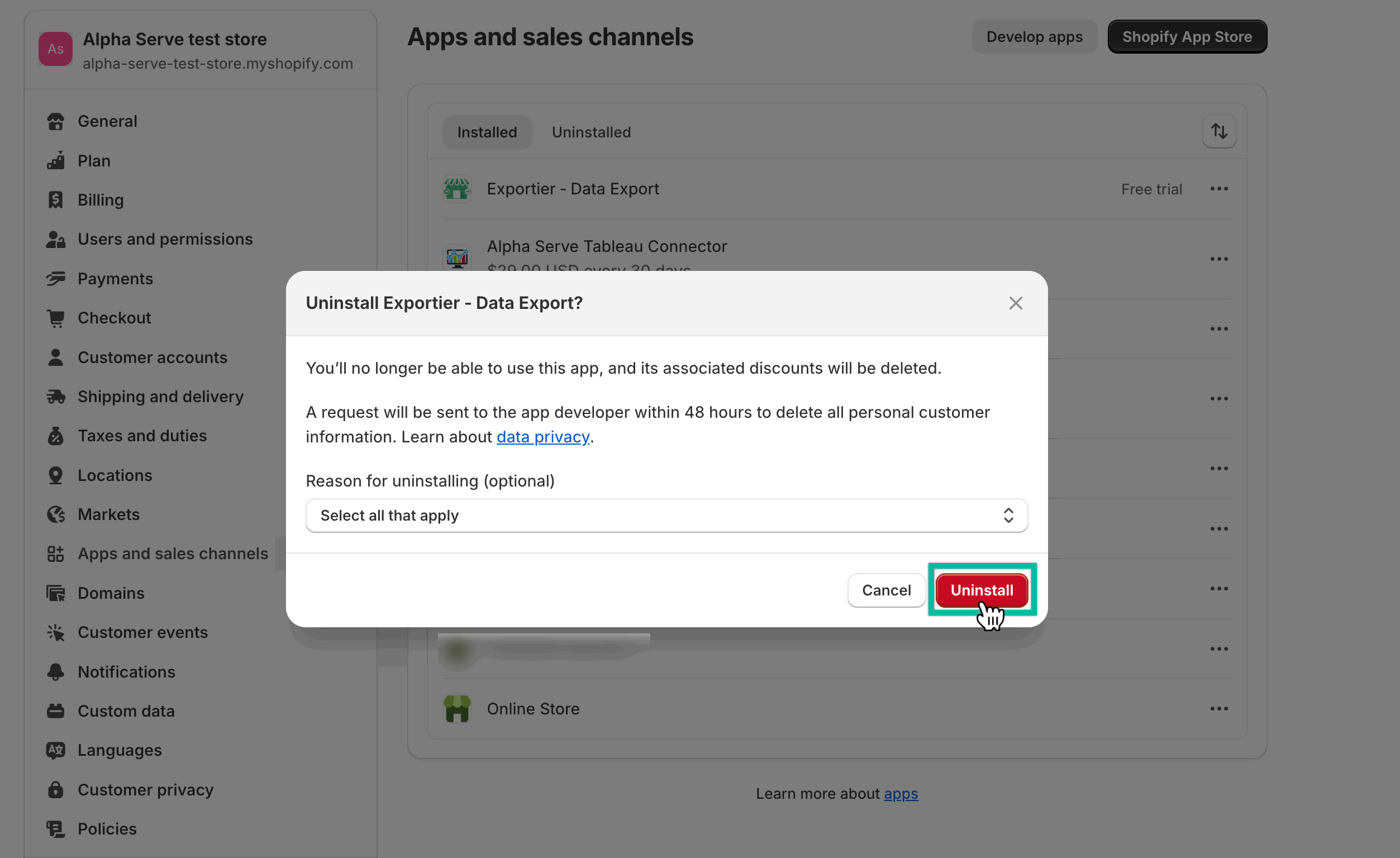
Select Uninstall.